© Bosch Healthcare Solutions GmbH 13Instructions for use
Data management and export
4 Data management and export
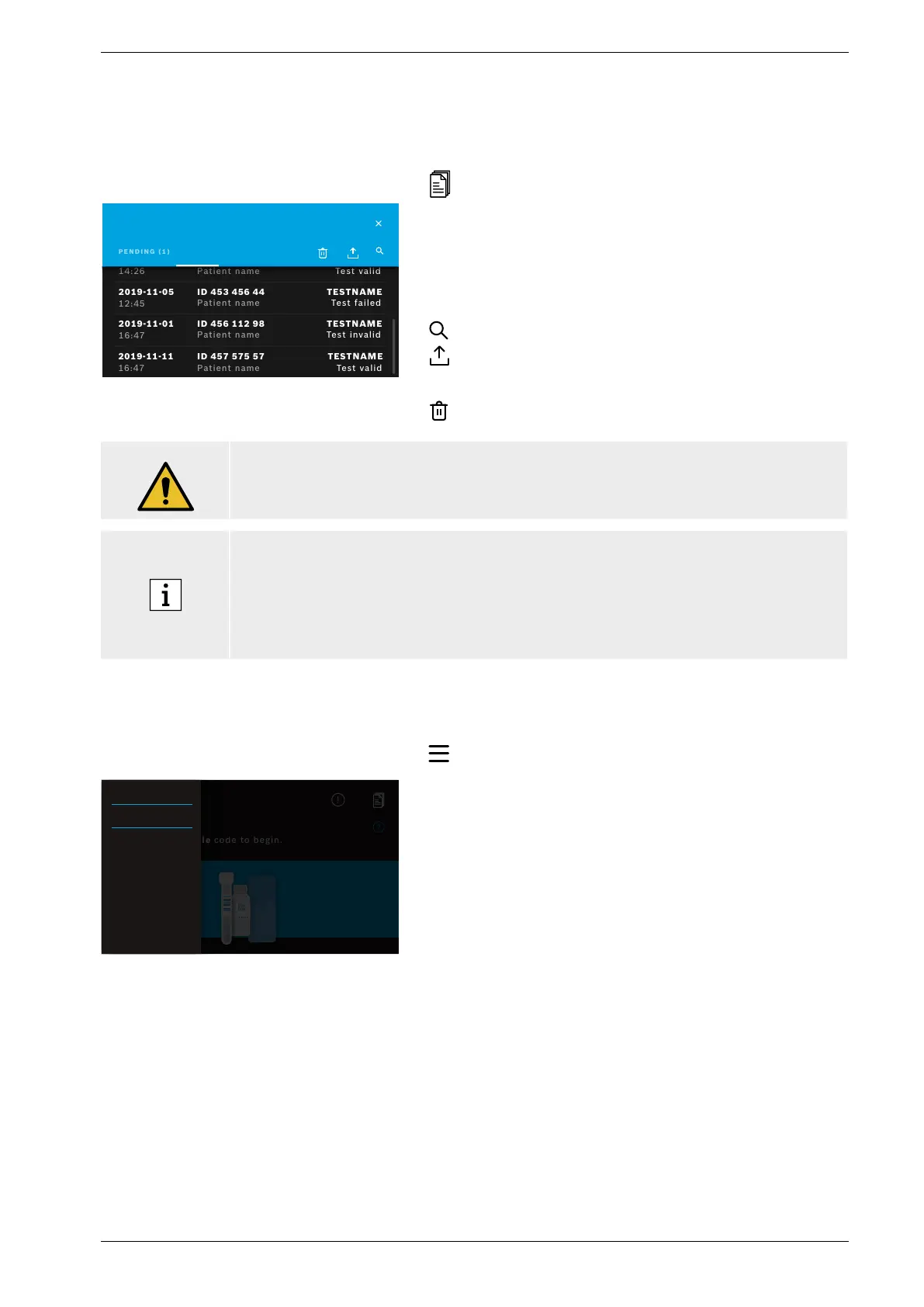
The joblist shows an overview of test runs stored on the analyser or in the queue.
ID 12234569
Patient Name
2018-06-15
16:47
TEST NAME
Test valid
Joblist
DONE (5)
Patient name
ID 453 456 44
Patient name
2019-11-05
12:45
14:26
Test valid
TEST
NAME
Test failed
ID 456 112 98
Patient name
2019-11-01
16:47
TESTNAME
Test invalid
TESTNAME
Test valid
ID 457 575 57
Patient name
2019-11-11
16:47
Press joblist to view list of jobs.
Pending jobs available from a network infrastructure are
shown, if connected.
Done tests can be viewed in the done tab. By selecting a
test, detailed test information will be displayed. The results
for the selected test run can be printed and exported (see
also chapter 3.5).
Search for jobs.
Export all test data by pressing export on the joblist
screen to save the test reports. To configure export location
see chapter 5.5.
Delete data. Before deleting the data make sure that all test
runs are exported.
WARNING
Deletion of data is permanent. Data cannot be recovered afterwards, make sure that all test
runs are exported.
• The results are automatically submitted to an HIS/LIS. See chapter 5.4 for how to connect
the analyser.
• On the home screen a blue dot underneath the joblist symbol indicates an new job entry.
• Only done tests can be exported or deleted.
• After 4 days a pending job will be deleted.
• A notification is displayed if no more storage capacity is available.
5 Menu
Hi Johannes.
Please scan sample code to begin.
SETTINGS
LOGOUT
INFORMATION
On the home screen, press menu to change settings, display
information about the analyser or to log out.


 To Next Page