Name Description Function
Distance Left Shows the distance you need to travel on the route
before reaching your final destination.
Tap this field to change the
content of all data fields to via
point information.
Time Left Shows the time needed to reach the final
destination of the route based on information
available for the remaining segments of the route.
The calculation cannot take into account traffic jams
and other possible delays.
Tap this field to change the
content of all data fields to via
point information.
Method
This field shows how the route was calculated. It
either displays the Route Calculation Method or the
Vehicle field from the Route Planning options.
If you have chosen Car, Taxi or Bus, the type of the
route (Fast, Short, Easy or Economical) will be
displayed here; if you have selected Emergency,
Bicycle or Pedestrian, this information will be
displayed here.
Tap this field to change the
content of all data fields to via
point information.
Warning icons
In these square fields graphical symbols are
displayed in case warnings are attached to the
planned route. These are warnings, so icons always
show information for the whole route
, even if the
data fields display values from your current position
to a via point only.
Tap any of the icons for an
explanation.
Opens the Route Planning
options screen from
theSettings menu.
Opens the map screen
designed for route planning.
Appears only if at least one via point exists. Deletes the next via point from
the route.
Appears only if there are no via points in the route. Deletes the active route.
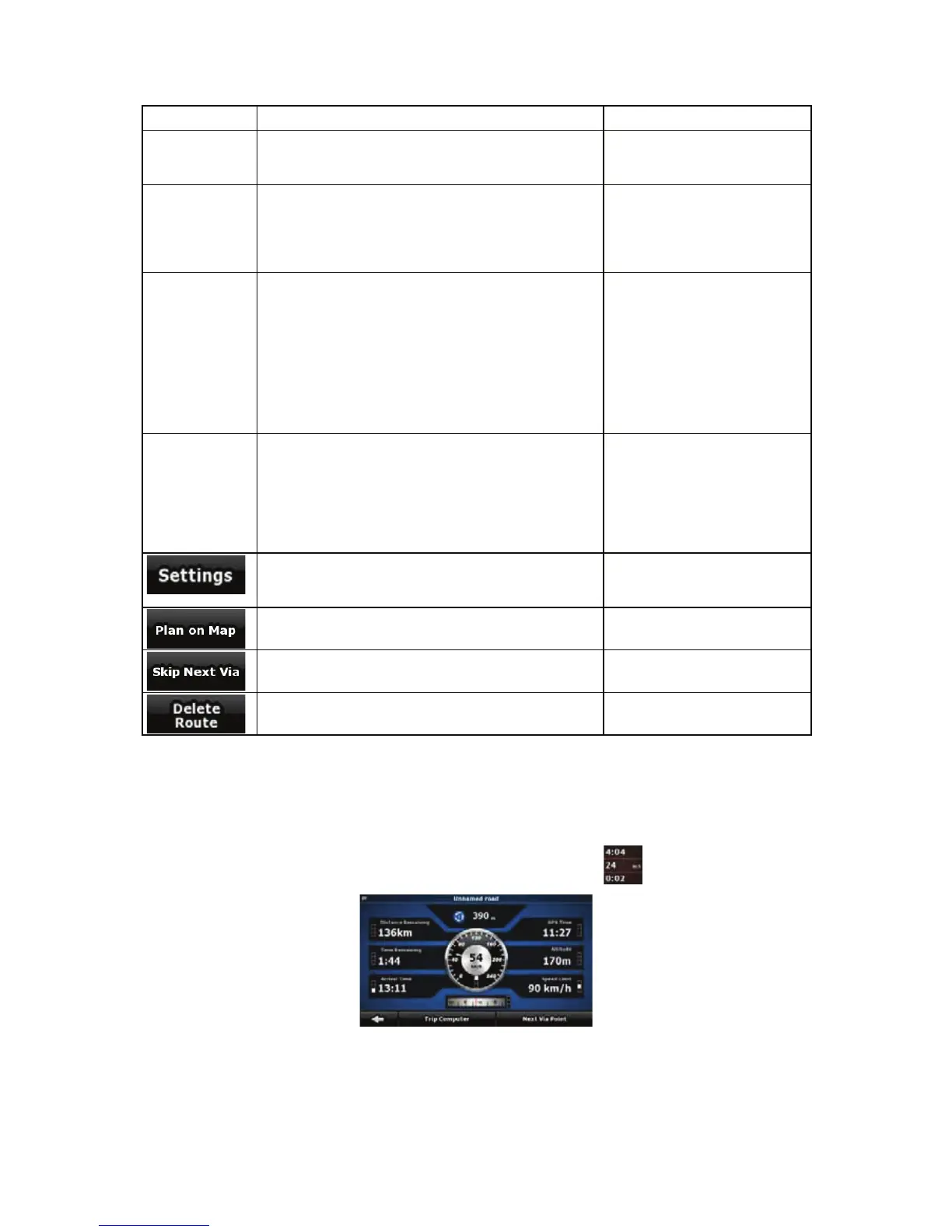
4.1.7 Trip Information screen
The Trip Information screen has both route and travel data you might need during your journey. It can
be opened directly from the Map screen by tapping the Trip Data field (
).
The fields on this screen are continuously updated while you keep the screen open.
57


 To Next Page