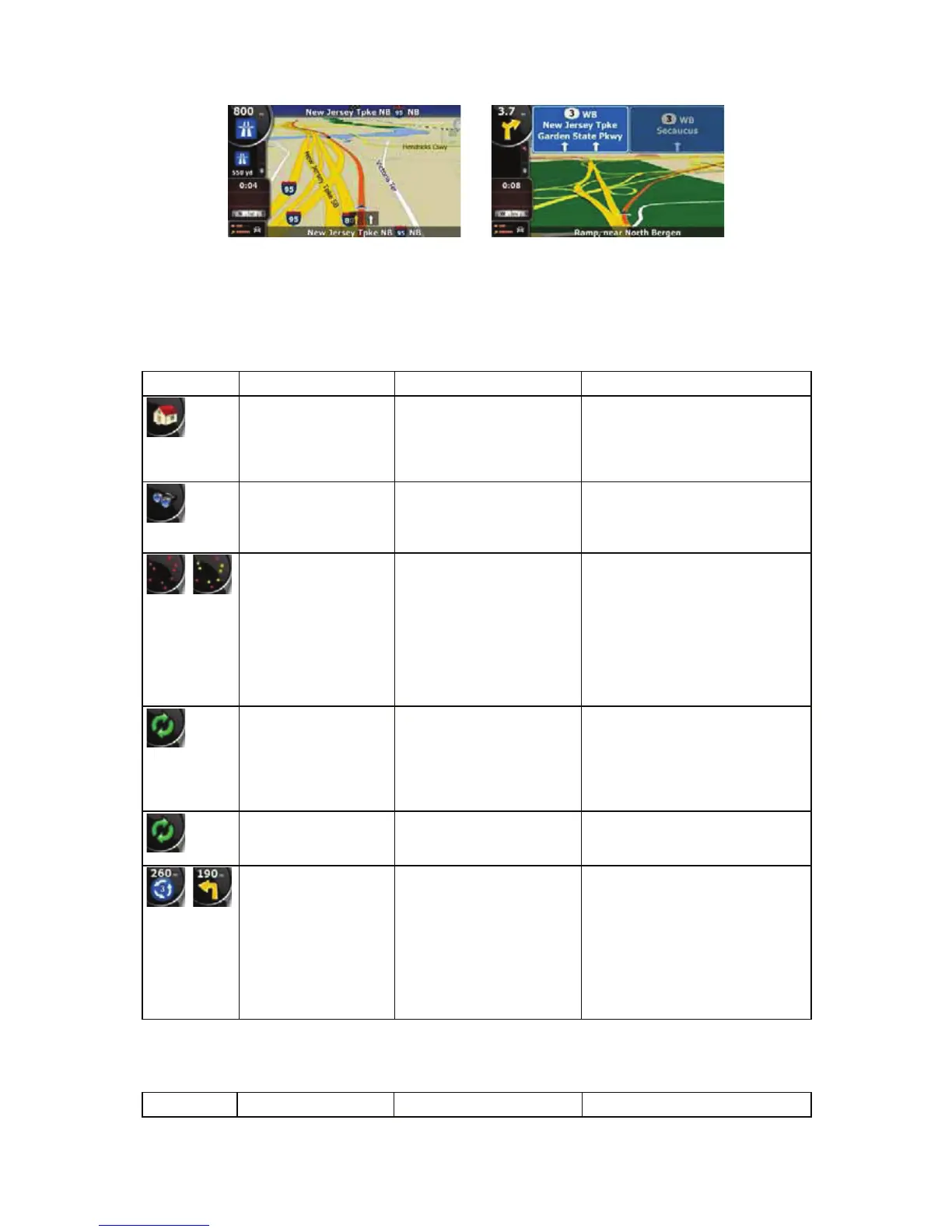
2.3.4 Status information and hidden controls on the map
The following information appears in the rounded field in the top left corner, the Turn Preview field.
When tapping this area, the result depends on the information currently shown.
Icon Information Details Action
There is no active
route in Simple mode
If there is no route to be
navigated in Simple mode,
this icon appears in the
Turn Preview field.
Tap this area to open Find
Address.
There is no active
route in Advanced
mode
If there is no route to be
navigated in Advanced
mode, this icon appears in
the Turn Preview field.
Tap this area to open Find.
,
There is no valid GPS
position.
If an active route exists,
and there is no valid GPS
position, the view of the
sky above you is shown
with coloured dots for each
satellite. Some dots need
to turn green to be able to
navigate.
Tap this area to open the Route
Information screen.
If the icon is a static
picture, route
calculation is needed
GPS position and an active
route are available, but
automatic off-route
recalculation is switched
off, and you deviated from
the route.
Tap this area to make iGO8
recalculate the recommended
route.
If the icon is animated,
route calculation is in
progress
iGO8 is calculating or
recalculating the route.
Nothing happens if you tap this
area of the screen.
,
Next route event (next
manoeuvre)
GPS position and an active
route are available, and
you navigate the
recommended route. This
area gives you information
about the type and
distance of the next route
event.
Tap this area to open the Route
Information screen.
The following area appears next to the above described rounded area. When tapping this area, the
result depends on the information currently shown.
Icon Information Details Action
16


 To Next Page