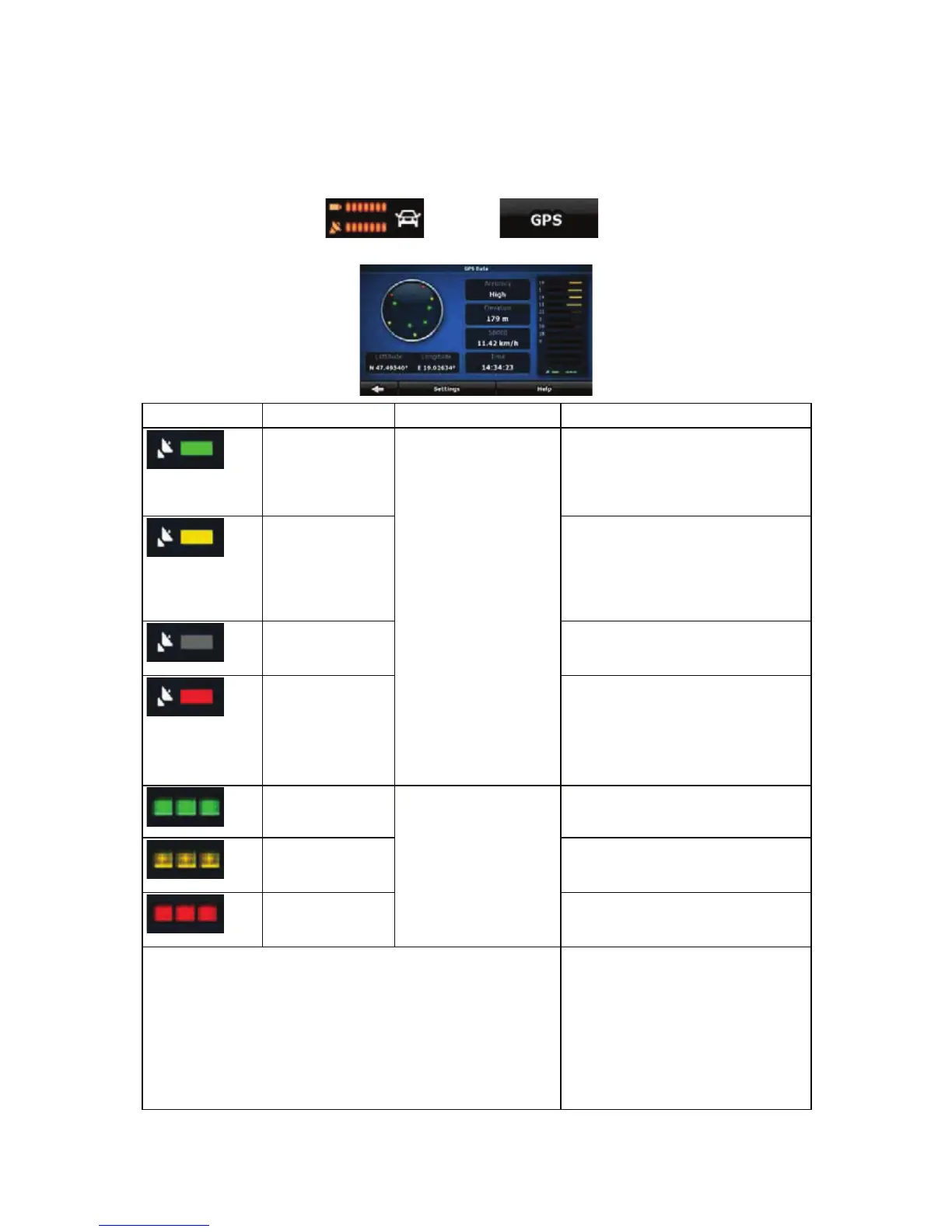
4.1.10 GPS Data screen
Tap the following buttons: , and then to open the GPS Data screen
and to see the status of GPS reception.
Icon Colour Name Description
Green GPS position quality
indicator
iGO8 has a connection to the GPS
receiver and GPS position
information is available in 3D: iGO8
can calculate both your horizontal
and vertical GPS position.
Yellow iGO8 has a connection to the GPS
receiver and GPS position
information is available in 2D: only
the horizontal position is calculated,
iGO8 cannot calculate your vertical
GPS position.
Grey iGO8 has a connection to the GPS
receiver but GPS position
information is not available.
Red
iGO8 has no connection to the GPS
receiver.
Since the device has a built-in GPS
receiver, this status should not
appear under normal circumstances.
Green, blinking GPS connection quality
indicator
iGO8 is connected to the GPS
receiver.
Yellow, blinking iGO8 has no connection to the GPS
receiver but it is still trying to
establish a connection.
Red, blinking iGO8 has no connection to the GPS
receiver and is not trying to establish
a connection.
Sky view circle The virtual sky shows the visible part
of the sky above you, with your
position as the centre. The satellites
are shown at their current positions.
The GPS receives data from both the
green and yellow satellites. Signals
from the yellow satellites are only
received, while green ones are used
by the GPS receiver to calculate your
62


 To Next Page