FULGURATION, BIPOLAR, AND PRESET CONTROLS
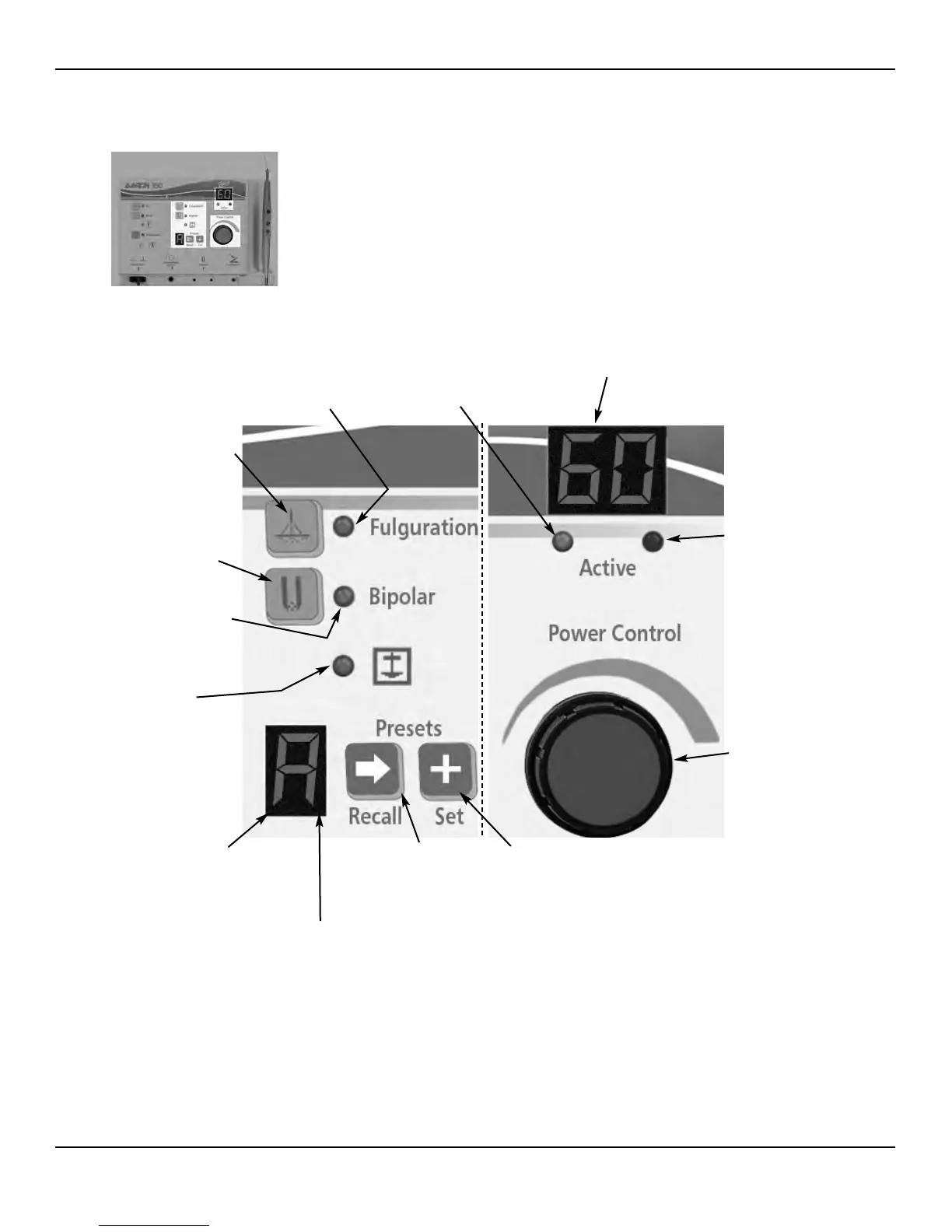
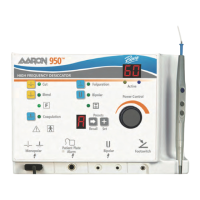
Figure 2 – 3 Controls for the fulguration and bipolar modes and presets
2-5User’s Guide • Aaron 950™
Power Display (watts)
Indicates the power set for the
selected mode.
Cut, Blend Active Indicator
Indicates that the power
has been activated in the selected
mode.
Fulguration Indicator
Indicates when
fulguration mode
is selected.
Fulguration Mode
Selector
When pressed, selects
the fulguration mode.
Bipolar Mode Selector
When pressed, selects the
bipolar mode.
Bipolar Indicator
Indicates when bipolar
mode is selected.
Presets Display
Indicates which preset is selected (A-
F). “b” and “d” are displayed in lower-
case letters.
RF Ground Referenced
Indicator
Indicates when the RF
output is ground refer-
enced. Only applies to
the fulguration mode.
Presets Recall Selector
When pressed, selects the
next preset setting.
No Presets Indicator
Dot blinks to indicate when
no user defined preset is
being used.
Presets Set Button
When depressed for 2 seconds,
makes the current settings the
preset letter shown in the indi-
cator window.
Coag, Fulguration Bipolar
Active Indicator
Indicates that the power
has been activated in the
selected mode.
Power Output
Control Knob
Turn clockwise to increase
power output, counterclock-
wise to decrease power
output.


 To Next Page