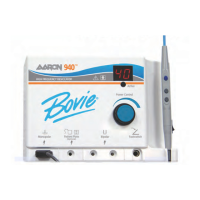
USING AND UNDERSTANDING THE AARON 950™ MEMORY FEATURES
The Aaron 950™ incorporates six user-defined Presets for easy recall of frequently used settings.
Storing and Recalling Preset Settings
Select the desired preset location (A-F) by pressing the Recall button (see figure 4-1, letter H).
Select the desired mode to be stored by pressing one of the mode membrane switches (see figure 4-1, letter A)
Select the desired power to be stored by utilizing the power output control knob. (see figure 4-1, letter J).
Once all the settings are selected, depress and hold the Presets Set Button (see figure 4-1, letter I) for 2 seconds.
To indicate the settings have been stored, the letter on the Presets indicator will blink.
To recall a preset simply press the Presets Recall button to toggle through all the presets.
NOTICE:
A small dot blinking in the lower left corner of the Presets indicator indicates that the unit is not presently set to a user-
defined preset.
PREPARING FOR MONOPOLAR SURGERY
Cut, Blend, and Coagulation modes require a patient return electrode.
Applying the Patient Return Electrode
Refer to the manufacturer’s instructions for application site and placement procedures. When using metal plate
patient return electrodes, use a conductive gel specifically designed for electrosurgery. Select a patient return electrode
site with good blood flow. While a properly applied electrode results in minimal tissue heating beneath the electrode,
a good blood flow helps carry heat away from the site.
1. Plug the handpiece into the monopolar output on the lower left of the front of the unit (see figure 4-1, letter B).
The plug is designed to fit in only one direction. Plug the smaller round connector from the handpiece into the
receptacle on the bottom of the unit. The three button handpiece is designed to give the doctor complete fingertip
control of the power settings. The Aaron A901 handpiece is unique: handpieces manufactured by other manufac-
turers will not function with this unit. Do not use the Aaron A901 handpiece on other brand units.
2. Slide the desired active electrode into the handpiece until it is firmly seated (see figure 4-1, letter M). The handpiece will
accept most standard 3/32” (.24 cm) electrodes.
3. Slide the handpiece from above into the holder on the right side of the unit.
4. Plug the male end of the reusable grounding cord into the Patient Plate receptacle located to the right of the
monopolar output (see figure 4-1, letter C). Remove the disposable dispersive electrode from its pouch and attach to the
snap connector on the end of the reusable grounding cord.
NOTICE:
A return electrode is not required for the fulguration mode. The patient plate alarm is not used for this mode. Procedures
may be performed without the use of a return electrode.
5. An optional footswitch may be used with monopolar procedures. If the footswitch is utilized, plug the footswitch
cable into the footswitch jack
(see figure 4-1, letter E). While using a footswitch the output will be delivered via the hand-
piece. The activation button on the handpiece will continue to function while a footswitch is connected to
the unit.
4-4 Bovie Medical Corporation


 To Next Page