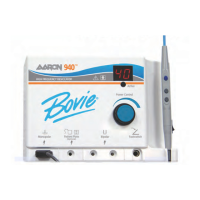
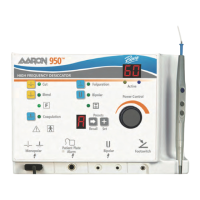
The Aaron 950™ Electrosurgical Generator includes automatic self-diagnostics. If the diagnostics detect an error, the
system displays an error code, sounds an audible tone, and deactivates the unit output power.
Most error codes result from faults in accessories attached to the unit. The following table lists the error codes,
describes the error, and recommends actions to take to resolve the error.
If the unit displays any other error code, it requires service.
6-2 Bovie Medical Corporation
Error Code Description Recommended Action
F1
Handswitch or monopolar
footswitch pedal may be stuck
1. Turn off, then turn on the generator. Do not press buttons or activate
accessory devices during the self-test.
2. If the error code reappears, disconnect all accessories.
Turn off, then turn on the generator again.
3. If the problem persists, replace the handpiece or footswitch
and repeat the restart.
4. If the error code reappears, record the number and call
Bovie Medical Corporation customer service.
E2
Line voltage error
(Line voltage is too high)
1. Turn the unit off.
2. Verify that the unit is connected to the correct line voltage
3. If the error code reappears, record the number and contact
Bovie Medical Corporation customer service.
E5
Internal temperature of the unit
exceeded limit
1. Turn the unit off.
2. Allow the unit to cool for 20 minutes.
3. Turn the unit on.
4. If the error code reappears, record the number and contact
Bovie Medical Corporation customer service.


 To Next Page