Assembly / Owner’s Manual
24
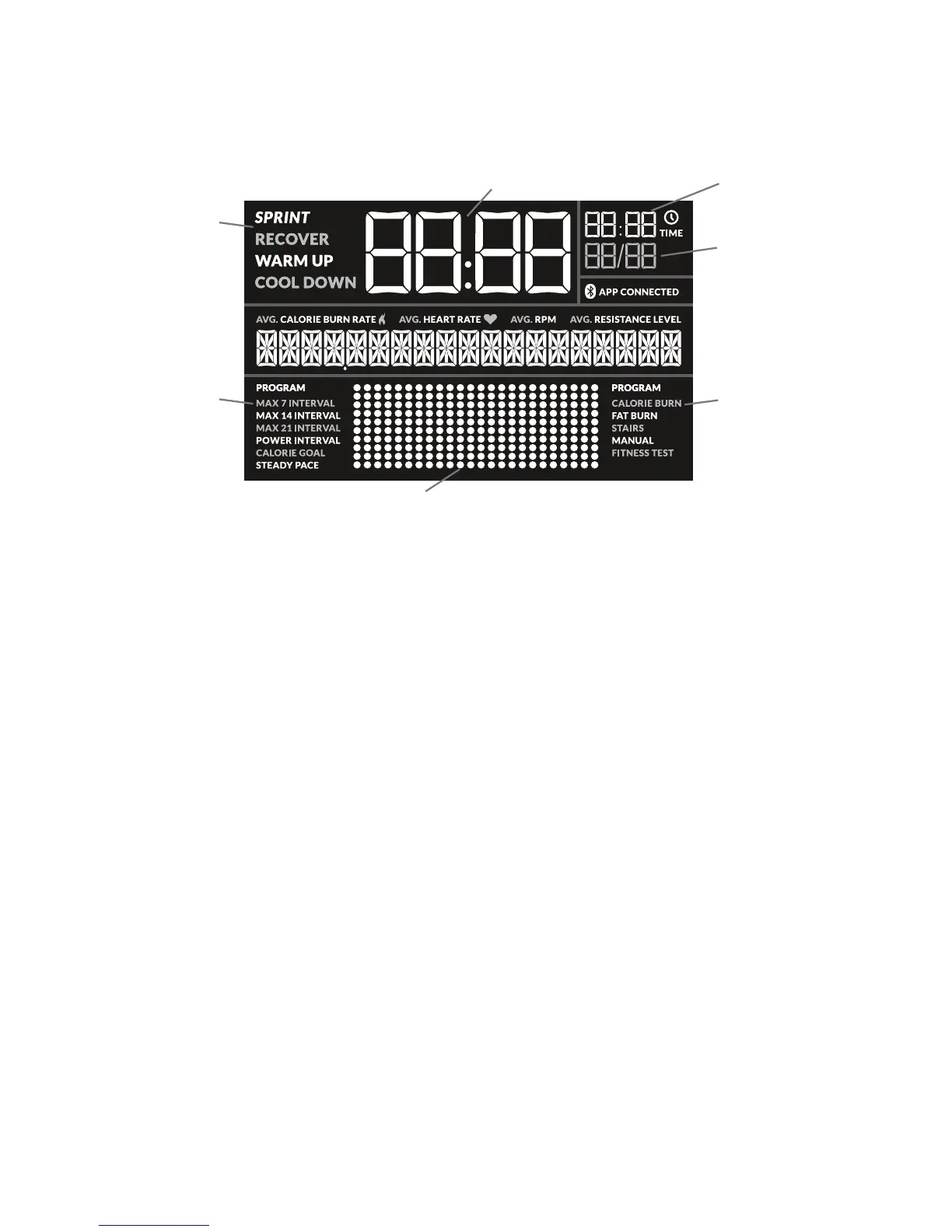
LCD Display Data
The console display shows the workout measurements and current options.
Target Coaching Programs
BenetModePrograms
Interval Workout Count
(currentinterval/totalnumber
ofintervals)
Active Workout Segment
WorkoutProleDisplay
Time display
Goal display
SPRINT
The high Intensity segment of an Interval workout. During an Interval workout, the active segment shifts between the SPRINT and RECOVER seg-
mentswithanaudibleconrmation,countingthetimedownforthecurrentlyactivesegment.
RECOVER
ThereducedworkoutsegmentofanIntervalworkout,countingdownuntilthenextSPRINTsegment.
WARM UP
WARM UP starts when the machine is used, but a workout has not been started. The WARM UP display will activate and the Time display will show
the time in Warm Up.
COOL DOWN
COOL DOWN starts when a workout ends but the machine is still used. The COOL DOWN display will activate and the Time display will show the
time in Cool Down. The workout results are displayed during cool down.
Time display
TheTimedisplayshowsthetimecountdependingonthestyleofworkout:Interval,Benet,orManual.
DuringanIntervalworkout,theTimedisplaycountsdownthecurrentIntervalsegment(SPRINTorRECOVER).ForaBenetModeworkout,the
total time of the workout counts down. During a Manual workout, the Central Time display counts up until the workout is ended.
Themaximumdisplayfortimeis99:99.
Interval Workout Count
During an Interval workout, the Interval Workout Count displays the count of the currently active Interval and the total number of Intervals for the
workout.














 To Next Page