Getting Started
GETTING STARTED
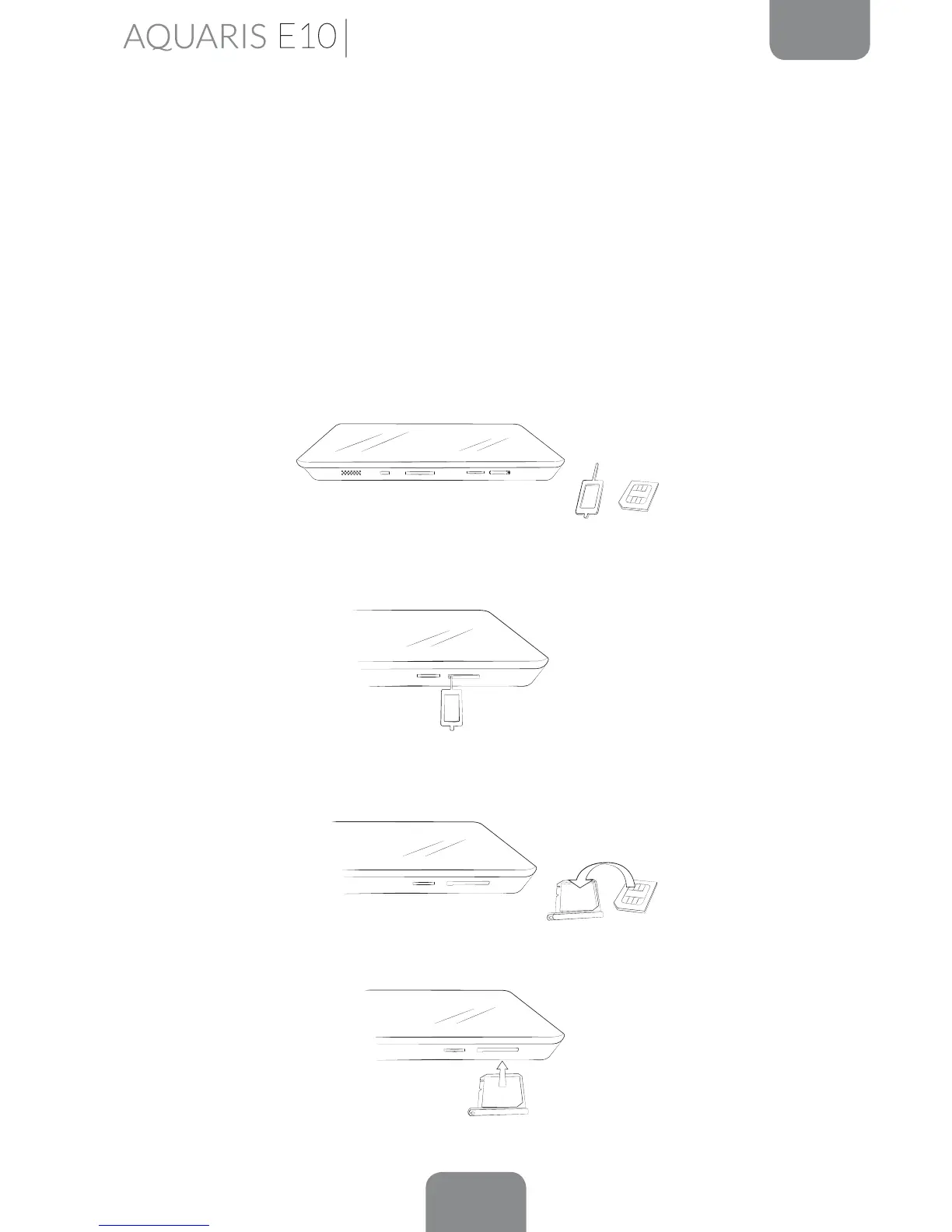
Inserting a Micro-SIM card*
Your Bq Aquaris E10 3G takes a micro-SIM card. The SIM tray is accessed from
the exterior of the device. The rear cover should not be removed under any
circumstances.
The following steps will help you to insert the card into your tablet before you start
using it.
You will nd a SIM key included in the box, together with the envelope containing
the device documentation.
Ensure that the device is switched off and insert the end of the SIM key into the hole
of the SIM slot.
Place your SIM card in the tray. Make sure it is in the correct position by using the
notch on the corner to guide you (see image).
Put the tray back into the slot after mounting the SIM card.
* SIM card slot only available on the Aquaris E10 3G model.



 To Next Page