Getting Started
Charging the Tablet and Transferring Files
Your tablet has a rechargeable (non-removable) battery 8680 mAh which is charged
via the micro-USB port at the bottom of the device. A USB to micro-USB cable and
mains adapter are provided with the tablet. To charge it, follow these simple steps:
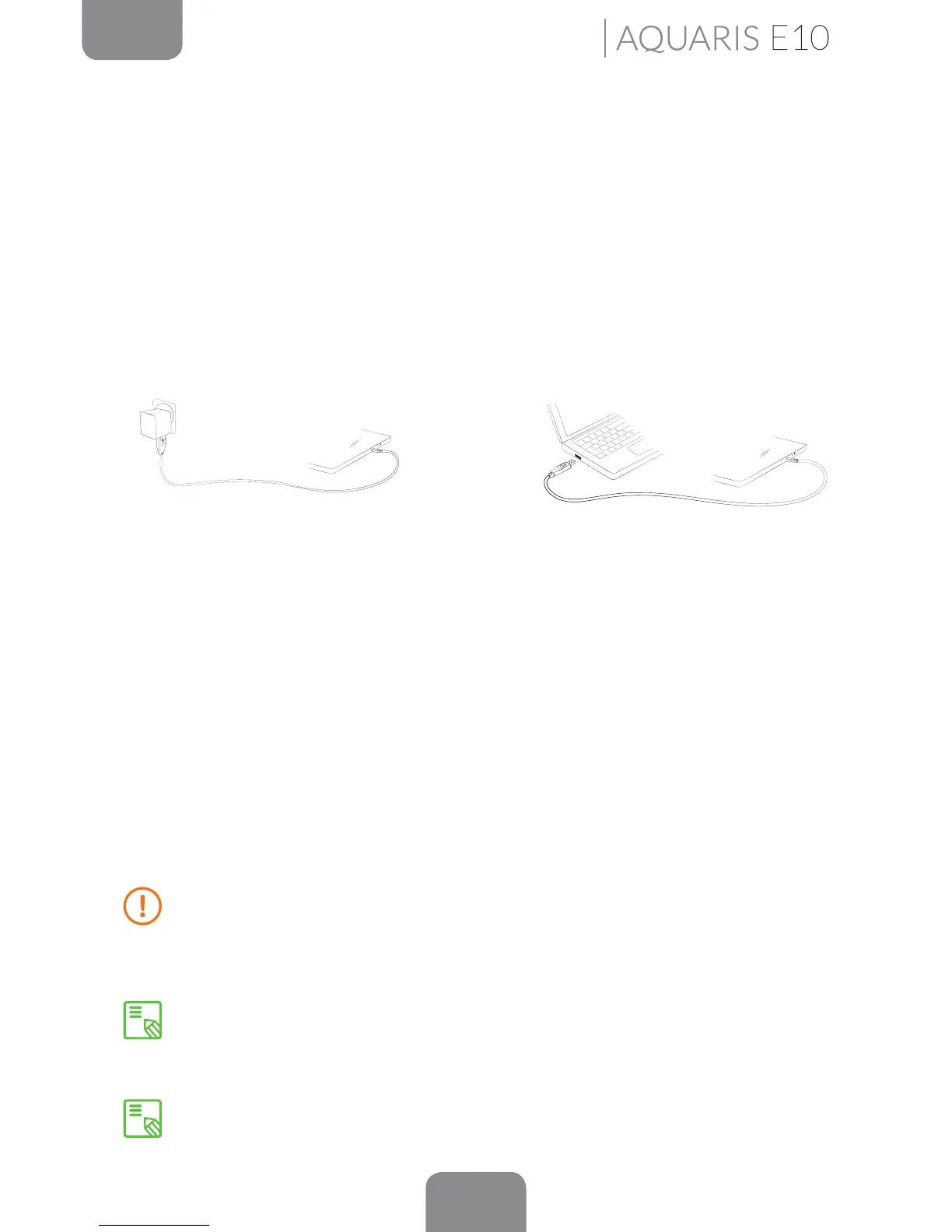
A) Using the mains adapter:
1. Plug the USB cable into the mains adapter.
2. Connect the mains adapter to any standard plug socket (220 V/50 Hz).
3. Plug the other end of the cable into the micro-USB port on your tablet.
B) Using a laptop or desktop computer:
1. Plug the USB cable into a compatible USB port on your computer.
2. Plug the other end of the cable into the micro-USB port on your tablet.
The battery in your bq Aquaris E10 / Aquaris E10 3G mini is non-removable. If it
is removed by anyone other than our Technical Support staff, your device could
be damaged and the warranty invalidated
Allowing the battery to charge fully is recommended when you charge it for the
rst time as this will help calibrate the battery meter. Bear in mind that some
batteries perform better after a number of full charge/discharge cycles.
The time required to charge your device may vary slightly depending on whether
it is charged via the mains adapter or via a computer USB port.



 To Next Page