Getting Started
Inserting andRemoving the MicroSD
Your Bq Aquaris E10 / Aquaris E10 3G has an internal memory that can be expanded
to 32 GB by using a MicroSD card.
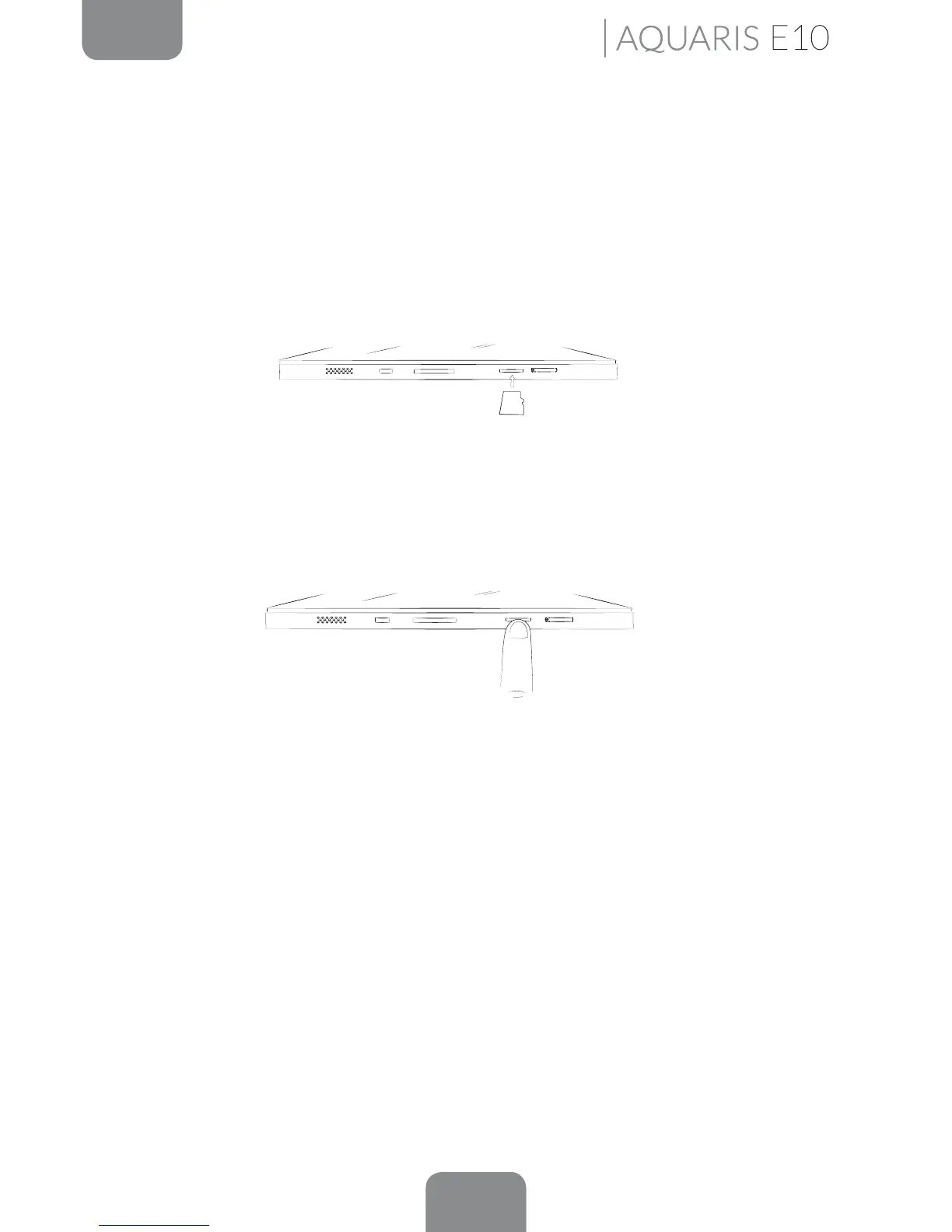
To insert a MicroSD card, follow these steps:
Insert the MicroSD card into the slot, making sure the metal pins are at the bottom
and facing backwards (i.e. towards the back of the device).
Push the card in until you hear a slight click, which indicates that it has been inserted
correctly. If the card is not inserted correctly, the device may not recognise it and its
content will not be available.
To remove the MicroSD card, follow the steps above in reverse, bearing in mind the
following recommendations:
a. For greater security, switch the device off before removing the MicroSD card.
b. If you need to remove the MicroSD card while the device is switched on,
unmount it rst to avoid damaging the card and losing any data.
To unmount the card, open the Settings menu on your device and go to Storage > Remove
SD card.
¡CLICK!



 To Next Page