Settings
DEVICE SETTINGS
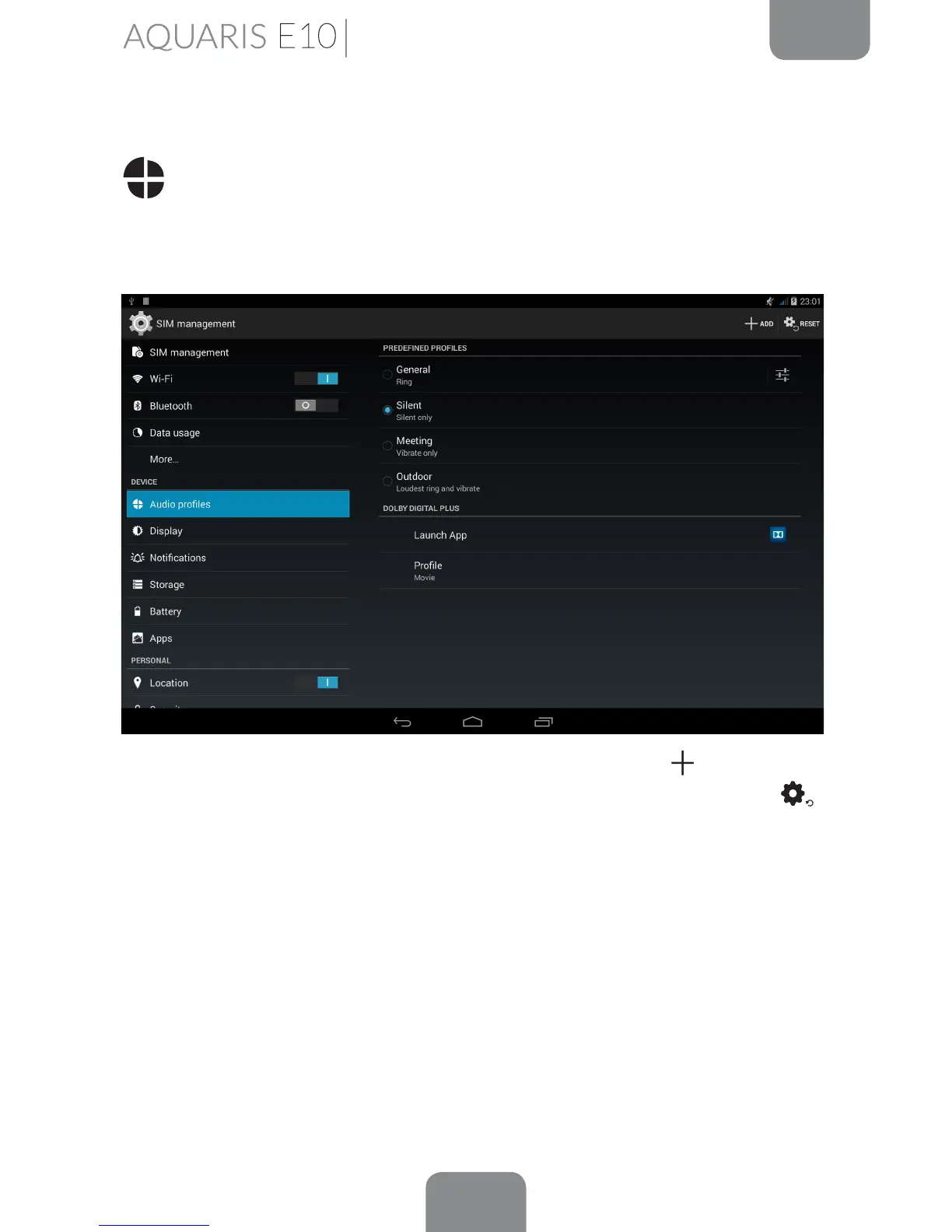
Audio Proles
You can adjust the settings of the General prole. The other 3 proles available are:
Silent (no sound or vibration), Meeting (vibration only) and Outdoor (maximum volume
and vibration).
You can also create a new prole by pressing on the Add button
in the top right
corner, or you can also reset the default conguration by pressing the Reset icon.
.
Under General or any new prole created, you can enable vibrate and select the
tone for notications and alarms. You can also enable or disable sounds and vibration
alerts for system features such as: Dial-pad touch tones, Touch sounds, Screen lock
sounds and Vibrate on touch.
You can also adjust the volume for notications or multimedia content by pressing
the volume buttons.
Under Digital Dolby Plus, you can Launch App to congure the application which
is explained further on, or you can select a Prole.



 To Next Page