Before you Start
10
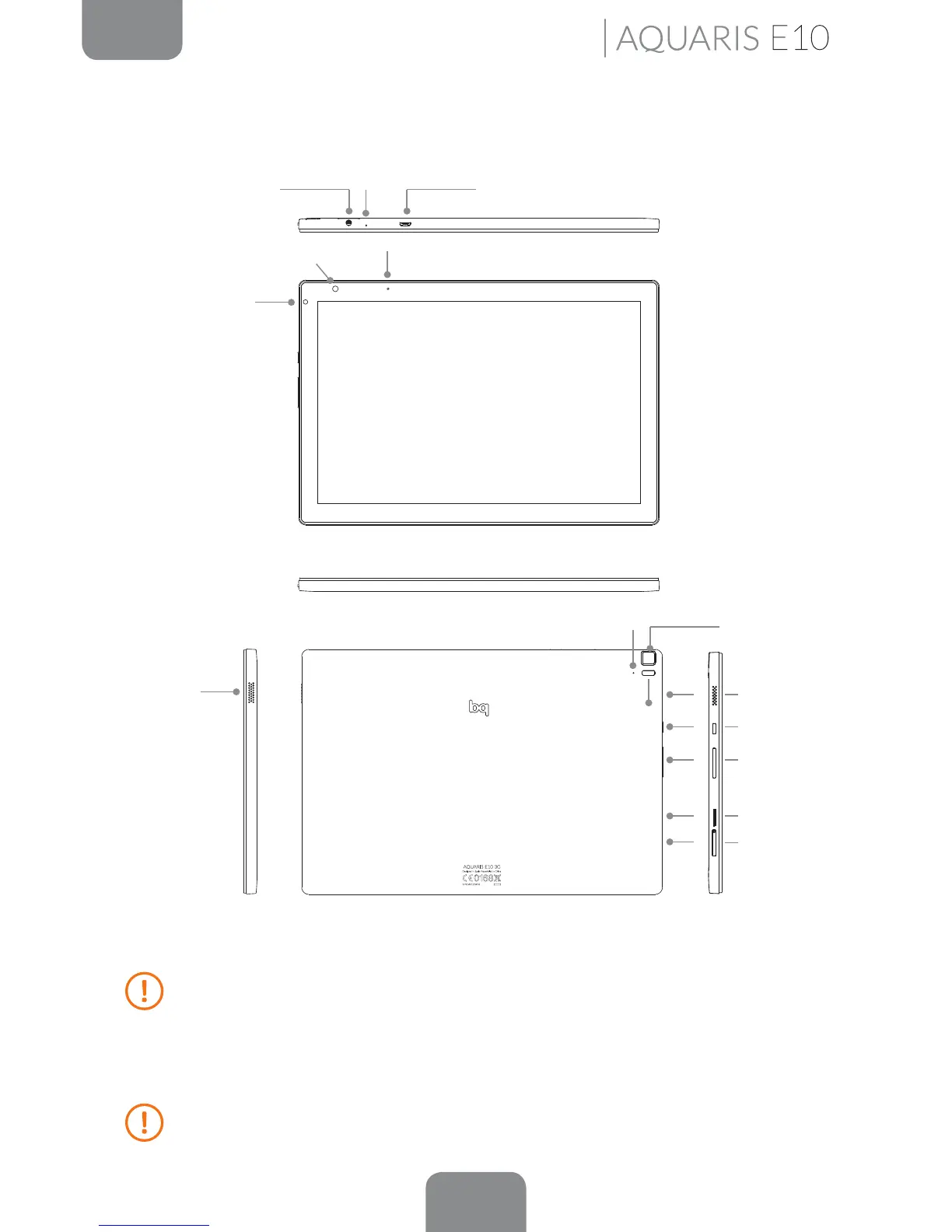
Product Overview
Do not attempt to remove the rear cover of your Bq Aquaris E10 / Aquaris E10
3G, as this may damage the device.
Do not remove the battery by any means. Removing it may invalidate the
warranty.
Do not insert any pointed objects into the opening as this may damage the
microphone.
Light sensor
Front camera
Speaker
Power button
Volume key
Microphone
Rear camera
MicroSD slot
Micro-USB
Headphone jack
Speaker
* SIM card slot only available on the Aquaris E10 3G model.
Notication lights
Noise canceller
Micro-SIM slot



 To Next Page