CHAP. 6 – PRELIMINARY OPERATION 28 / 28 ENGLISH
ags-200
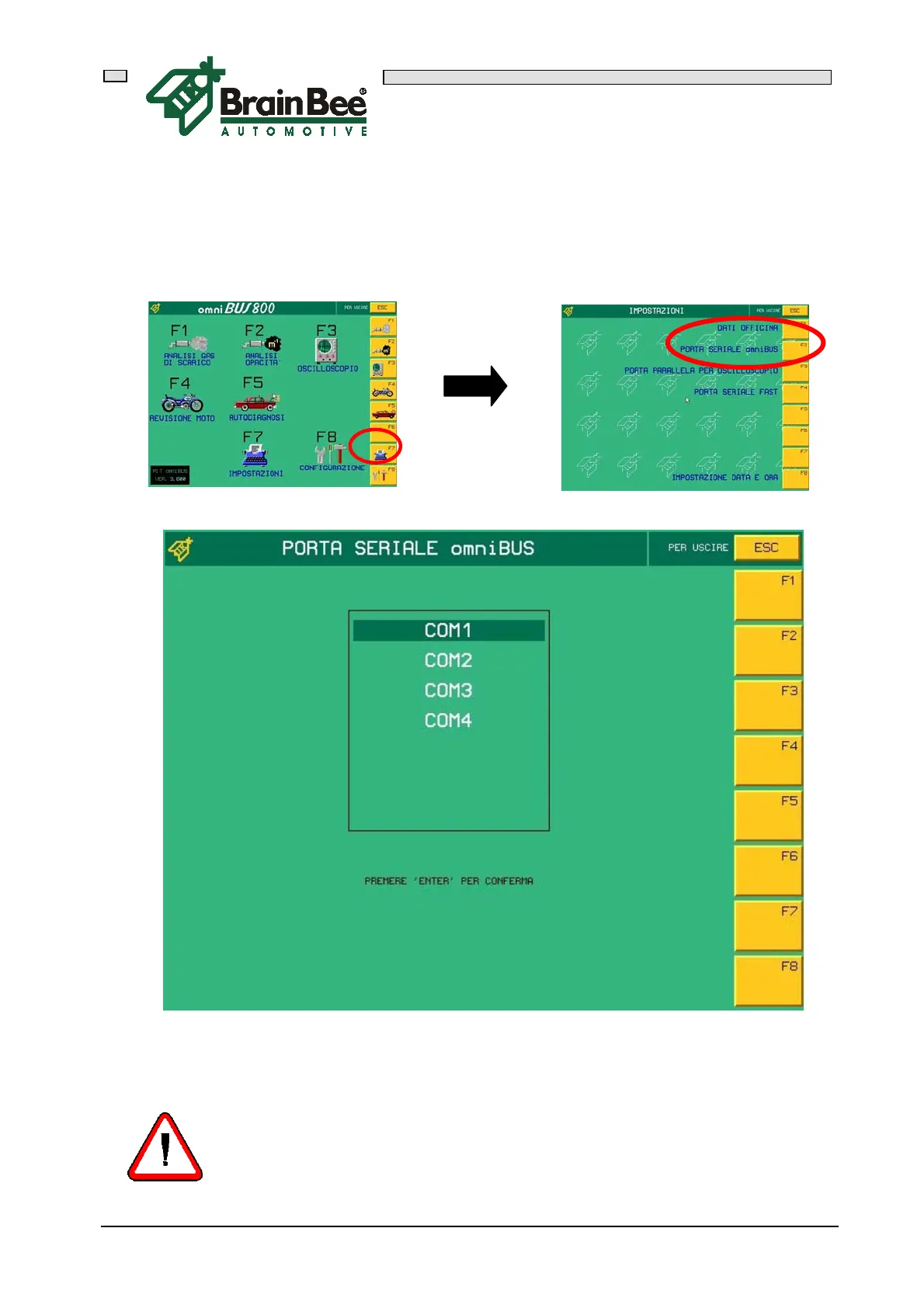
6.5.3 SERIAL PORT SET-UP
The program must be informed about the serial port of the computer to which AGS-200
will be connected. Press F7 "SET-UPS" in the main menu and then press F1 "GARAGE
DATA"
Using the arrows “ “ and “ “ select the correct serial port and press 'ENTER' to
confirm and save the set-up.
IMPORTANT !!!!
The serial port must be selected whenever the software is upgraded.



 To Next Page