ENGLISH 29 / 29CHAP. 6 – PRELIMINARY OPERATION
gs-200
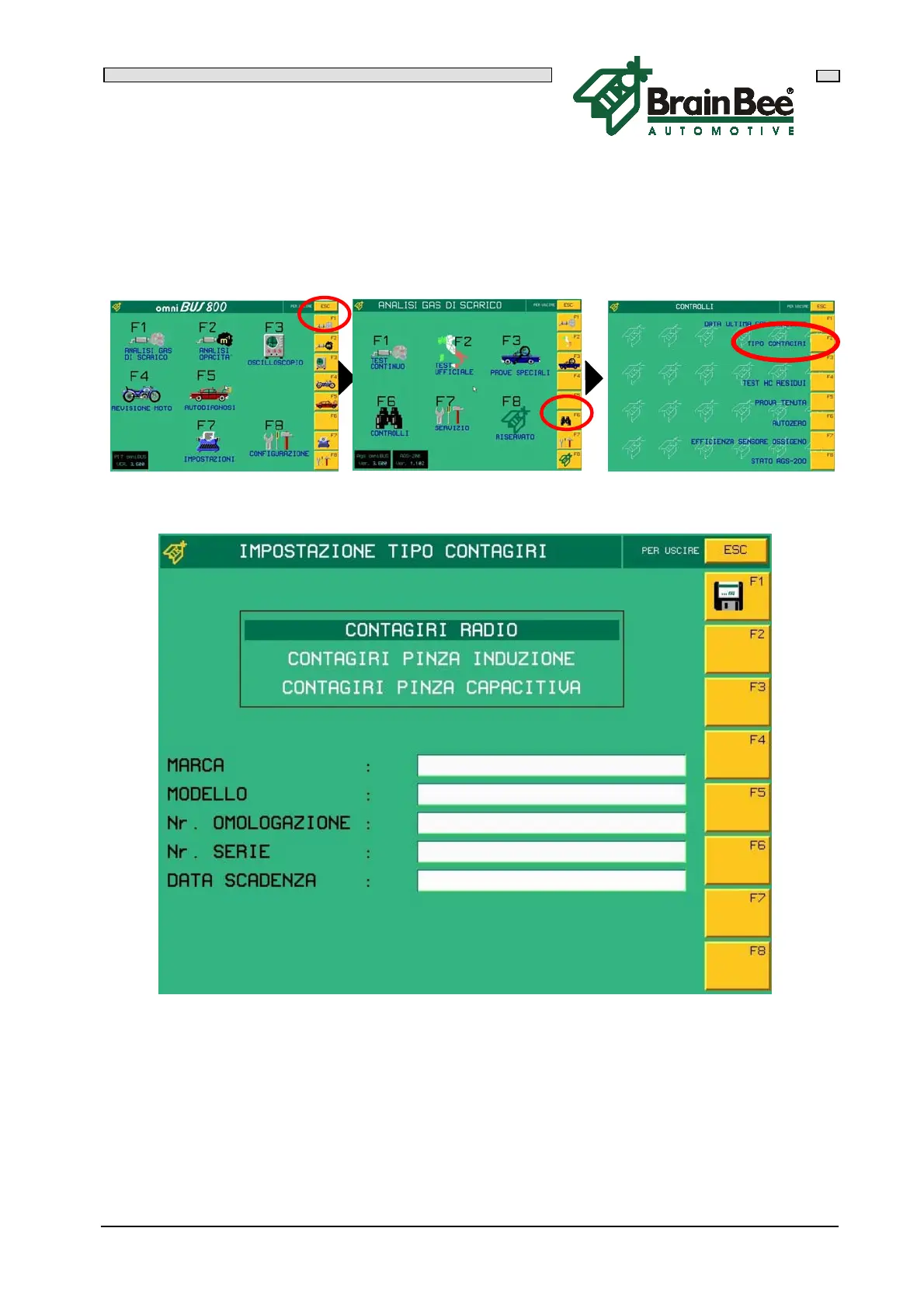
6.5.4 REVOLUTION COUNTER SET-UP
AGS-200 must be informed whether radio revolution counter MGT-300, MG-7000 with
accessory MG-7011 or a normal piezo sensor are to be used. Access the main menu,
press F1 "EXHAUST GAS ANALYSIS", then F6 "CONTROLS" and lastly F2 "TYPE OF
REV COUNTER".
Use the arrows “ “ and “ “ to select the type of revolution counter required and
then press 'F1' to confirm and save the set-up.
The other set-ups in the software are not described as they are reserved to the
technical service.


 To Next Page