CHAP.7 – USE OF THE INSTRUMENT 44/ 44 ENGLISH
ags-200
If the measuring range is in the yellow zone, the sensor is becoming exhausted but can
still be used for a short while.
If the measuring range is in the red zone, the sensor is exhausted and must be
replaced.
7.1.7 SPECIAL TESTS
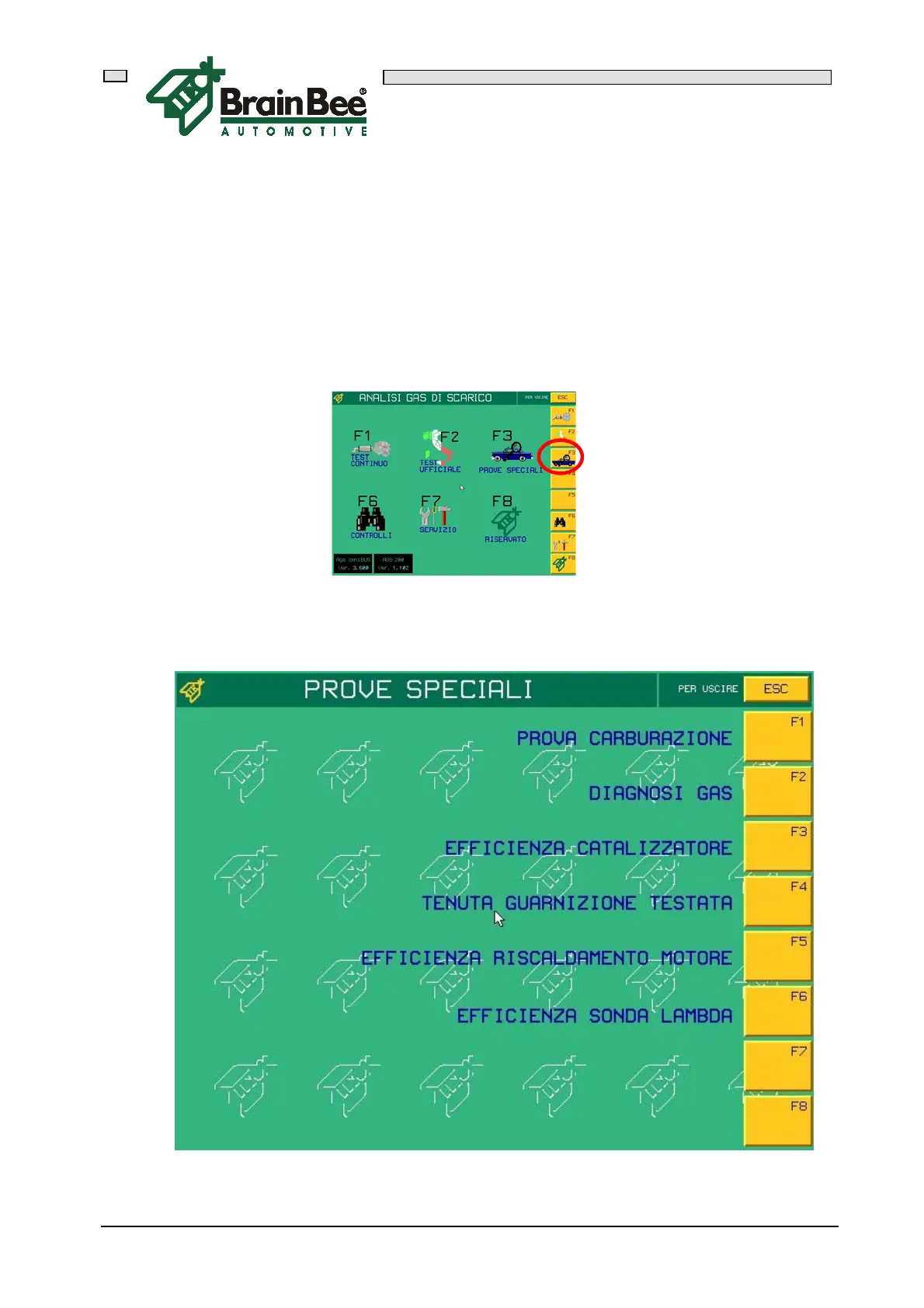
Access the main menu of the EXHAUST GAS ANALYZER and press F3 "SPECIAL
TESTS"
The list of special tests will appear


 To Next Page