ENGLISH 33 / 33CHAP.7 – USE OF THE INSTRUMENT
gs-200
There are no time limits to this type of test since the instrument can be used for as long
as it is required.
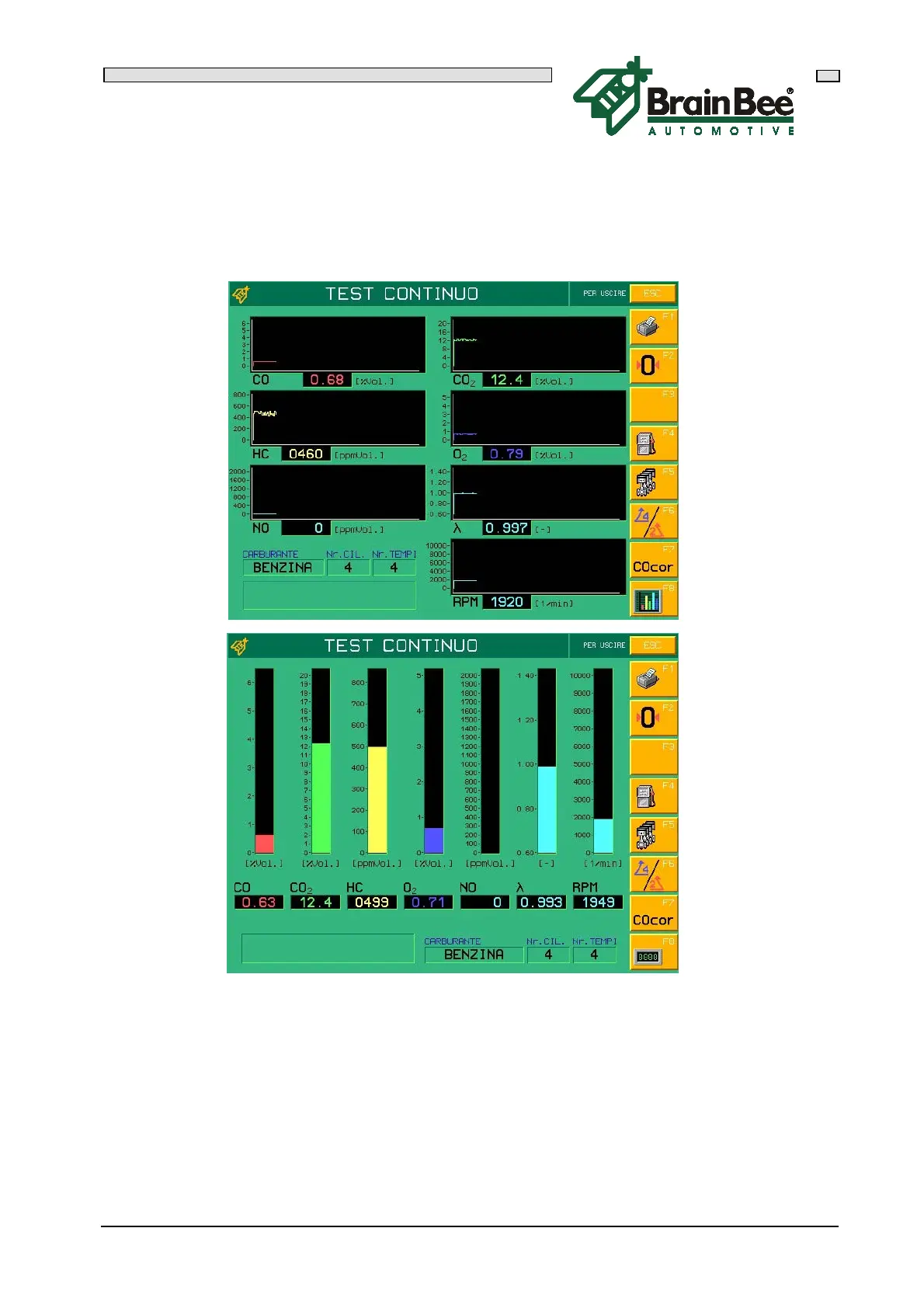
The measurements can also be displayed in graphic form in two different formats:
continuous linear graph or histograms.
The functions of the keys that appear on the right hand side of the display are listed
below:
F1 Immediately prints the displayed values
F2 AUTOZERO execution
F3 Vehicle data entry (only during numeric display phase)
F4 Selects the type of fuel used by the tested vehicle
F5 Selects the number of cylinders in the tested vehicle
F6 Selects the number of strokes of the tested vehicle
F7 Selects display of the Carbon Monoxide CO or Correct CO parameter
F8 Used to change the type of display: Numeric -> Graphic -> Histograms


 To Next Page