ES Range Product Manual
Version 2.9
© Copyright Brainboxes Limited 2013
Page 15 of 66
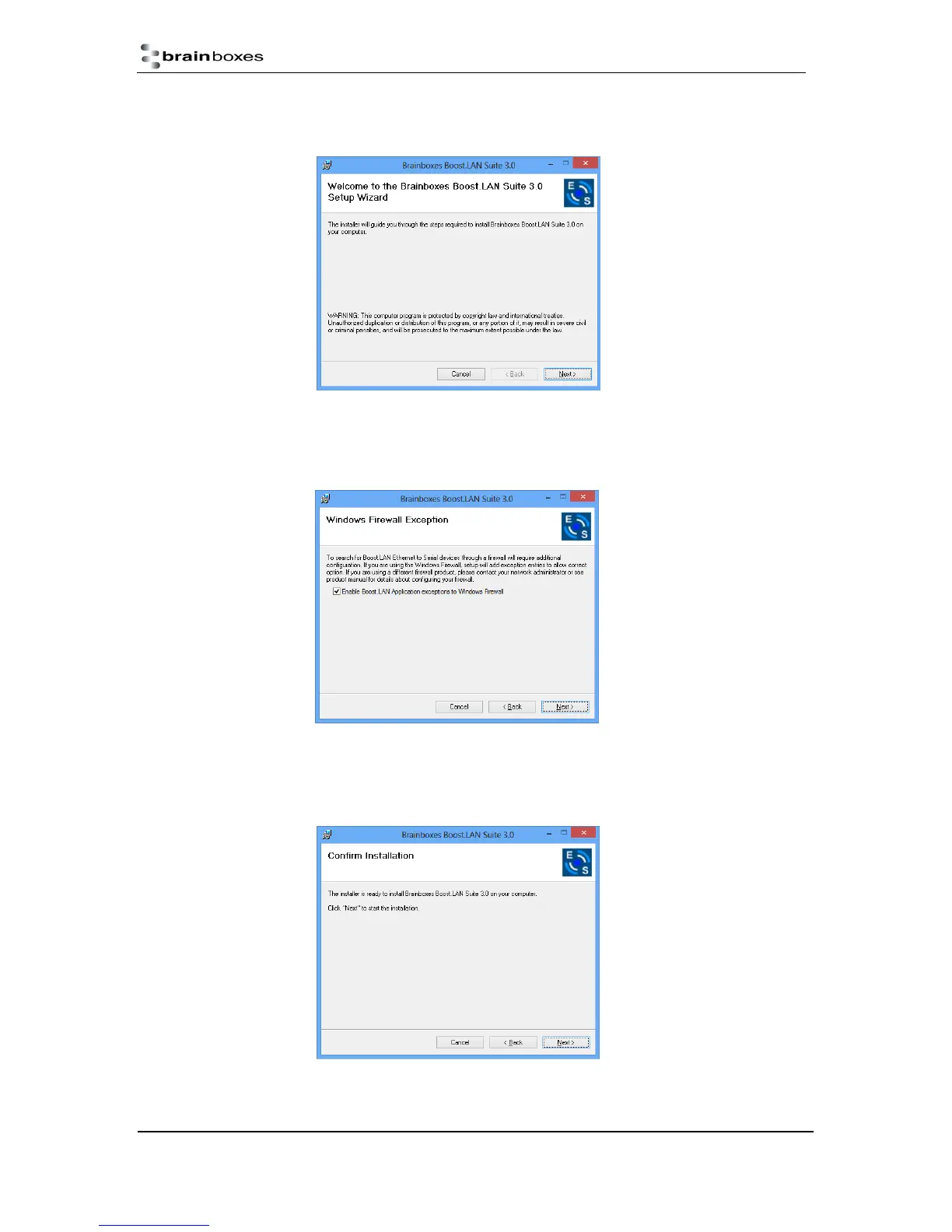
4. When you click on the setup.exe file shown above in step 3, you will then be presented with
the below window. Press next.
5. After you have clicked next, the setup program will ask you to allow Boost.LAN Ethernet to
Serial devices through your firewall. Enable the tick box to continue the installation procedure.
6. You will now be asked to confirm whether or not you wish to carry on installing the software.
Click next.



 To Next Page