6-28 100-214-239 Rev. A
Operation
Parameter Entry - Maximum Temperature
The Maximum Temperature parameter, if used, identifies the maximum temperature allowed in the experiment.
Maximum Temperature may be used as a Limit for all modes except Pulse/Pause Mode.
CAUTION
j Setting the MAX TEMP and TIME parameters together can cause the system to operate in a
temperature-limiting fashion, which can cause ultrasonics to be suspended briefly, and then
reactivate to continue a process cycle without warning.
Do not handle the Horn or Converter if using MAX TEMP and TIME in the Temperature Mode,
and ensure the process cycle is Stopped before touching the Horn, or injury could occur.
If used with the Pulse/Pause mode or using Maximum T emperature and Time parameters together , Maximum
Temperature sets the upper temperature parameter of these modes, at which point the experiment will pause to
allow cooling, but does not cause the experiment to Stop.
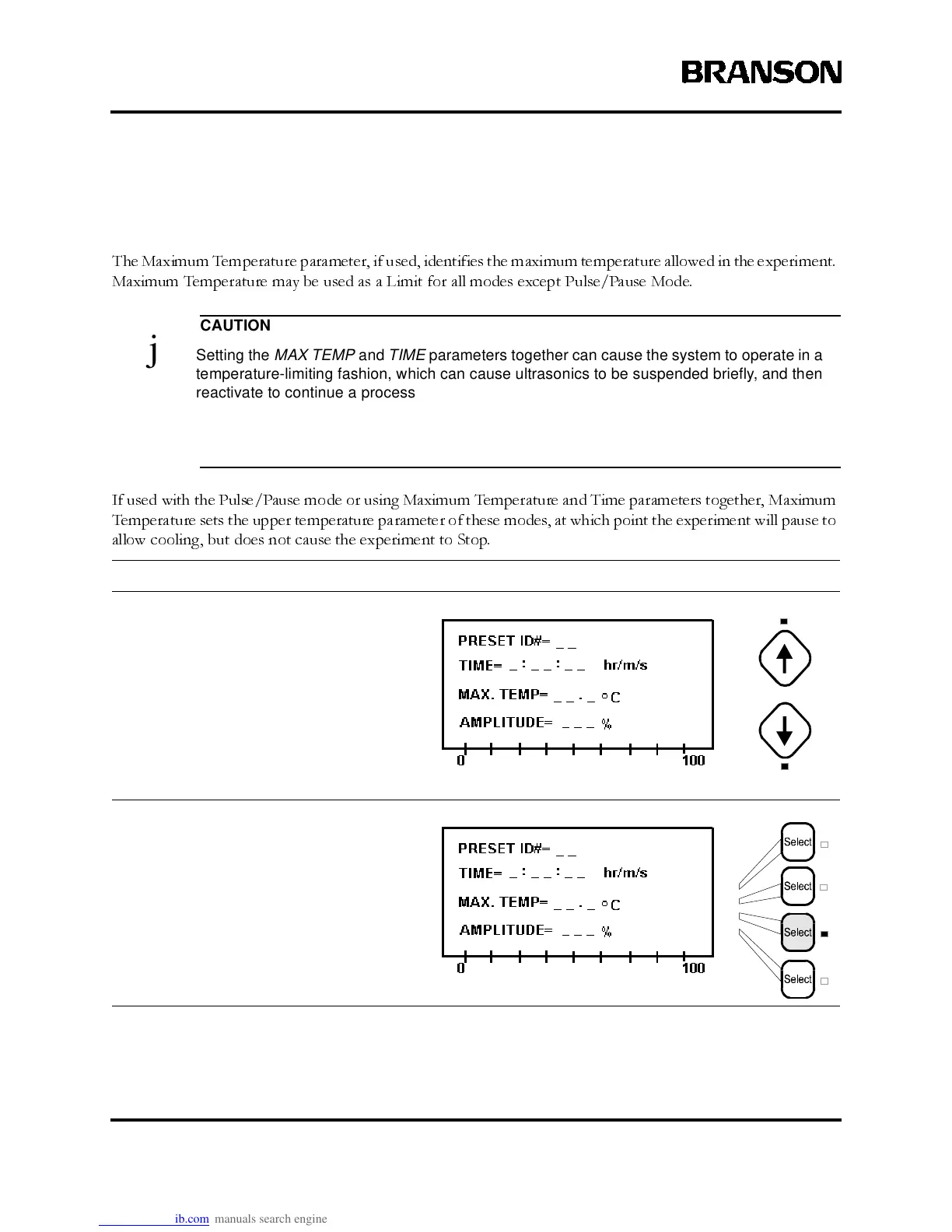
Take this action… To get this result…
Use the Up and Down arrow keys, if
necessary, to display the line showing
the Max. Temp parameter.
PresstheLine Selectkey thatcorresponds
to Max. Temp.



 To Next Page