6-30 100-214-239 Rev. A
Operation
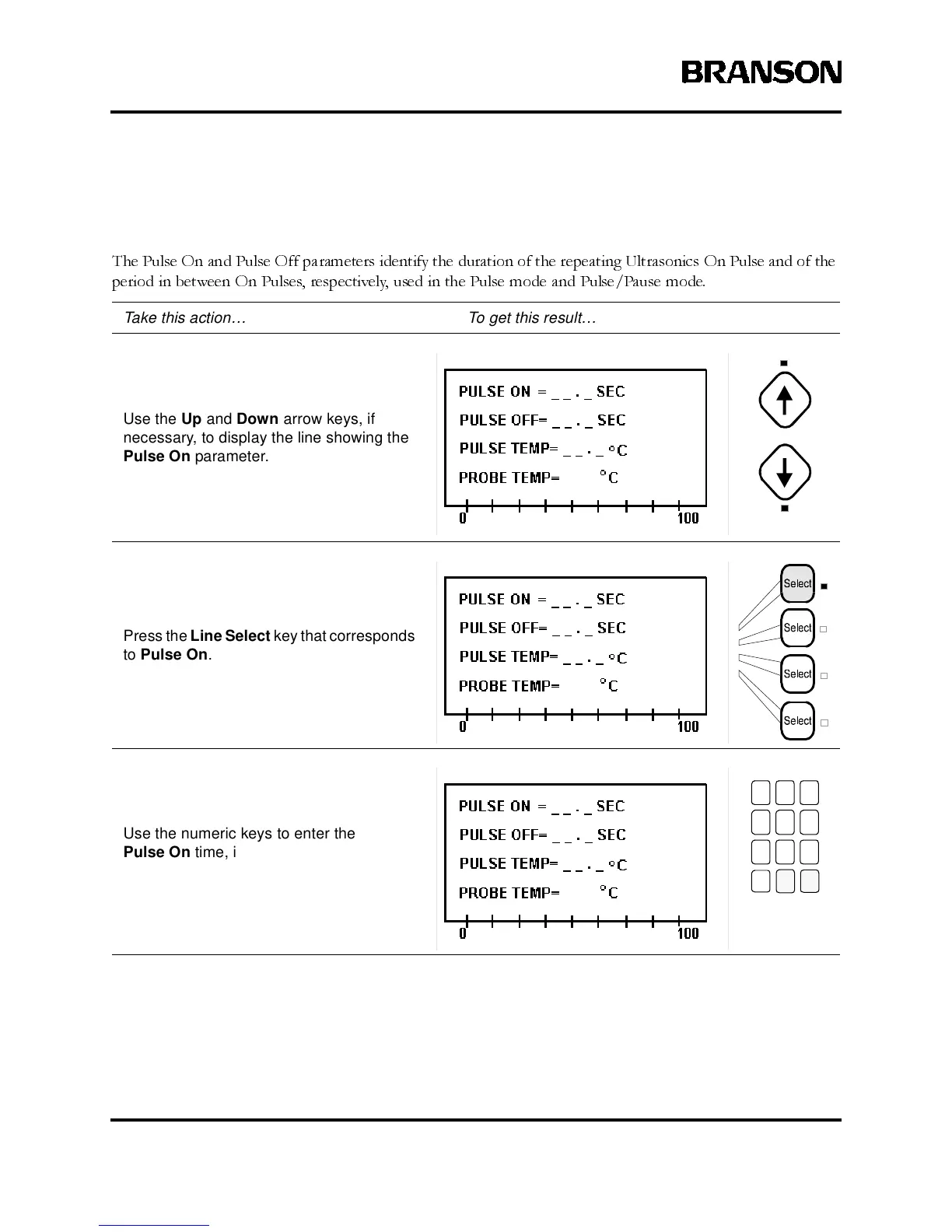
Parameter Entry - Pulse On and Pulse Off
The Pulse On and Pulse Off parameters identify the duration of the repeating Ultrasonics On Pulse and of the
period in between On Pulses, respectively, used in the Pulse mode and Pulse/Pause mode.
Take this action… To get this result…
Use the Up and Down arrow keys, if
necessary, to display the line showing the
Pulse On parameter.
PresstheLine Selectkey thatcorresponds
to Pulse On.
Use the numeric keys to enter the
Pulse On time, in tenths of seconds,
that the ultrasonic pulse will be on.
789
456
123
0



 To Next Page