29
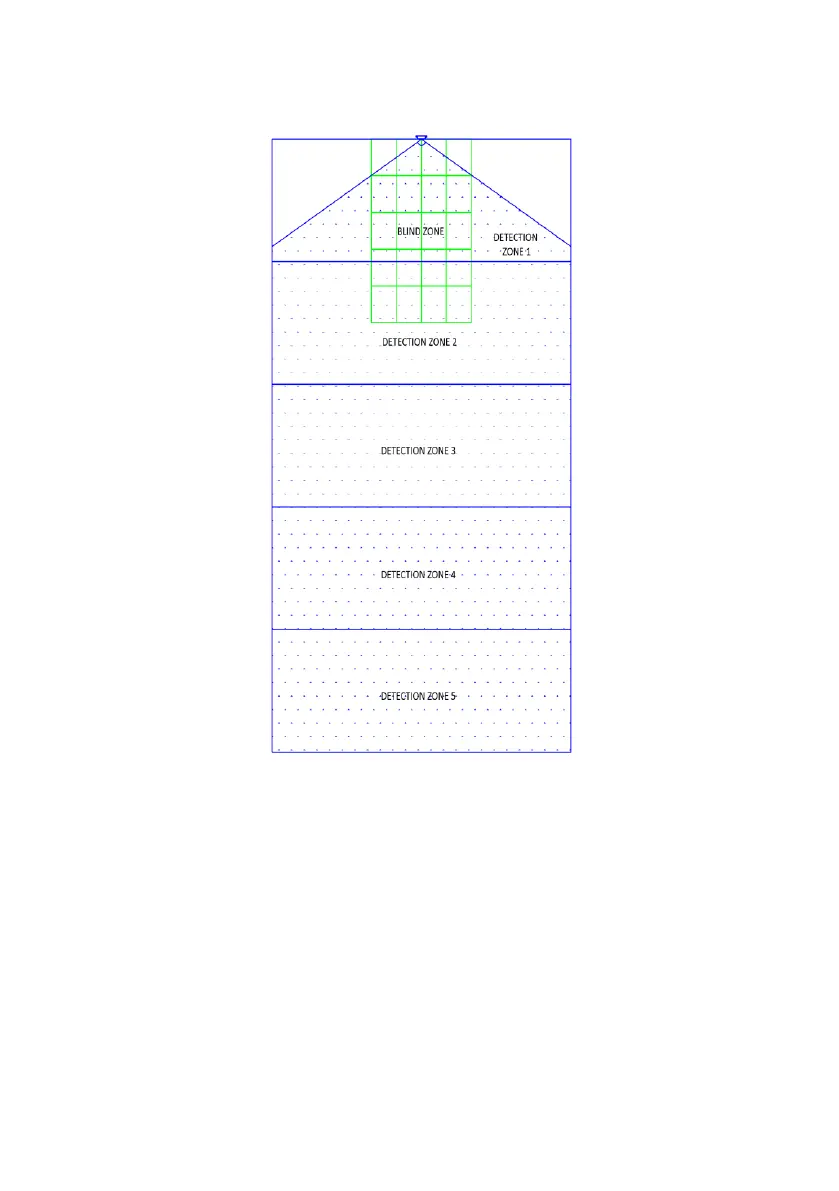
The next image shows the actual relationship between the two images set in the Configuration
Tool.
In the image above the Blind Zone Area is set to a 3.0m x 2.0m in front of the sensor. The
Blind Zone Area is divided into 5 zones in length by 4 cells in width.
4.3.11.2 Blind Area View and Setup
The zones can vary in length if manual configuration is required (see below on the left). If the
“Quick Zones Blind Length” option is used then all zones will be equally split over the full Blind
Zone Length (see below on the right).
The Blind Zone Width can be set via the pull down menu.



 To Next Page