5 Description of operation; manner
of use
You can increase or decrease the ventilation mode with the Brink Air Control- Ventilation. You can do this by
setting a program. You can temporarily override the program while it is running.
5.1 Navigation: general description
Navigating through menus
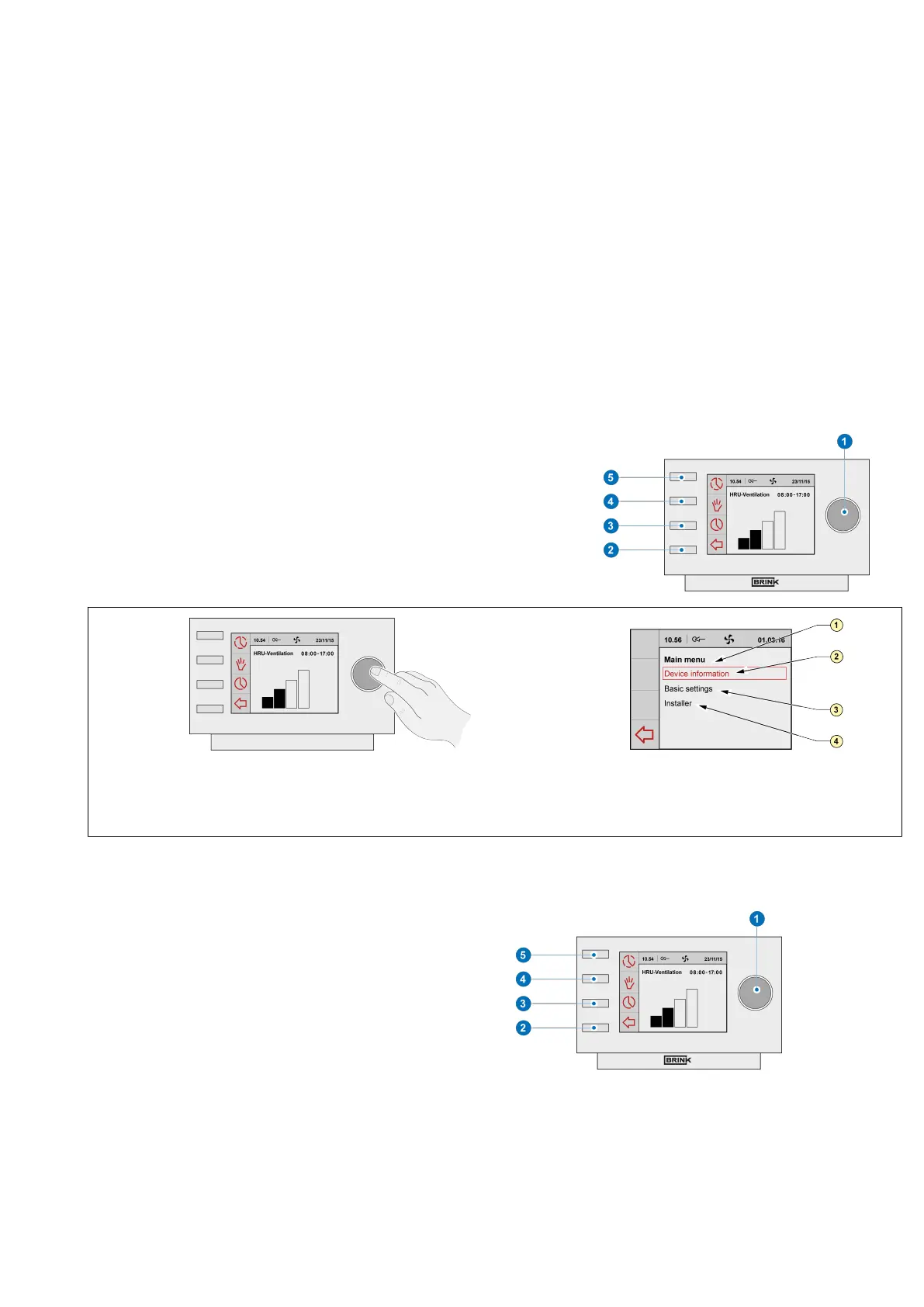
The Brink Air Control- Ventilation has menus that you can navigate
through. For this you use setting knob "1" . You scroll through the
menus by turning the setting knob "1". You can open a selected
menu-item by pressing the setting knob "1".
1 = Main menu
2 = Device informaon
3 = Basic sengs
4 = Installer
Return to the main screen
The main screen is the Brink Air Control- Ventilation
start screen.
You can always return to the main screen by pressing
on the return key "2" a few times. The number of
times you need to press return depends on how deep
you have gone into the menu. U need not be afraid of
pressing return too frequently.
Brink Air Control- Ventilation 614884-B Brink / 15


 To Next Page