2.3 Overview operational controls
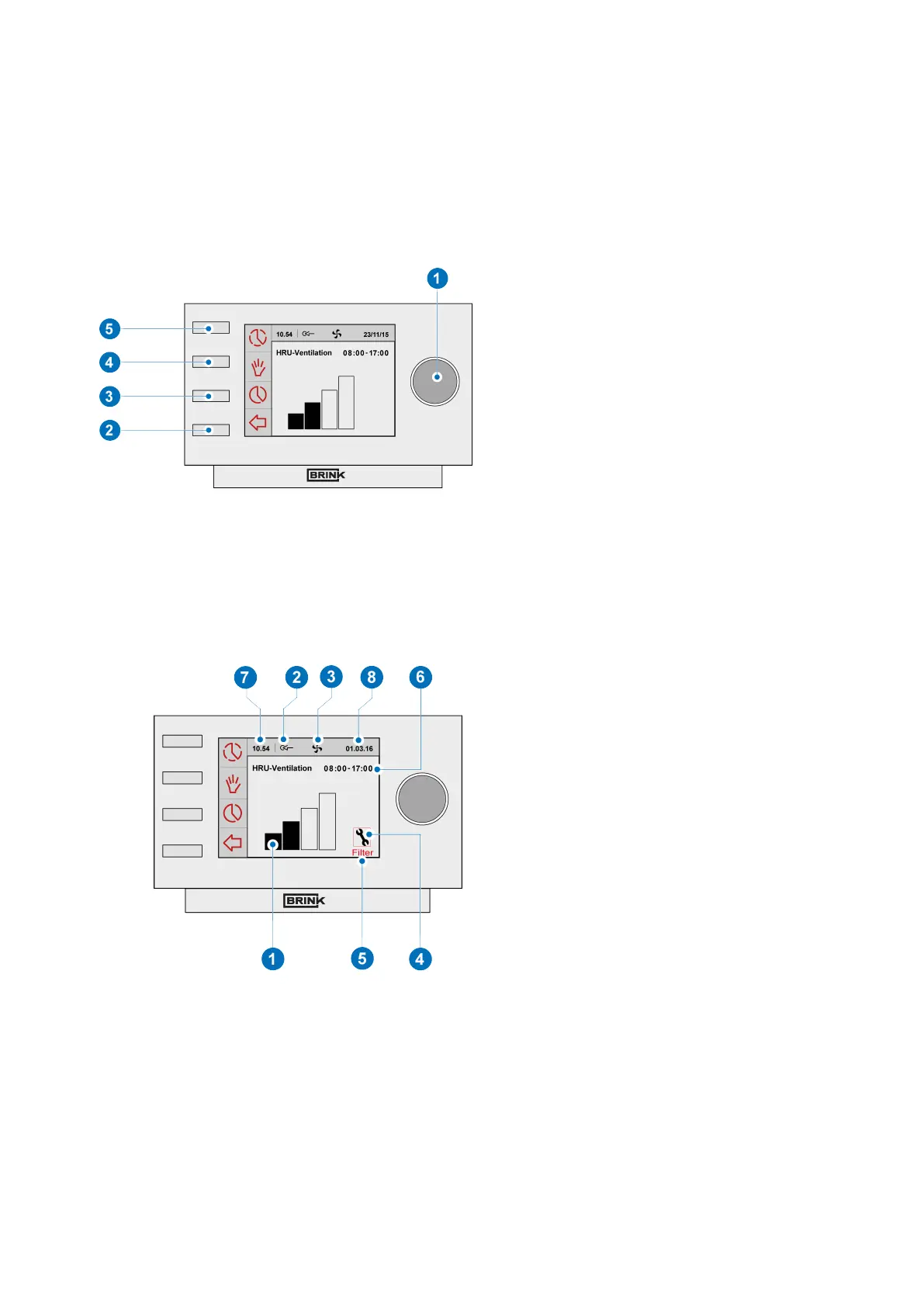
The Brink Air Control- Ventilation has a number of buttons with which the device can be operated:
1
2
3
4
5
=
=
=
=
=
Setting knob
Return key
Setting & activating timer programme
Manual control key
Bypassing the timer programme
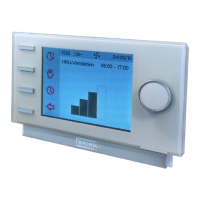
2.4 Overview display version main screen
1
2
3
4
5
6
7
8
=
=
=
=
=
=
=
=
Flow rate indicator
eBus connection indicator
Fan indicator
Fault symbol
Filter message
Current time block
Current time
Current date (day/ month/ year)
Brink Air Control- Ventilation 614884-B Brink / 5


 To Next Page