4.2.5 Change factory program setting
The Air Control - Allure clock thermostat has 6 preset programs; 3 heating programs (P1, P2 and P3) and 3
cooling programs (P1, P2 and P3). See appendix for settings ® Appendix: Standard settings weekly programs
page 30.
Perform the following actions to change a programma P1, P2 or P3:
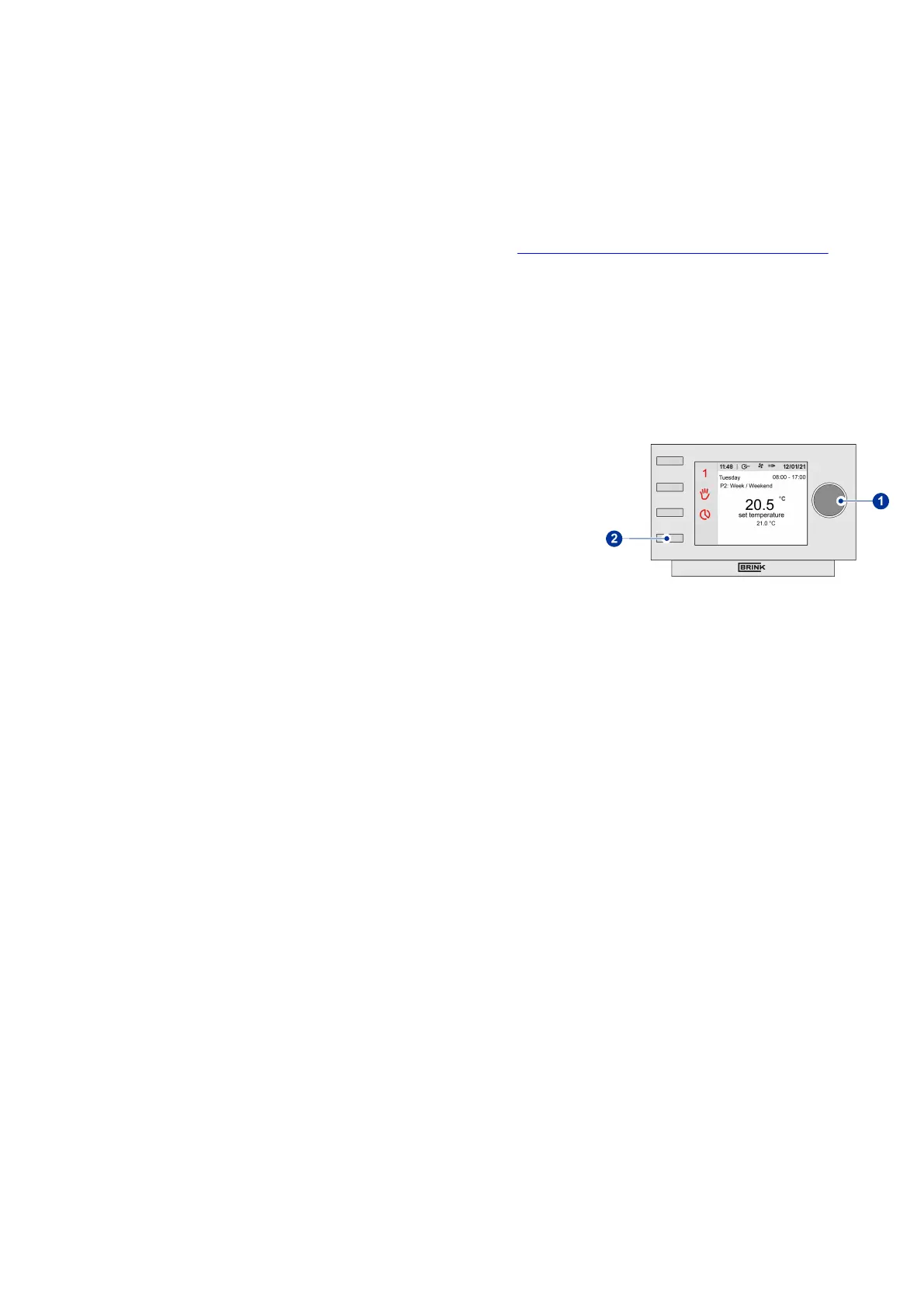
▪ Press return key "2" as many times as necessary to get to the main
screen
▪ Press setting knob "1"; ‘Main Menu’ opens
▪ Select ‘Basic Settings’ by turning setting knob "1"
▪ Press setting knob "1"; ‘Basic Settings’ opens
▪ Select ‘clock program' or 'clock program cooling’ by turning setting
knob "1"
▪ Press setting knob "1"; selected program opens
▪ Select program you wanted to adjust by turning and pressing setting
knob "1"
▪ Select period you wanted to adjust by turning and pressing setting
knob "1"
▪ Select "Start time" and/or "Temp. selection"depending which setting
you wanted to adjust by turning and pressing setting knob "1". Press
return key "2" to get back to the previous screen after pressing knob 1
to save change
▪ Change, if desired, other settings in the same way
▪ Press return key "2" as many times as necessary to get to the main
screen
Air Control - Allure clock thermostat 616720-A Brink / 15


 To Next Page