5.7 Setting ventilation mode values
You can set a ventilation mode’s value by yourself.
Perform the following actions for this:
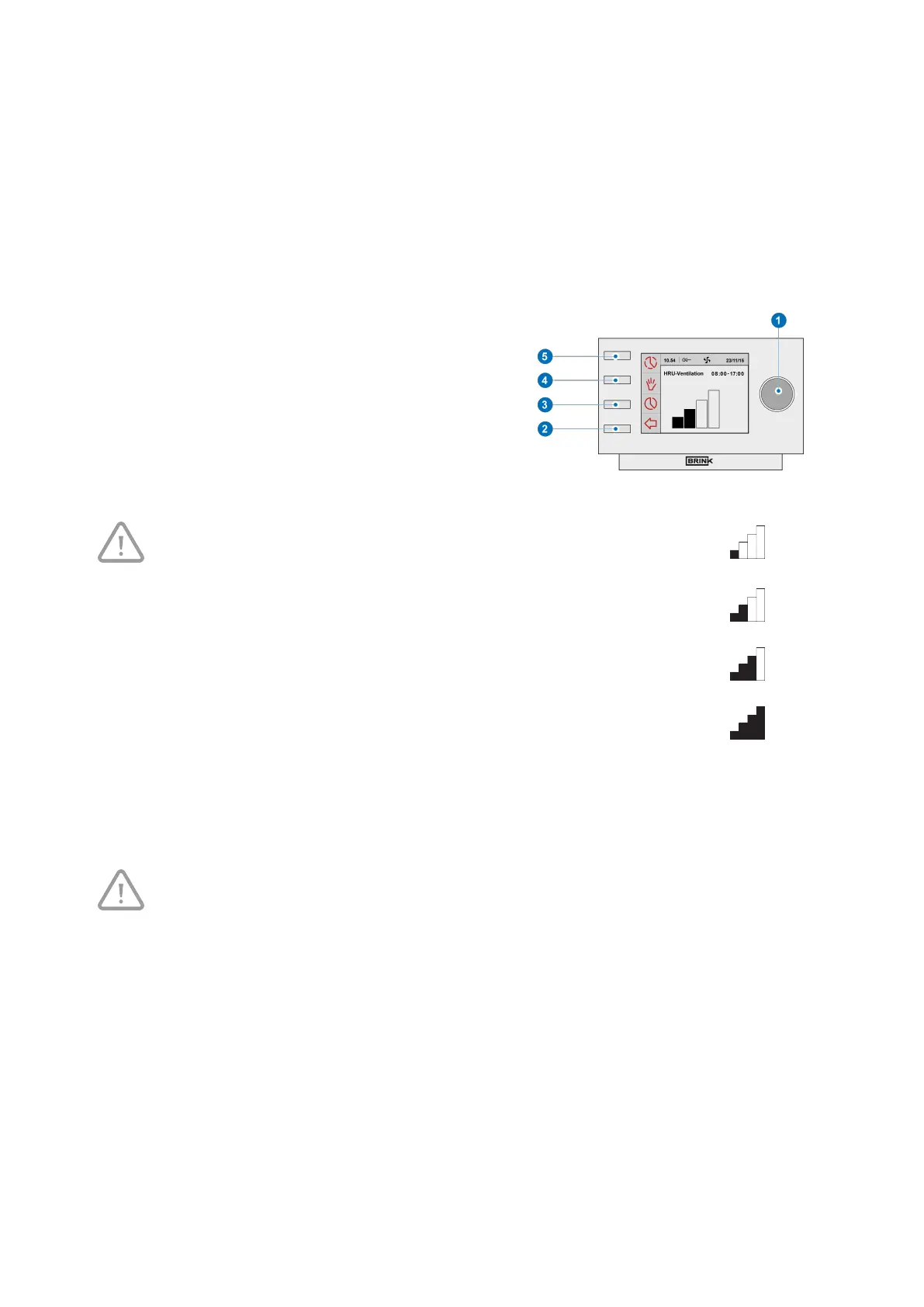
▪ Press returnkey "2" as many times as necessary to get to
the main screen,
▪ Press setting knob "1"; ‘Main Menu’ opens,
▪ Select ‘Installer’ by turning setting knob "1",
▪ Turn setting knob "1" to select the desired appliances,
▪ Press setting knob "1" to confirm the desired appliance
(or select the choice HRV appliance if only one appliance
is connected),
▪ Select ‘Device settings’ by turning setting knob "1",
▪ Press setting knob "1"; ‘Device settings’ opens,
▪ Select ‘Airflow 0 (Holiday)’ by turning setting knob "1".
Take note!
‘Airflow 0 (Holiday)’ refers to ventilation mode
‘Airflow 1 (Reduced)’ refers to ventilation mode
‘Airflow 2 (Normal)’ refers to ventilation mode
‘Airflow 3 (High)’ refers to ventilation mode
▪
Set Airflow 0 (Holiday) by turning setting knob "1",
▪ Press setting knob "1" to confirm the set value for Airflow 0 (Holiday).
You can set debit 1 through 3 in the same manner as described above for Airflow 0 (Holiday).
Take note!
You can not feed in a value, lower than value of a lower Airflow position, for a higher (Airflow
Holiday < Airflow Reduced < Airflow Normal < Airflow High).
Brink Air Control- Ventilation 614884-B Brink / 21


 To Next Page