5.8 Retrieving settings
You can retrieve the current settings from the Brink Air Control- Ventilation:
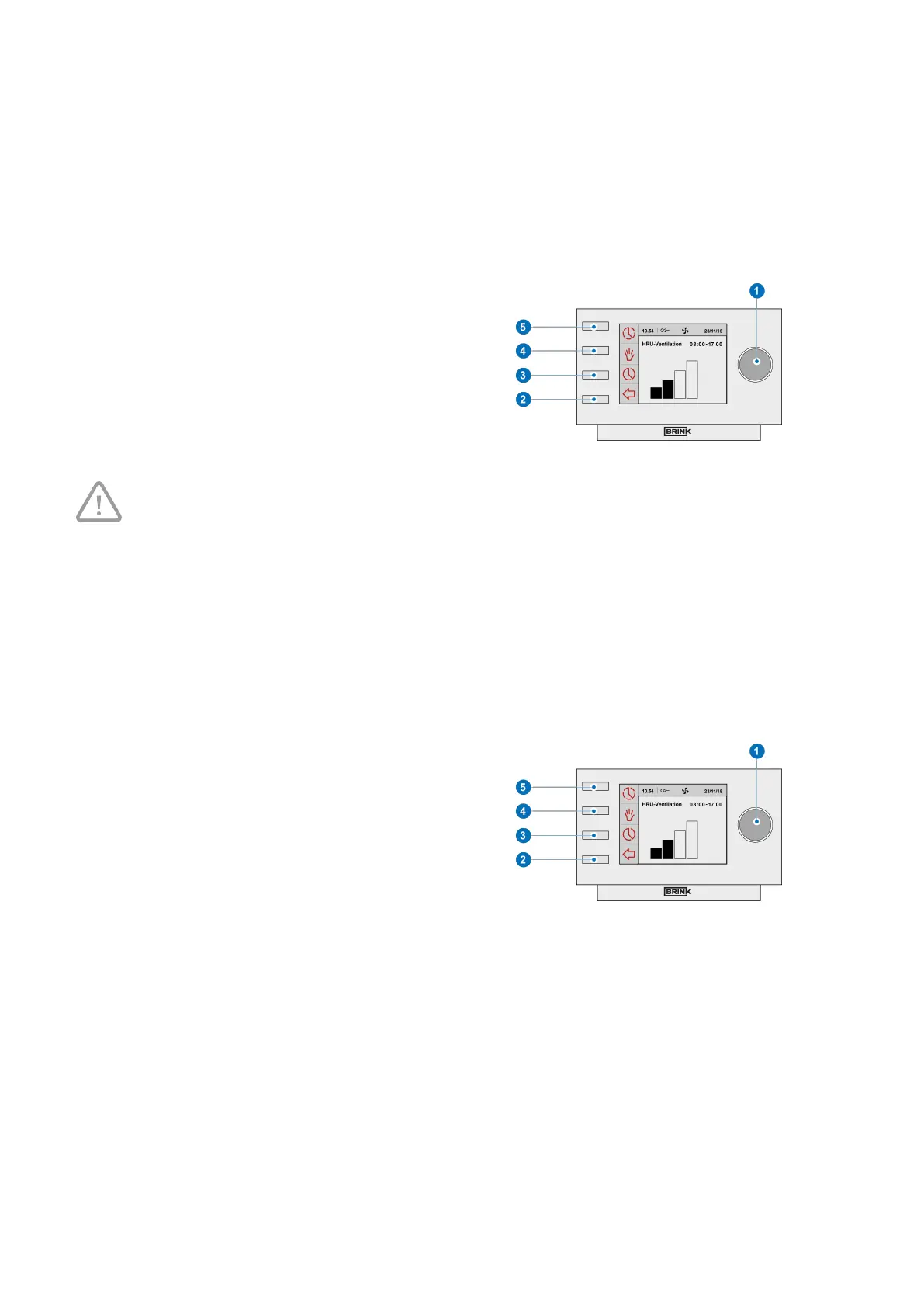
▪ Press returnkey "2" as many times as necessary to get to
the main screen
▪ Press setting knob "1" ‘Main Menu’ opens
▪ Turn setting knob "1" to select the desired appliances
▪ Press setting knob "1" to confirm the desired appliance
(or select the choice HRV appliance if only one appliance
is connected).
▪ Select ‘Device information’ by turning setting knob "1" .
▪ Press setting knob "1"; ‘Device information’ opens
▪ Turn setting knob "1" to display the desired appliances
Take note!
You can look at, but not change, the settings via the info menu.
5.9 Factory setting connected device
A device has been connected to the Brink Air Control- Ventilation. It is possible to set back all this device’s
settings to the factory settings. Perform the following actions for this:
▪ Press returnkey "
2" as many times as necessary to get to
the main screen
▪ Pressetting knob "1" ‘Main Menu’ opens
▪ Select ‘Installation Settings’ by turning setting knob "1".
▪ Press setting knob "1"; ‘Installation Settings’ opens
▪ Select ‘Installer’ by turning setting knob "1".
▪ Press setting knob "1"; ‘Installer’ opens
▪ Select ‘Factory Setting’ by turning setting knob "1".
▪ Press setting knob "1";‘Factory Setting’ opens
▪ Turn setting knob "1" to select the option 'yes'
▪ Press setting knob "1" to confirm the desired 'Factory
Setting' (or select the choice HRV appliance if only one
appliance is connected).
▪ The settings are put back to the factory settings.
Selecting factory setting will restore all step numbers to
the original factory setting. All fault messages will be
deleted as well.
Brink Air Control- Ventilation 614884-B


 To Next Page