5.2.5 Retrieving settings
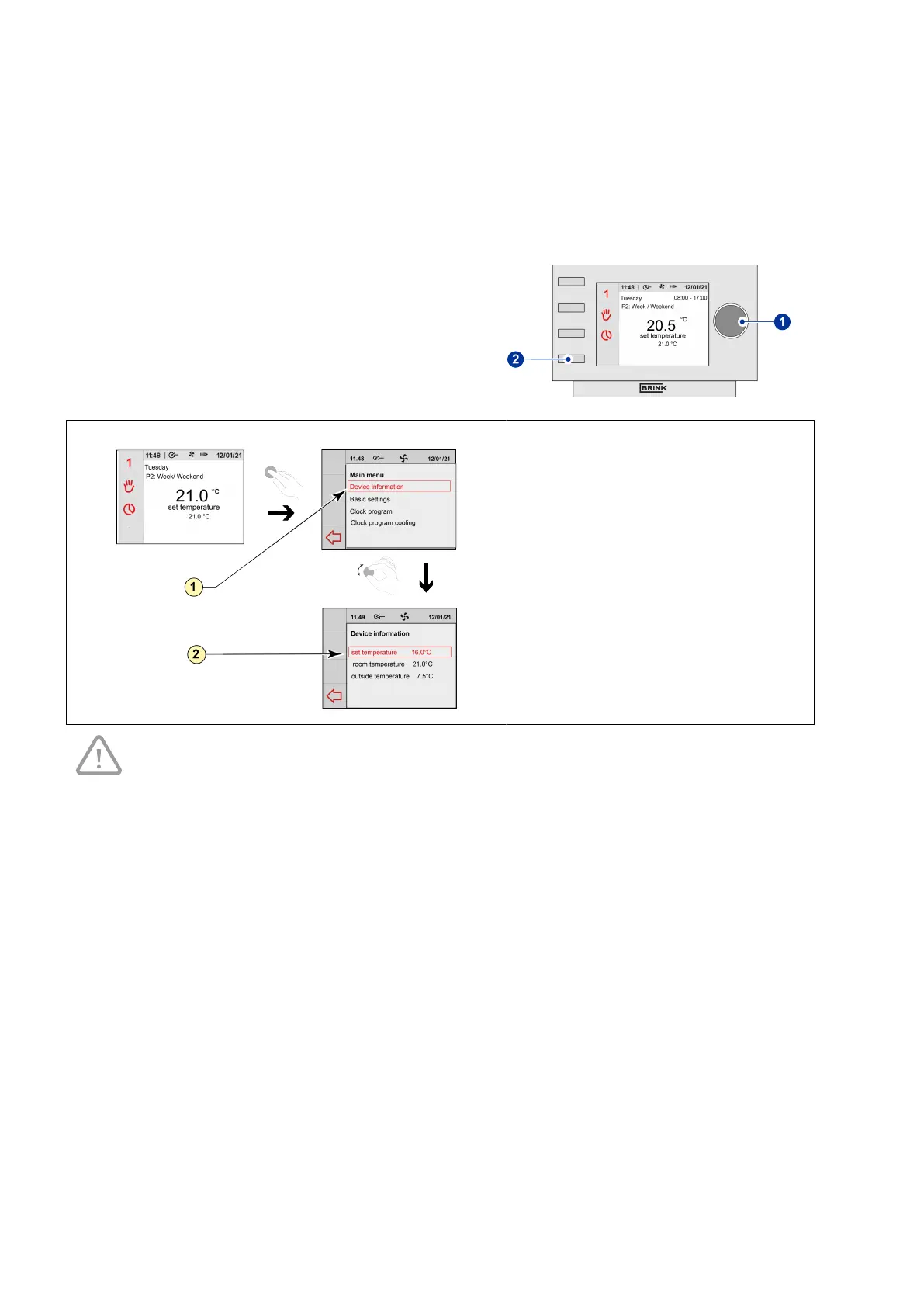
You can retrieve the device information from the Air Control - Allure clock thermostat:
▪ Press returnkey "2" as many times as necessary to get to
the main screen
▪ Press setting knob "1" ‘Main Menu’ opens
▪ Select ‘Device information’ by turning setting knob "1" .
▪ Press setting knob "1"; ‘Device information’ opens
▪ Turn setting knob "1" to display the desired information
▪ Press return key "2" if you wish to exit the device
information.
1 = Device information menu
2 = Displayed device information
Take note!
You can look at, but not change, the settings via the device information menu.
Air Control - Allure clock thermostat 616720-A


 To Next Page