© 2022 Brivo Systems LLC. All rights reserved. PUB-Brivo ACS6100 Installation Manual
32
Brivo ACS6100 Installation Manual
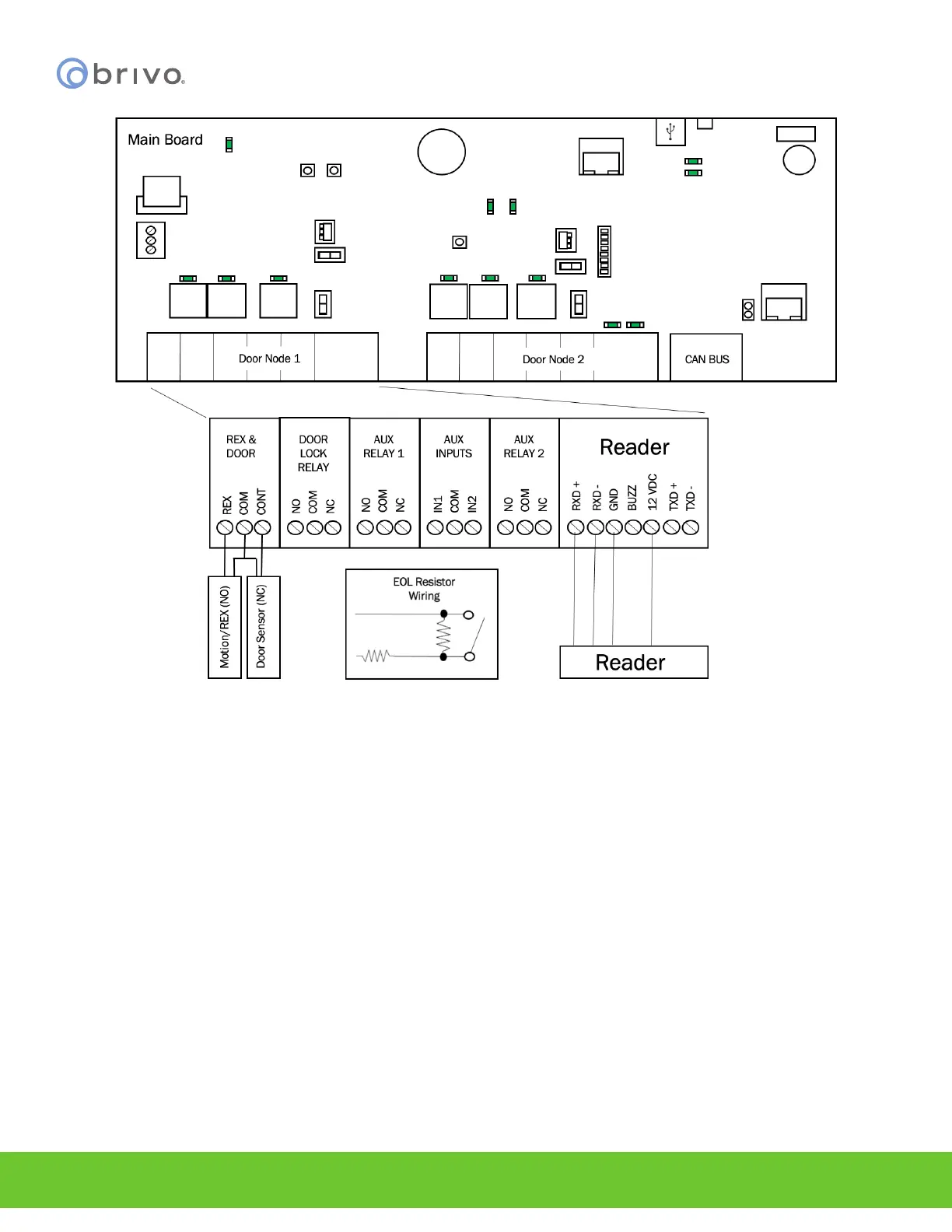
Figure 25 - Wire Doors for OSDP Readers using RS-485
4. Install MOVs.
WARNING: Noise Suppression
INSTALL THE TRANSIENT NOISE SUPPRESSION DEVICE (MOV) SUPPLIED WITH THE CONTROL PANEL.
a) Install the MOV across the conductors, as close as possible to the electric strike or latch. This
will normally be at the connection from the eld-installed wiring to the pig tail or screw
terminals of the electronic strike or latch.
b) Use the wire recommended by the manufacturer of the electric strike or latch. If no wire is
recommended, use a minimum of 18 AWG wire with sucient strands for the specic
electronic strike or latch.



 To Next Page