6-8
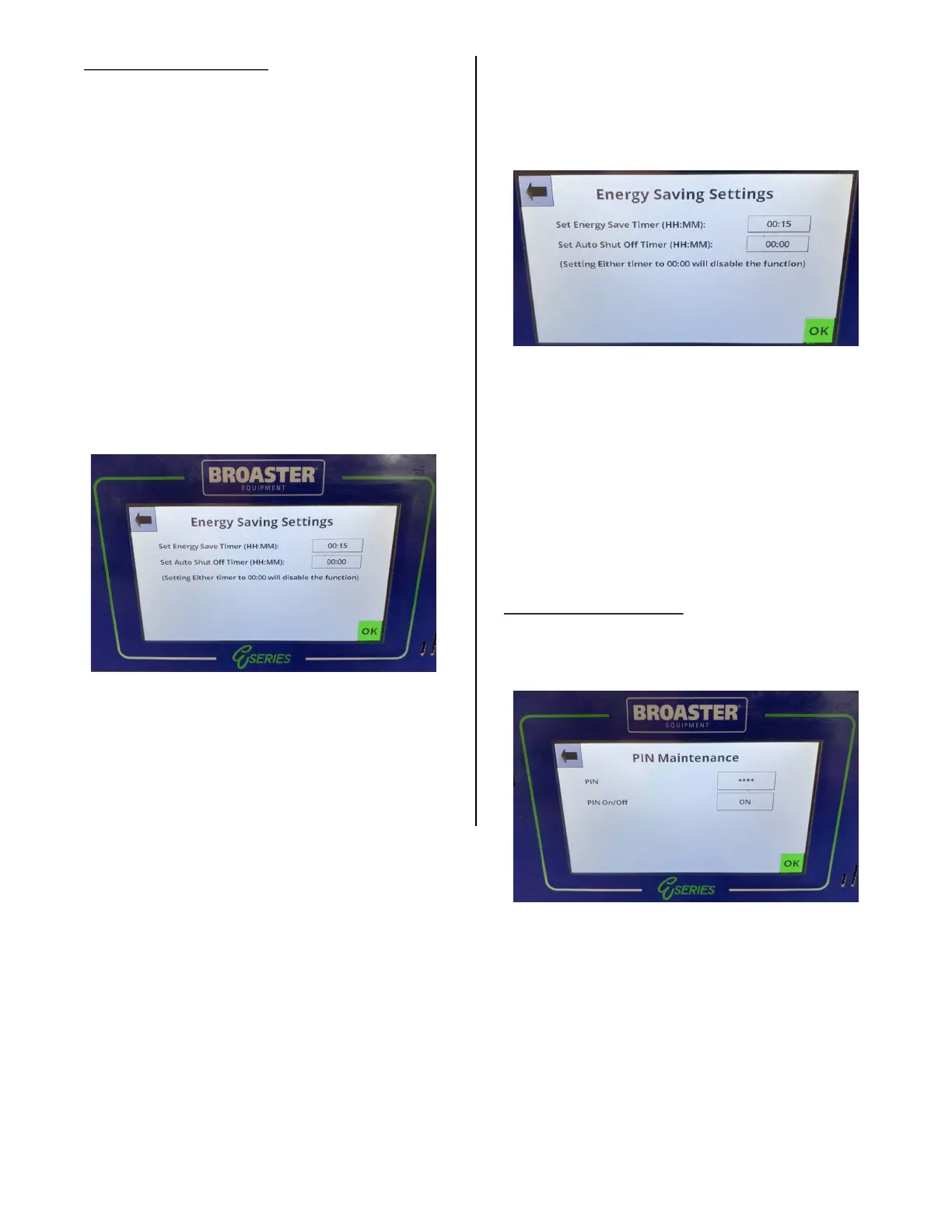
Energy Save Setting:
Pressing this option opens the Energy Sav-
ing Settings display.
You have two options on this display:
OPTION 1: Energy Saving Option.
The fryer will go into this mode when the
specified idle time has passed. When the
fryer goes into the energy saving mode the
oil temperature will drop to 270° F (132° C)
and remain there until the fryer is prompted
by pressing the green OK button, to resume
the normal cooking temperature. When the
fryer enters the energy saving mode the dis-
play shown below appears.
When the OK button is pressed the display
returns to the normal Cook Tab display and
the temperature will be yellow and Low and
the set temp will be alternating. DO NOT
start cooking until the temp display is
green.
OPTION 2: Auto Shut Off Timer.
When this option is set, the control will shut
off all heaters after the specified time, and
the display shown below will appear.
Follow the instructions on the screen to
resume use of the fryer.
For either of these options set the desired
time by pressing the time button. A keypad
will appear. Enter the desired time. As you
enter the hours and minutes they will
appear above the keypad. When the time is
entered press the green OK button.
Pin Maintenance:
Pressing this option opens the PIN Mainte-
nance display.
When the unit is installed there is no PIN
set. To set a pin press the box next to PIN
and the key pad screen will appear. Set the
4 digit pin you want and press enter. Press
the box next to PIN on/off to turn the PIN
on.
broaster.com Manual #21469 621 rev 11/23



 To Next Page