6-7
Setup Display:
Time & Date Adjustment:
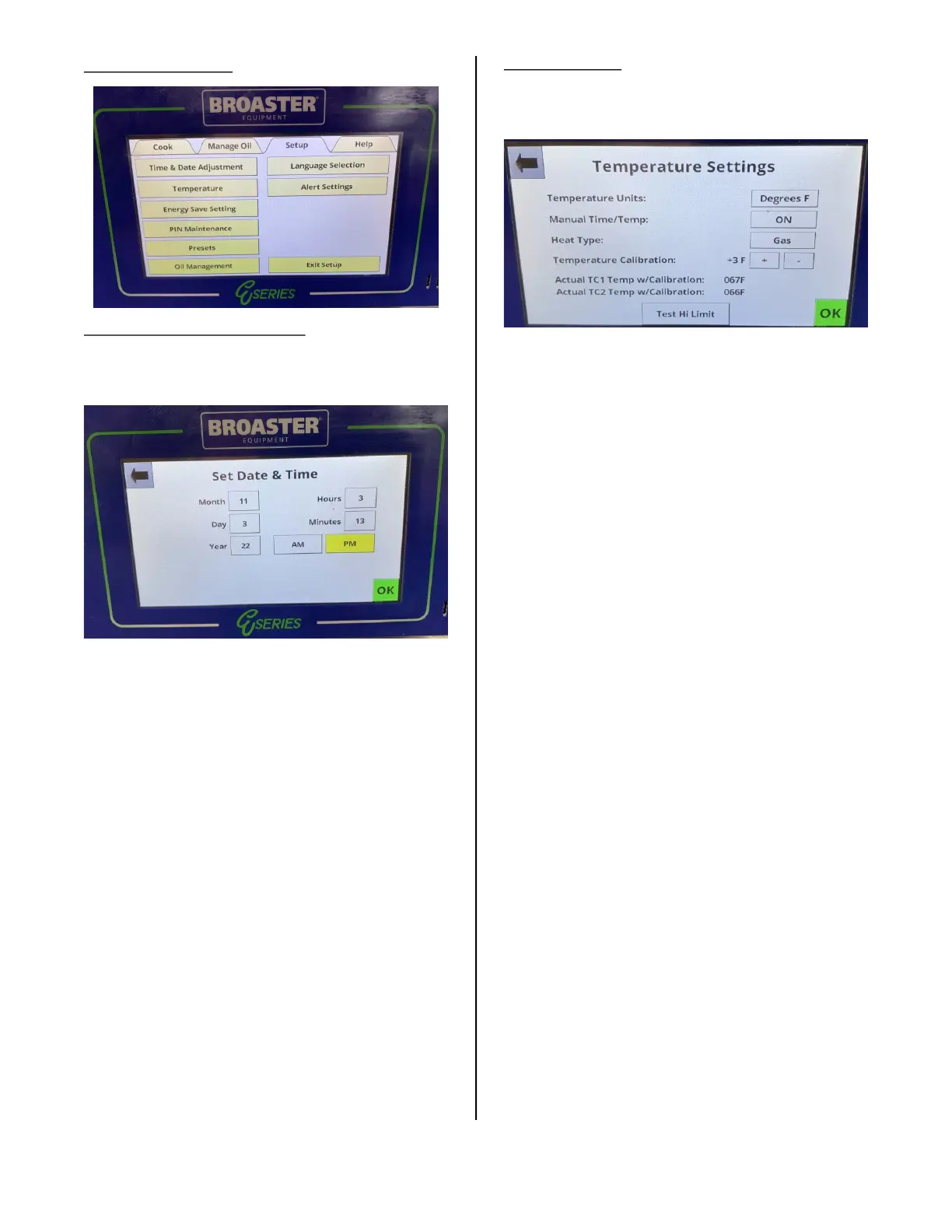
Pressing this option opens the Set Date &
Time display.
To set the date and time, press the box after
“Month” and a keypad will appear. Enter the
number of the month and press the enter
key. Repeat this action for the Day, Year,
Hours, Minutes, AM and PM boxes. When
finished press the green OK button or the
changes will not be saved.
To leave this display without making a
change press the arrow in the upper left
corner or the green OK.
Temperature:
Pressing this option opens the Temperature
Settings Display.
The temperature scale can be set in this
display to either Degrees F (Fahrenheit) or
Degrees C (Celsius).
Pressing the Degrees box switches the
units.
When Manual Time / Temp is set to ON, it
allows changing the time, temperature, and
pressure state of the recipe to a custom
recipe.
When Manual Time / Temp is set to OFF, the
time, temperature, and pressure state can-
not be changed and only the preset menu
item recipes are available.
broaster.com Manual #21469 621 rev 11/23



 To Next Page