6-12
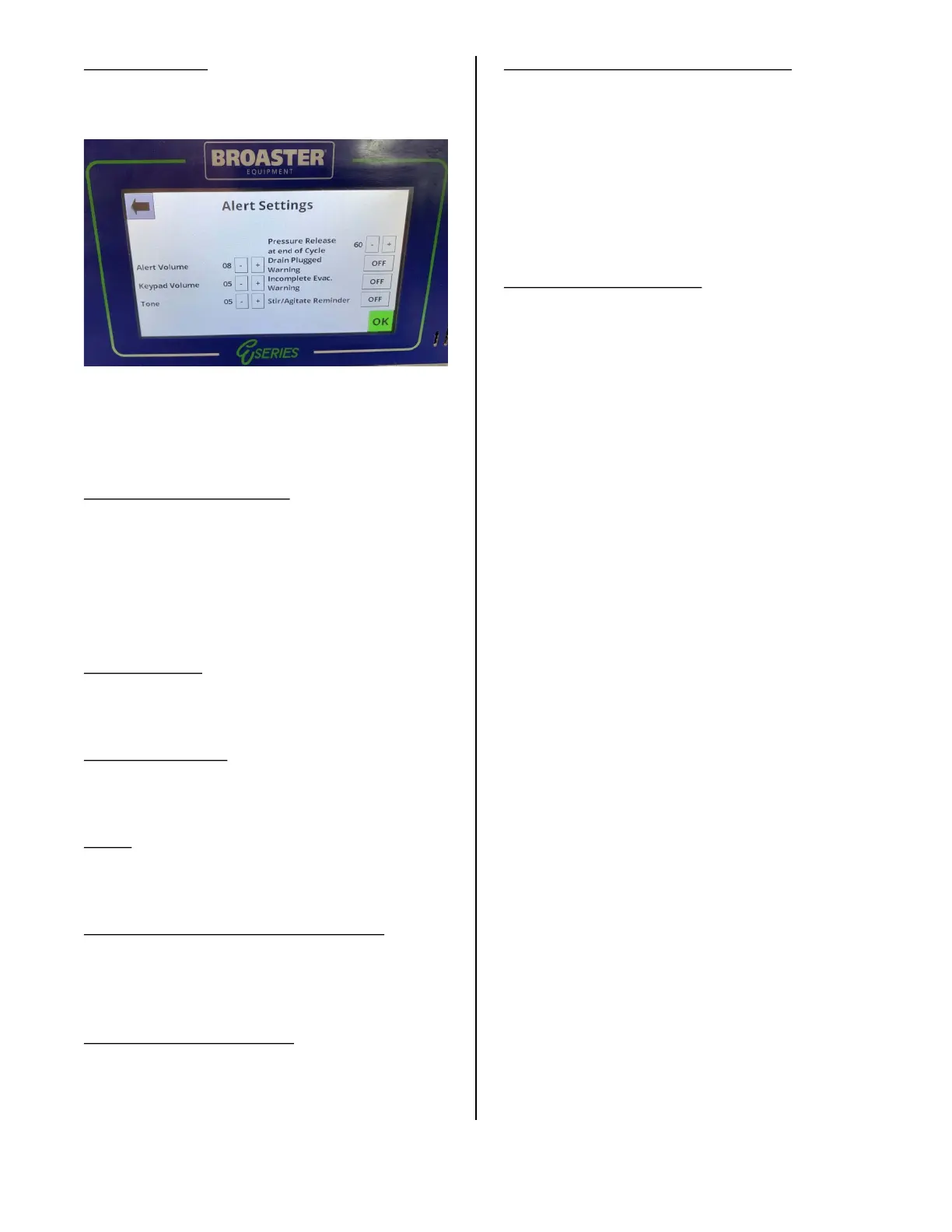
Alert settings:
Pressing this option allows you to set con-
ditions for several features.
The numbers left of the boxes indicate the
current setting. They can be changed by
pressing the “-” or “+” buttons.
Filter Reminder Cycles:
This sets the num-
ber of cook cycles between each oil filter
cycle. The Broaster Company recommends
5 cook cycles, however, you can set it as
you desire. A setting of “0” will disable the
filter reminder screen. This setting is only
present if Auto Filter is disabled.
Alert Volume:
This should be set loud
enough to be able to hear it above any
other noises in the kitchen.
Keypad Volume:
It should be loud enough
to hear while making changes in front of the
fryer or when operating the fryer.
Tone:
There are a range of tones from low
to very high. Chose the one that suits your
operation.
Pressure Release at End of Cycle:
This
setting allows the pressure to release
before the cooking time reaches zero.This
should be 30 seconds minimum.
Drain Plugged Warning:
This controls
whether the unit warns the operator that the
drain may be clogged.
Incomplete Evacuation Warning: This
controls whether the unit warns the opera-
tor that the oil may not have fully returned
to the cooking well after the auto-filter
evacuation time has expired.
After making the adjustments on this dispay
press the green OK button to save the
entries.
Stir/Agitate Reminder:
This alert appears
when 3 conditions occur.
1. When the fryer is first turned on in the
morning, this reminder will appear after the
oil comes up to the set temperature.
2. After a filter cycle has been completed
this reminder will appear after the oil comes
up to the set temperature.
3. If the fryer has been setting idle for 2
hours or longer this reminder will appear to
alert you to stir the oil to get it to a uniform
temperature.
After making the adjustments on this dis-
play press the green OK button to save the
entries.
To go back to the Cook display either press
the “Exit Setup” button or the Cook Tab.
broaster.com Manual #21469 621 rev 11/23



 To Next Page