Atmospheric Single-Arm Robot Installation
User’s Manual Installation Procedure
Brooks Automation
Revision 1
3-9
Because of manufacturing tolerances, the end effector might have a different angle
with respect to gravity at each station. Brooks Automation recommends that each sta-
tion is independently adjustable for roll and pitch.
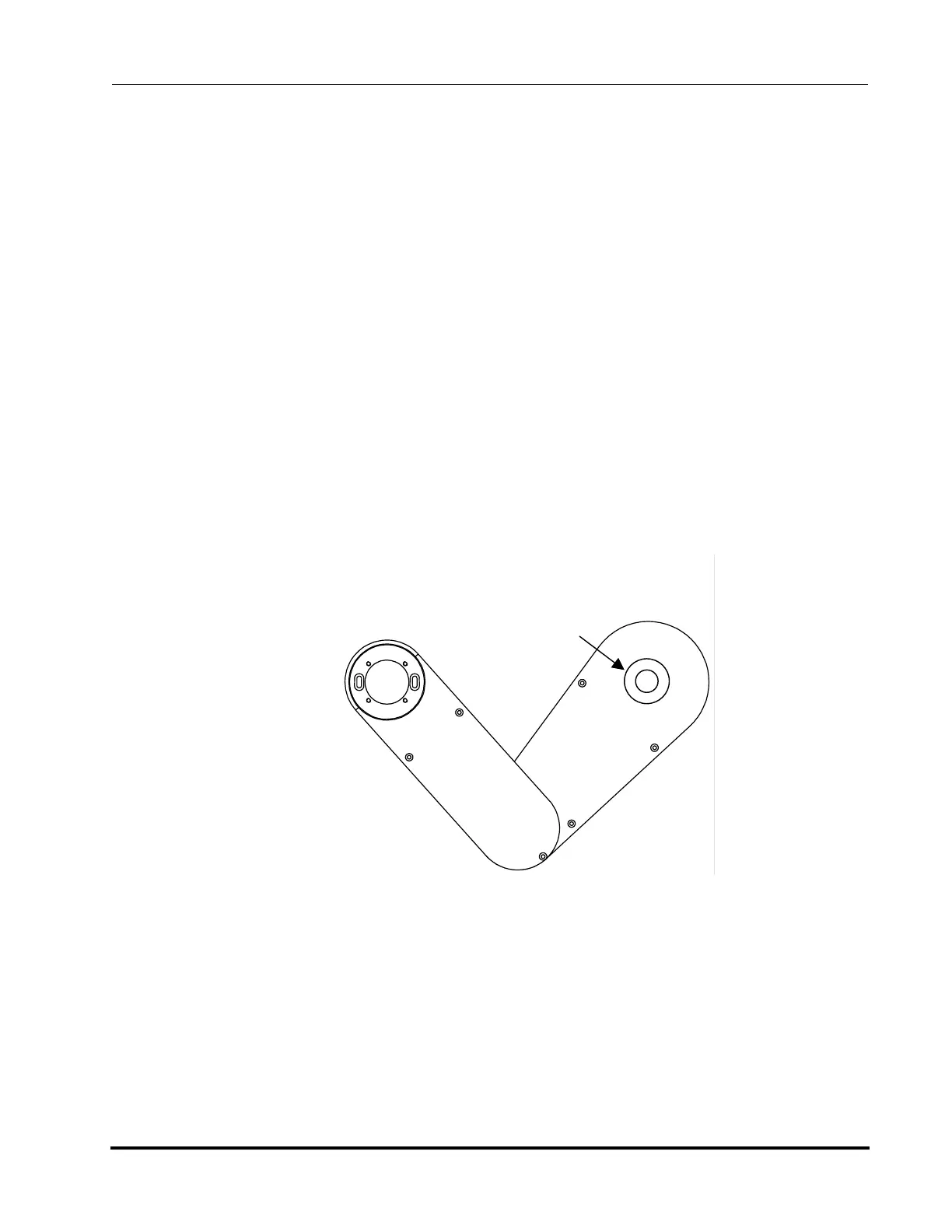
Use the following procedure to level the robot, the arm links, and the end effector.
1. Level the host system. If the host system load station (load chuck) is not adjust-
able, adjust the host system to make it level.
2. Level the robot using the set screws on the robot mounting baseplate.
3. Disconnect AC power or turn off the robot servo motors by issuing the SVOF
command.
4. Loosen the bolts securing the robot to the tool using a 3/16 Allen wrench.
5. Slightly extend the robot arm. Place the bubble level on the lower arm link cen-
tered over the Z column.
6. Adjust the three jackscrews on the baseplate with the 1/8 Allen wrench until
the bubble indicates level.
7. Rotate theta 180° and check the bubble level again.
8. Tighten the three bolts securing the robot to the tool using the 3/16 Allen
wrench.
Bubble Level
Figure 3-2: Leveling the Robot Arm
Artisan Technology Group - Quality Instrumentation ... Guaranteed | (888) 88-SOURCE | www.artisantg.com



 To Next Page