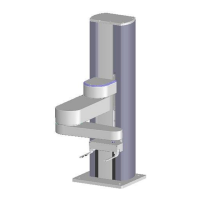
Adjustments and Calibration Atmospheric Single-Arm Robot
Atmospheric Single-Arm Robot Alignment User’s Manual
Brooks Automation
7-2 Revision 1
Atmospheric Single-Arm Robot Alignment
The Brooks Automation Atmospheric Single-Arm Robot must be aligned with the
system that it will be operating in. Note that even a small misalignment can interfere
with proper system operation.
The user must perform the following alignment procedure as part of installing the
product in a system, during routine maintenance, or when one of the system modules
requires replacement. Brooks Automation recommends an alignment check under
the following circumstances:
• A complete alignment when the Atmospheric Single-Arm Robot is first setup
at the user’s site.
• A complete check when the components of the robot or the robot itself is
replaced.
• A complete check if the product was involved in a wafer transfer error.
• A complete check if the product was involved when an Emergency Machine
Off (EMO) occurred.
• A partial check whenever any component in the system is replaced.
• A complete check of the robot if it was involved in a collision.
Required Tools and Test Equipment
Performing the alignment procedure requires the following tools and materials:
• Standard hand tools
•Teach pendant
• A computer running a terminal emulator or a dumb terminal
• A test wafer of the correct size for which the system is being set up
• The user’s manual(s) for any devices the product will interface with
Alignment Strategy
The alignment is performed to ensure proper equipment operation and precise wafer
transport within the user’s system. The teach pendant or a Terminal Emulator, and
the command set described in Chapter 8: Command Reference will be used during the
performance of the Alignment Procedure.
Artisan Technology Group - Quality Instrumentation ... Guaranteed | (888) 88-SOURCE | www.artisantg.com



 To Next Page