Atmospheric Single-Arm Robot Installation
User’s Manual Connecting the Robot and Controller
Brooks Automation
Revision 1
3-15
Connecting the Teach Pendant
If you have a TTR 200, refer to Chapter 12: Drawings for information about converting
the TTR 200 DB15 connector to an RJ12 connector.
To avoid potential ESD and EMI problems, Brooks Automation provides a shielded
cable for both the TTR-100 and the SEMI S2 compliant TTR-200. If you are using a
TTR 100 and do not have the shielded cable, skip Steps 1 to 3 in the following
instructions. Always keep the cable unplugged when you are not using the Teach Pendant.
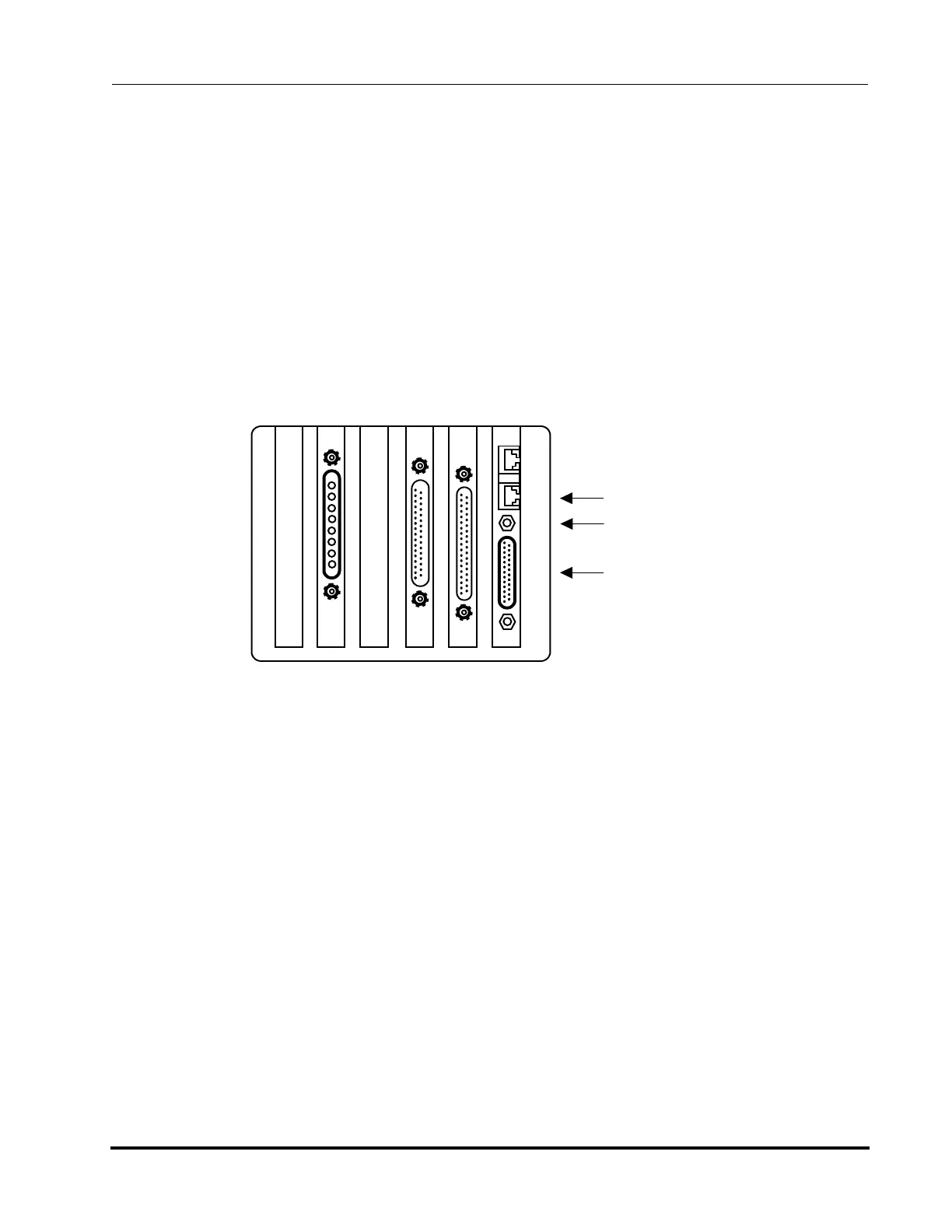
1. Using a 3/16 hex driver, unsrew the 4-40 jack screw located between the COM2
port and the DB25 connection. Keep the star washer and screw.
2. Place the #6 ring lug on the grounding strap over the 4-40 screw hole. Do not
cut or shorten the grounding strap.
3. Replace the 4-40 jack screw and star washer. Tighten.
4. Connect the Teach Pendant cable to the bottom RJ12 connector next to DB25 on
the controller. This is the COM2 port. If you are using a TTR-200, ensure that
the cable shields (through grounding strap or connectors) are grounded
directly to chassis ground (equipment ground).
5. Access the Terminal mode by pressing CTRL+T, then press T again.
6. At the cursor, type SVON and press the Enter key. This turns on all servo
motors. You should feel torque on the robot axes.
7. Type HOM and press Enter. This homes all axes of the robot and the pre-
aligner, if present. When all axes are in the home position, the Teach Pendant
COM2 Port with
RJ12 connection
4-40 jack scre
DB25 connection
Figure 3-4: Controller Connections
Artisan Technology Group - Quality Instrumentation ... Guaranteed | (888) 88-SOURCE | www.artisantg.com



 To Next Page