Routine Maintenance
104
5
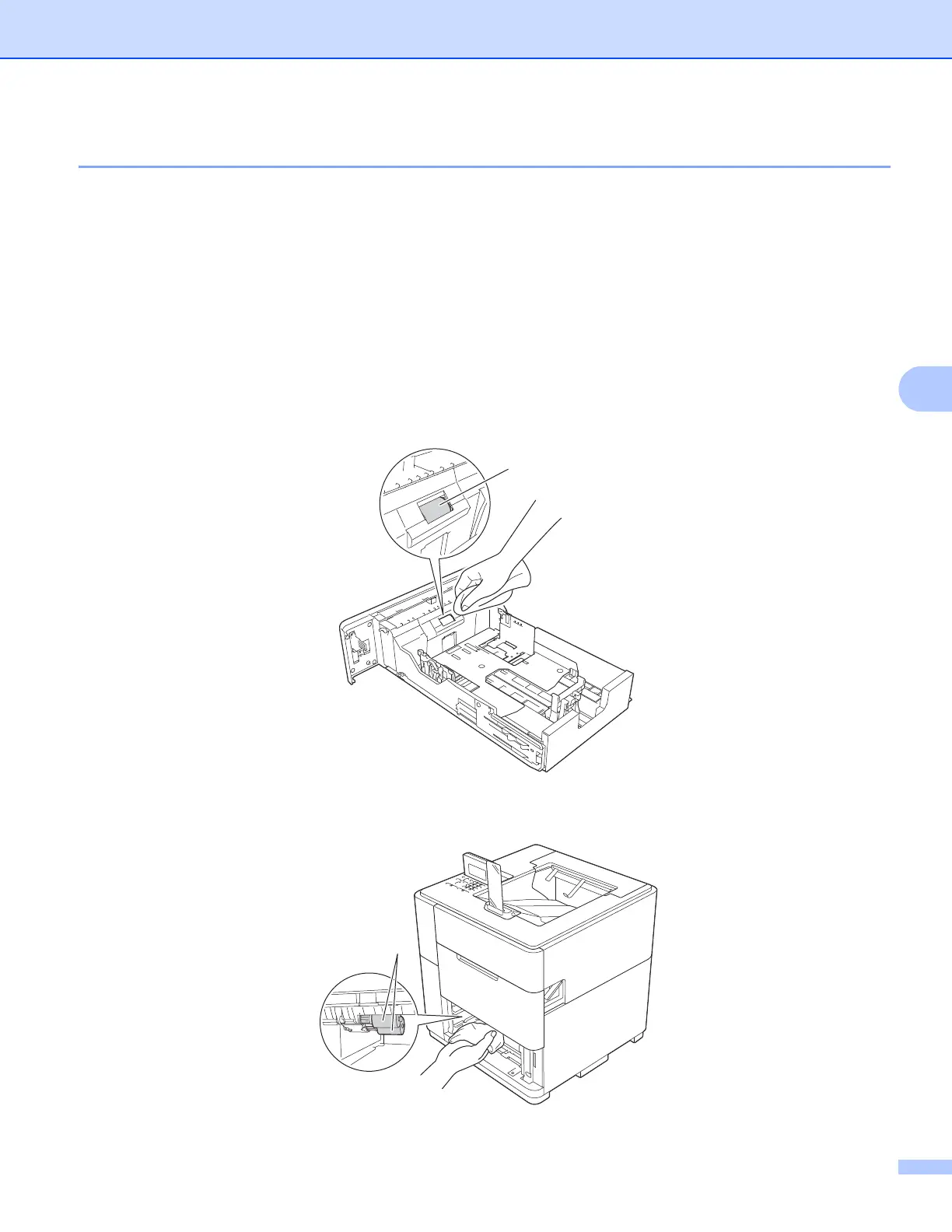
Cleaning the paper pick-up rollers 5
Cleaning the paper pick-up rollers periodically may prevent paper jams by insuring the proper feeding of
paper.
a Turn the machine off.
b Disconnect the interface cables from the machine, and then unplug the power cord from the AC power
outlet.
c Slowly pull the paper tray out until it stops. Then slightly lift the front of the tray and pull the tray out of
the machine.
d Tightly wring out a lint-free cloth soaked in lukewarm water, and then wipe the separation roller (1) in the
paper tray with it to remove dust.
e Wipe the two pick-up rollers (1) inside of the machine to remove dust.
1



 To Next Page
 Loading...












