Driver and Software
59
2
Choosing printing options 2
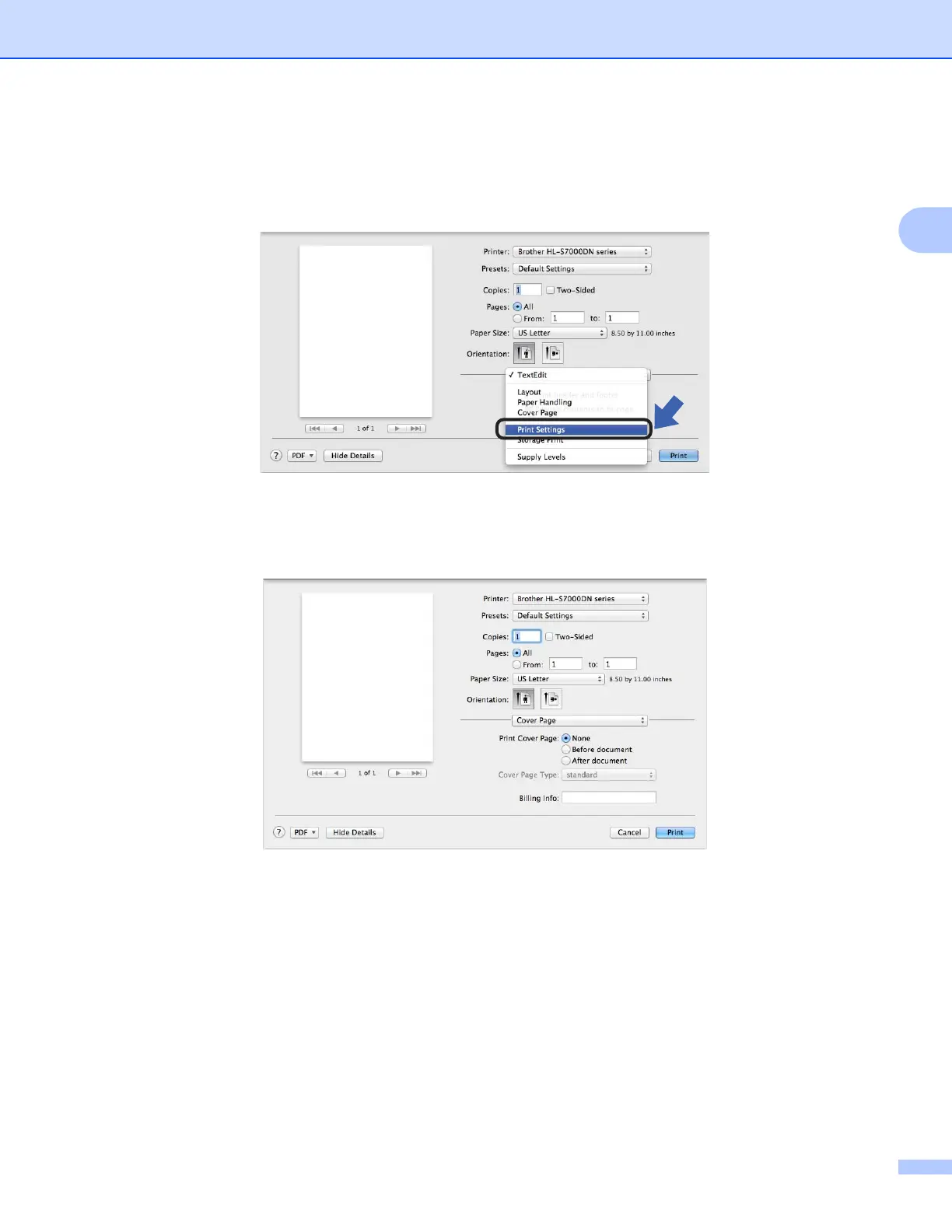
To control special printing features, choose Print Settings from the Print dialog box. For details of available
options, see the following descriptions of each option.
Cover Page 2
You can choose the following cover page settings:
Print Cover Page
If you want to add a cover page to your document, use this function.
Cover Page Type
Choose a template for the cover page.
Billing Info
If you want to add billing information to the cover page, enter text in the Billing Info box.



 To Next Page
 Loading...












