Printing Methods
20
1
Duplex printing 1
The supplied printer drivers all enable duplex printing. For more information about how to choose the settings,
see the Help text in the printer driver.
Guidelines for printing on both sides of the paper 1
If the paper is thin, it may wrinkle.
If paper is curled, straighten it and put it back in the paper tray. If the paper continues to curl, replace the
paper.
If the paper is not feeding correctly, it may be curled. Remove the paper and straighten it. If the paper
continues to curl, replace the paper.
Make sure that the paper tray is completely inserted in the machine.
Automatic duplex printing 1
If you are using the Macintosh Printer Driver, see Duplex Printing uu page 64.
Automatic duplex printing with the Windows
®
printer driver 1
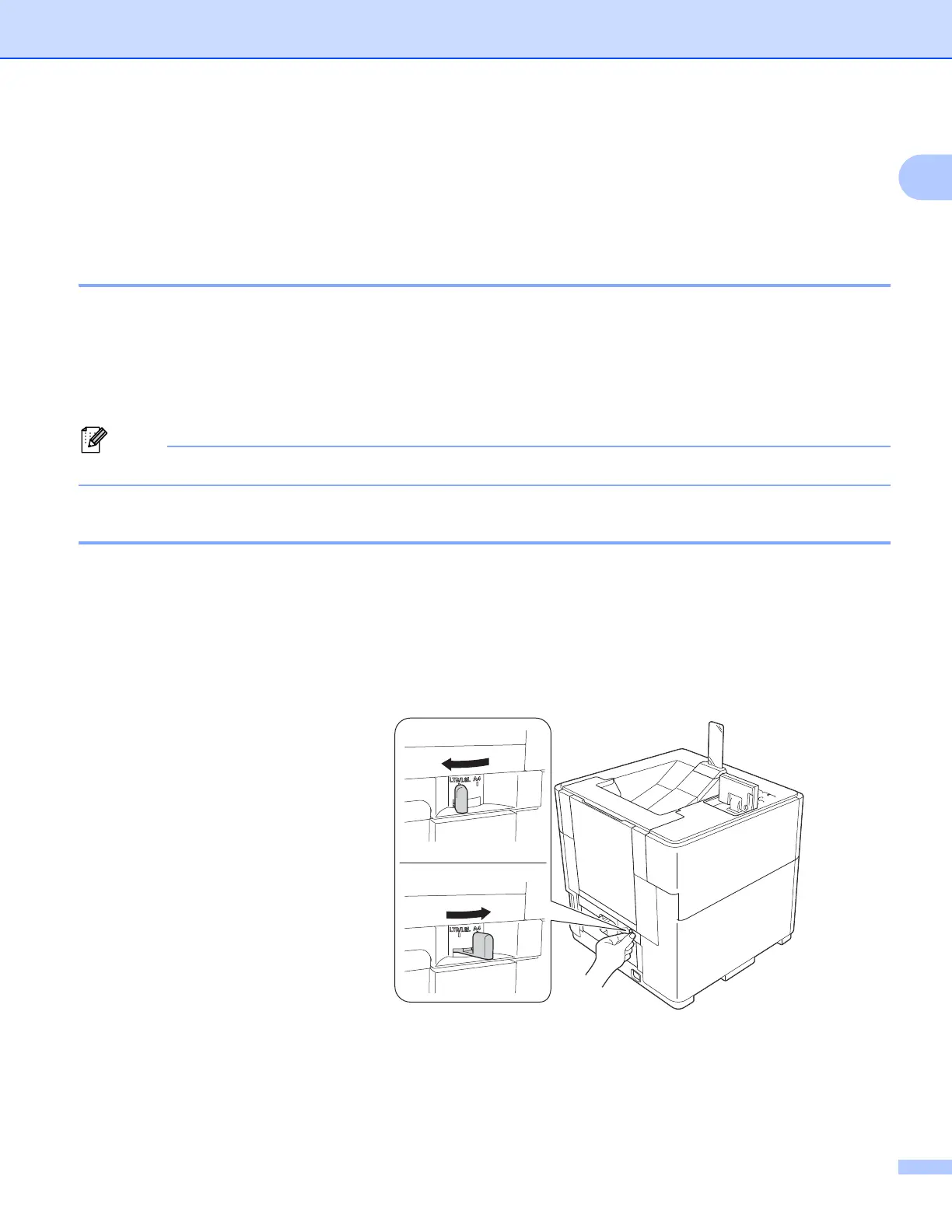
a Set the duplex paper adjustment lever at the back of the printer to LTR/LGL or A4.
When using Folio size paper, set the lever to LTR/LGL.
Letter, Legal or Folio size
A4 size



 To Next Page
 Loading...












