Driver and Software
41
2
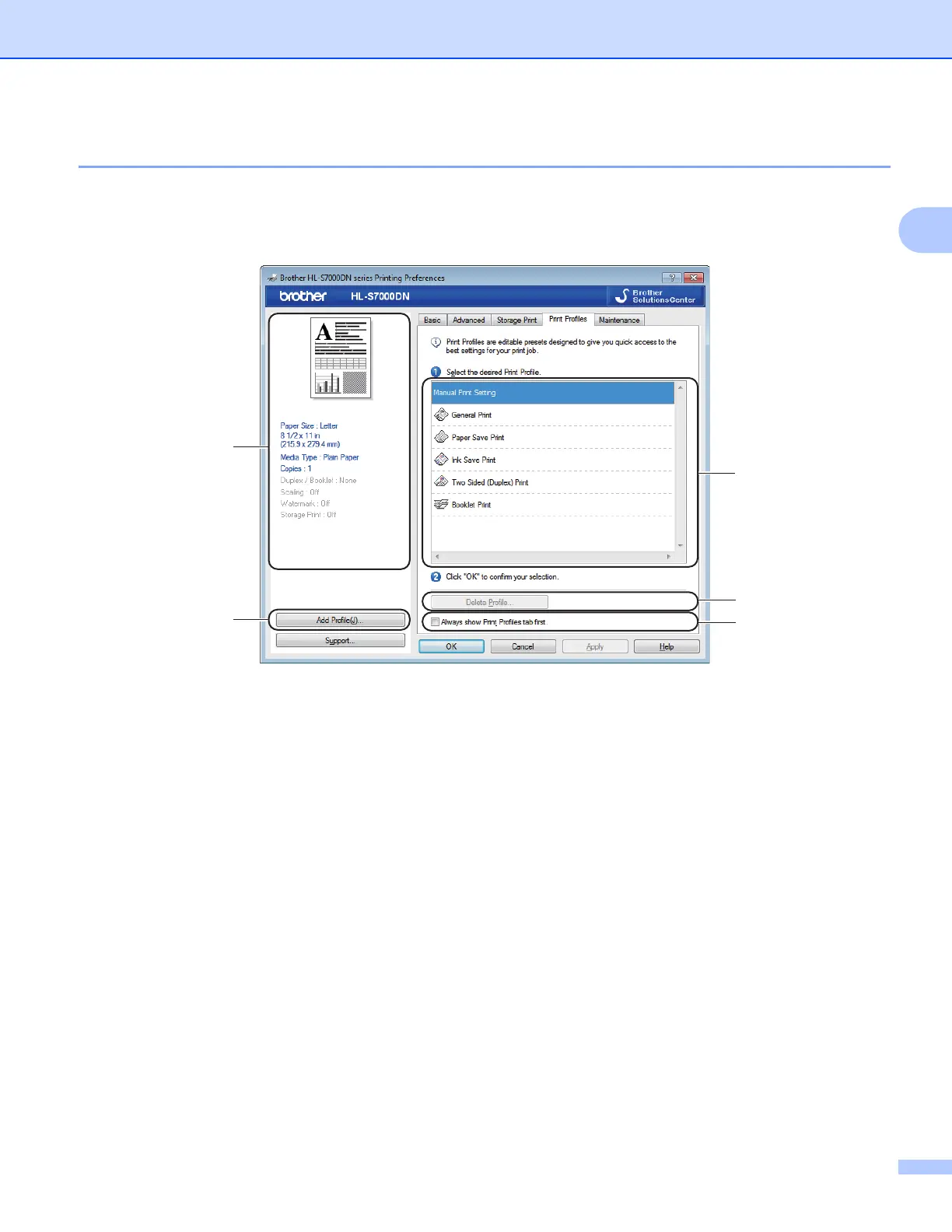
Print Profiles tab 2
Print Profiles are editable presets designed to give you quick access to frequently used printing
configurations.
Print profile list box (1)
Delete Profile (2)
Always show Print Profiles tab first (3)
Add Profile (4)
Current print profile view (5)
a Choose your profile from the print profile list box.
b If you want to display the Print Profiles tab first for future print jobs, check
Always show Print Profiles tab first.
c Click OK to apply your chosen profile.



 To Next Page
 Loading...












