Chapter 2
28
Unprintable area 2
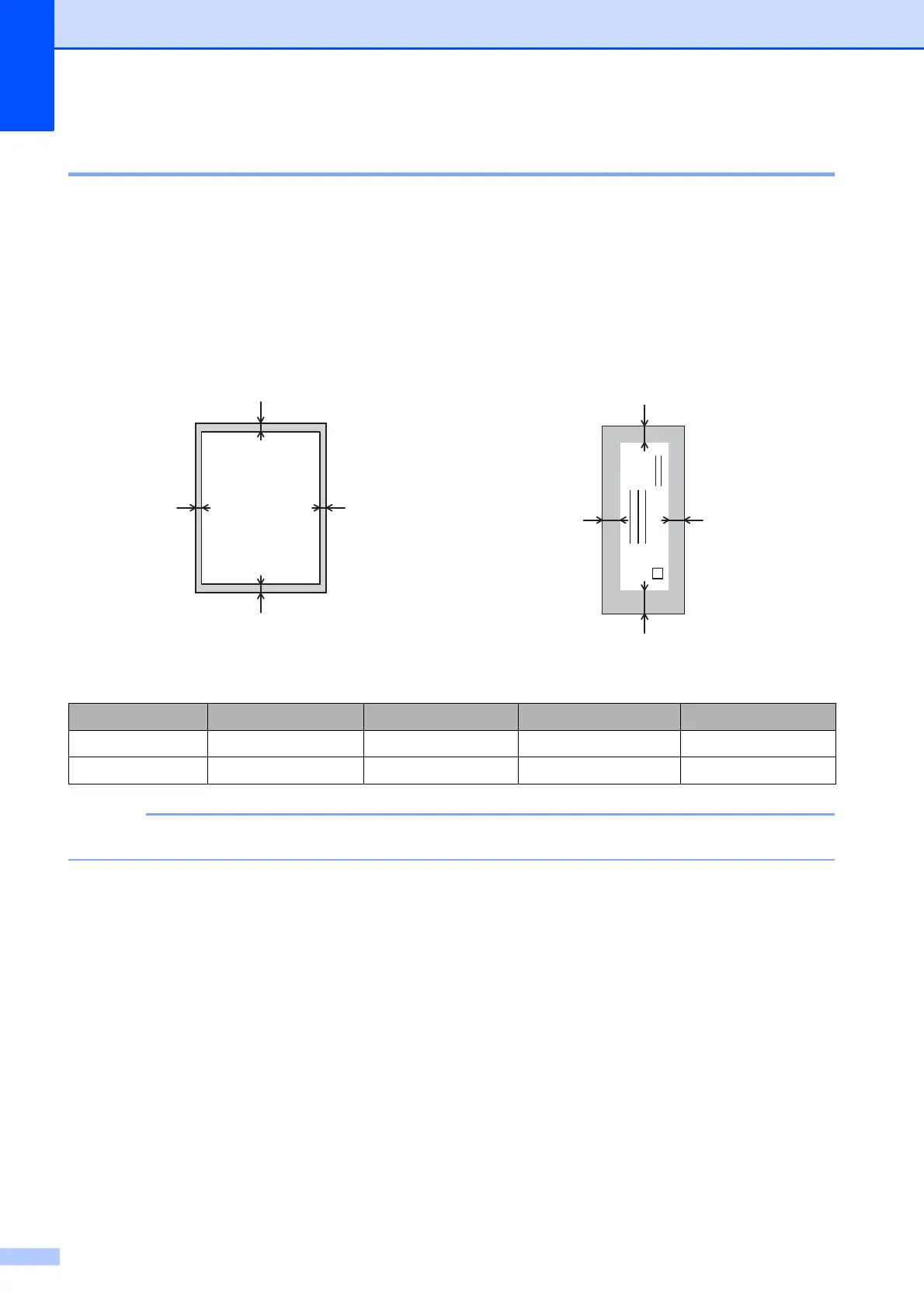
The printable area depends on the settings in the application you are using. The figures below
show the unprintable areas on cut-sheet paper and envelopes. The machine can print in the
shaded areas of cut-sheet paper when the Borderless print feature is available and turned on.
(See Software User’s Guide: Printing (Windows
®
).)
(See Software User’s Guide: Printing and Faxing (Macintosh).)
The Borderless feature is not available for envelopes and 2-sided printing.
Cut-Sheet Paper Envelopes
Top (1) Left (2) Bottom (3) Right (4)
Cut-Sheet 3 mm 3 mm 3 mm 3 mm
Envelopes 22 mm 3 mm 22 mm 3 mm
1
3
42


 To Next Page
 Loading...