241
Reference
Layout & Editing
Layout & Editing
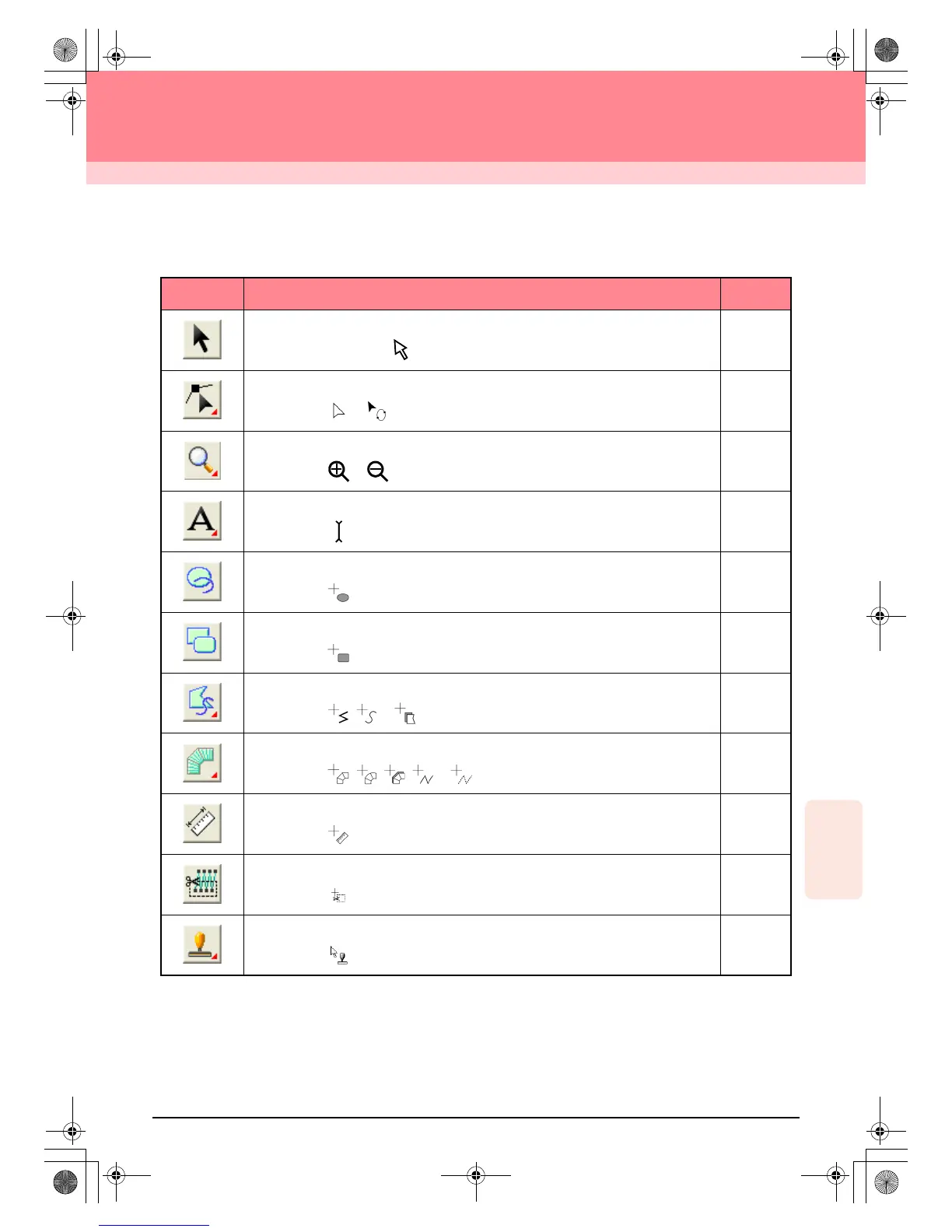
List of Tool Box Buttons
Tool Box Purpose See page
Sets the pointer in selection mode. When you start up the application, the selection mode
is selected. Pointer shape:
p. 130
Sets the pointer in point edit mode.
Pointer shape: or
p. 135
p. 139
Sets the pointer in zoom mode.
Pointer shape: or
p. 186
Sets the pointer in text and monogram input mode.
Pointer shape:
p. 153
Sets the pointer in circle, arc, fan shape and arc & string drawing mode.
Pointer shape:
p. 145
Sets the pointer in rectangle drawing mode.
Pointer shape:
p. 148
Sets the pointer in outline drawing mode.
Pointer shape: , or
p. 149
Sets the pointer in manual punching mode.
Pointer shape: , , , or
p. 152
Sets the pointer in measure mode.
Pointer shape:
p. 182
Sets the pointer in split stitch mode.
Pointer shape:
p. 143
Sets the pointer in stamp input or stamp edit mode.
Pointer shape:
p. 165
PeDesignV6Eng.book Page 241 Thursday, July 8, 2004 11:59 AM



 To Next Page
 Loading...


