MULTIFUNCTION GAUGE
1
rmo2010-001-022_ben
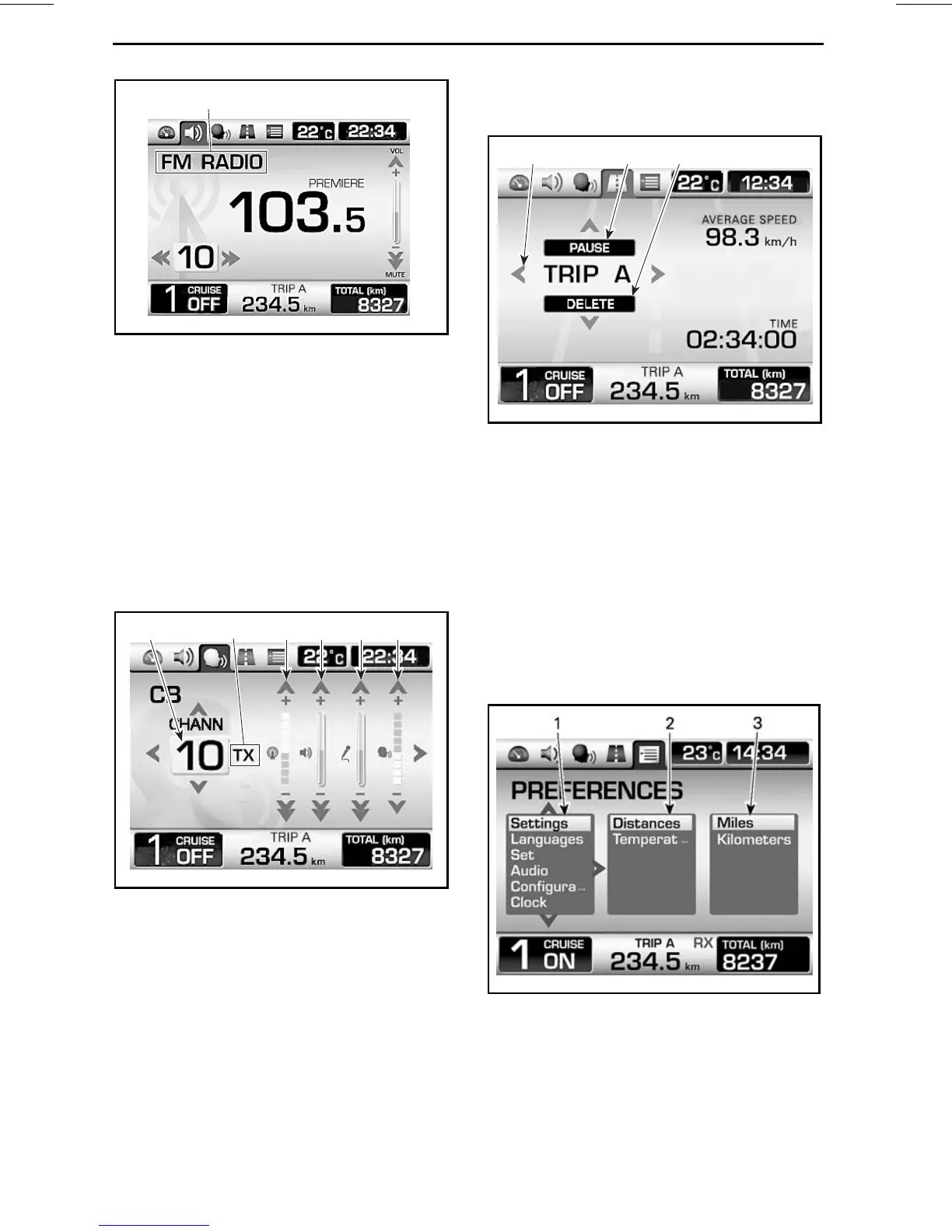
1. Current selected audio device
For additional information on audio
functions, refer to
AUDIO CONTROLS
.
CB Screen (Optional)
This screen is only available when a CB
is installed.
NOTE: The CB screen will appear
whenever the PTT (Push To Talk) but-
ton is pressed whatever the screen
that was displayed.
1 2 3 654
rmo2010-001-023_aen
1. Current channel
2. CB communication status:RX (receiving), TX
(transmitting) and OFF
3. Squelch adjustment
4. Volume adjustment
5. Intercom volume adjustment (i-com)
6. Voice activation sensitivity a
djustment (vox)
For additional information o
n audio
functions, refer to
AUDIO CONTROLS
.
Trip Meter Screen
1 2 3
rmo2010-001-024_aen
TYPICAL
1. Display selection: Trip A or Trip B
2. Pause or resume the selected trip meter
3. Reset the selected trip meter
Press the LEFT/RIGHT button to select
the desired trip meter.
Press the UP button to pause or re-
sumetheselectedtripmeter.
Press the DOWN button to reset the
selected trip meter.
Preferences Screen
rmr2010-030-058_aen
1. 1
st
column: Main category
2. 2
nd
column: Secondary categor
yoritem
3. 3
rd
column: Unit or setting
This screen is only available when vehi-
cle is stopped.
36
______________






 To Next Page