MULTIFUNCTION GAUGE
NOTE: On SE5 model, the Trailer
Mode in the Preferences Screen is
available while riding.
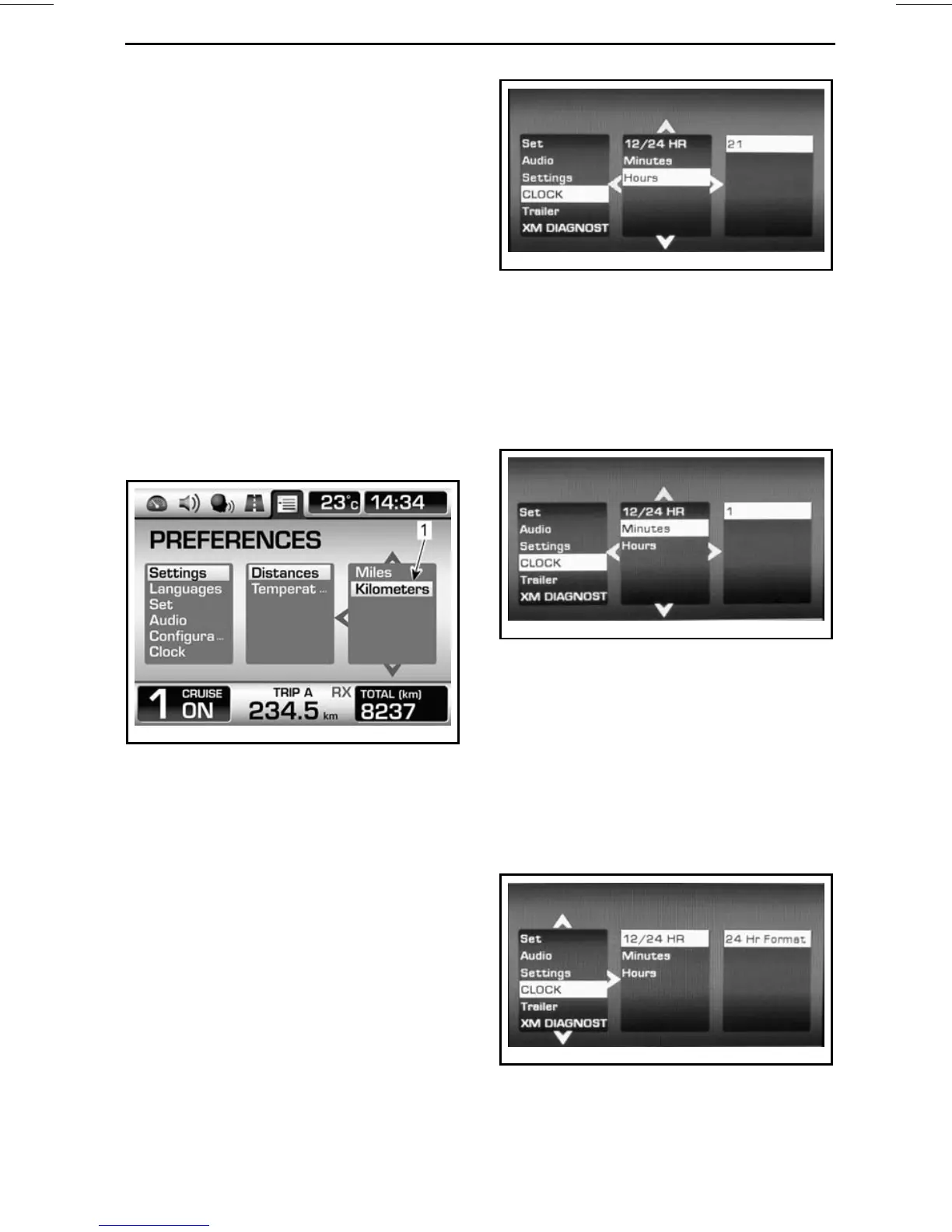
Use the LEFT/RIGHT button to select
the desired column.
Within a column, use the UP/DOWN
button to select the desired item. If
more items are available to the next
right column, use the RIGHT button
toselectthecolumnthenuseagain
the UP/DOWN button to select the de-
sired item. Continue using this pattern
to reach the desired item.
When an item is selected, this sets
the item to the current value. You may
then go to any screen, the value will be
kept.
rmr2010-030-057_aen
1. The selected value will be set
NOTE: When in the 2
nd
or 3
rd
column,
you can go back to the column at the
left using the LEFT button.
NOTE: When the units are changed
they will be changed on both the ana-
log and the digital displays. The units
will be used for the odometer and both
trip meters.
Setting the Time
To set the hours:
Select CLOCK in main category of Pref-
erences Screen.
rmo2011-001-202_a
Select HOURS in secondary category.
Adjust the unit value using the UP and
DOWN arrow.
To set the minutes:
Select CLOCK in main category of Pref-
erences Screen.
rmo2011-001-201_a
Select MINUTES in secondary cate-
gory.
Adjust the unit value using the UP and
DOWN arrow.
Selecting the Hour Mode
To select the 12/24 hour mode:
Select CLOCK in main category of Pref-
erences Screen.
rmo2011-001-203_a
Select 12/24 HOUR in secondary cate-
gory.
_______________
37






 To Next Page