Quick Reference Guide QRG
Quick Reference Guide EDV no.: MD.337.01.04
ekrPro Com60 with CLS Pro 600 Issue Date: 30.06.2011 Seite: 7/22
2.2 Actuators EMS 3 / 4
The EMS 17/18 has been entered as an actuator when selecting
the standard system. As this is not connected in your system, the
actual actuator fitted must be entered and the necessary settings
must be carried out.
2.2.1 Select actuator
The relevant servo-center component must be entered before
starting the commissioning (see section 2.2.4).
Any remote control which may possibly be running, must be
deactivated.
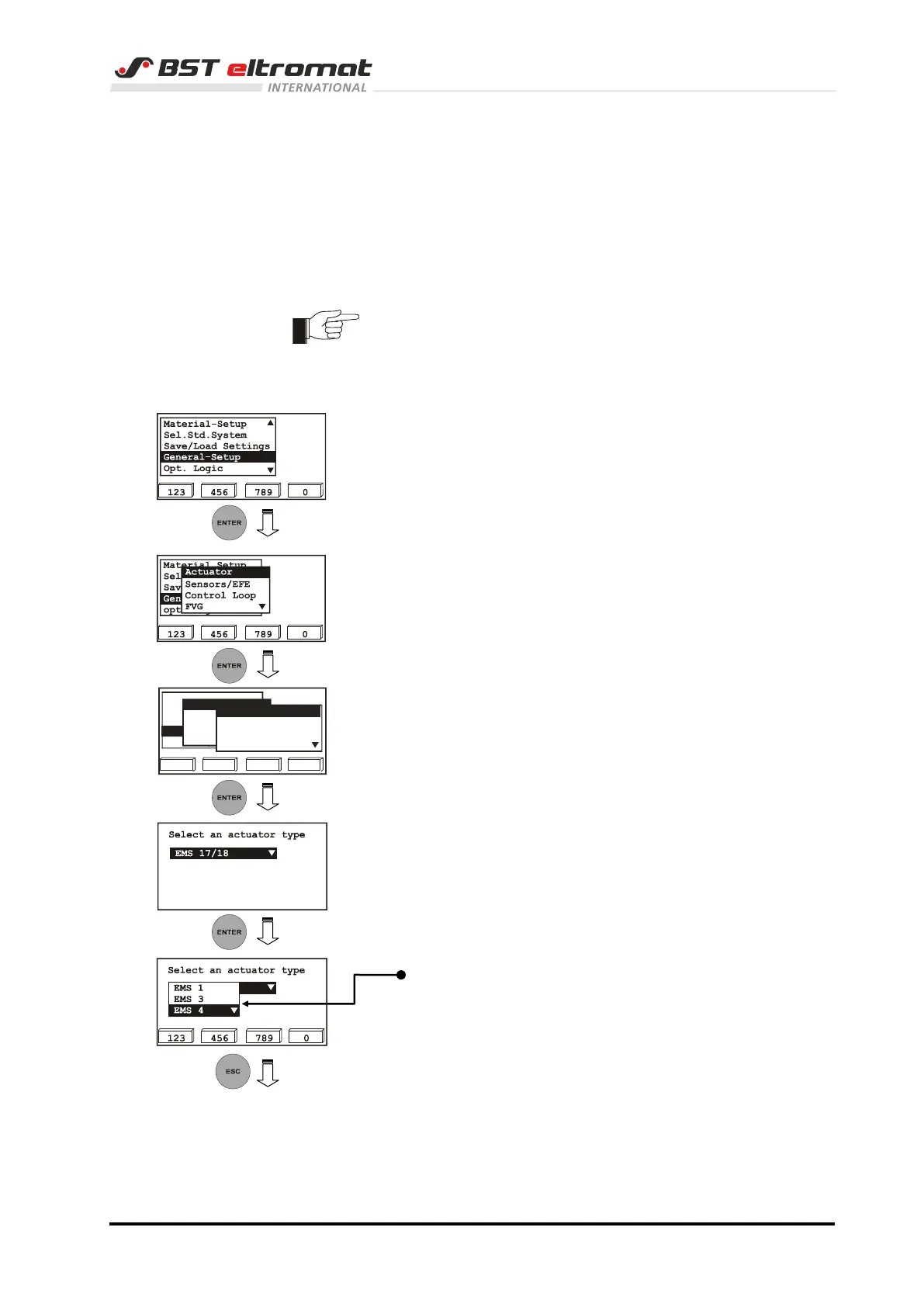
1. Call up the General Setup menu.
2. Select the sub-directory Type (EMS&Hydr.) from the sub-
menu Actuator.
Confirm the relevant selection by pressing ENTER.
3. The default actuator will be displayed on the screen.
4. Press the ENTER key. The actuator option list will be
opened.
Now use the vertical arrow keys to select the actual actuator
(EMS3 / EMS4) that is connected to the system.
Confirm the selection by pressing ENTER.
5. Press the ESC button to exit the window.
123 456 789 0
Material Setup
Sel. Std. System
Save/Load Settings
opt. Logic
General Setup
Actuator
Sensors/EFE
Control Loop
FVG
Type (EMS&Hydr.)
Hydraulics Add-on
Direction
SC-Transducer



 To Next Page