Quick Reference Guide QRG
Quick Reference Guide EDV no.: MD.337.01.04
ekrPro Com60 with CLS Pro 600 Issue Date: 30.06.2011 Seite: 1/22
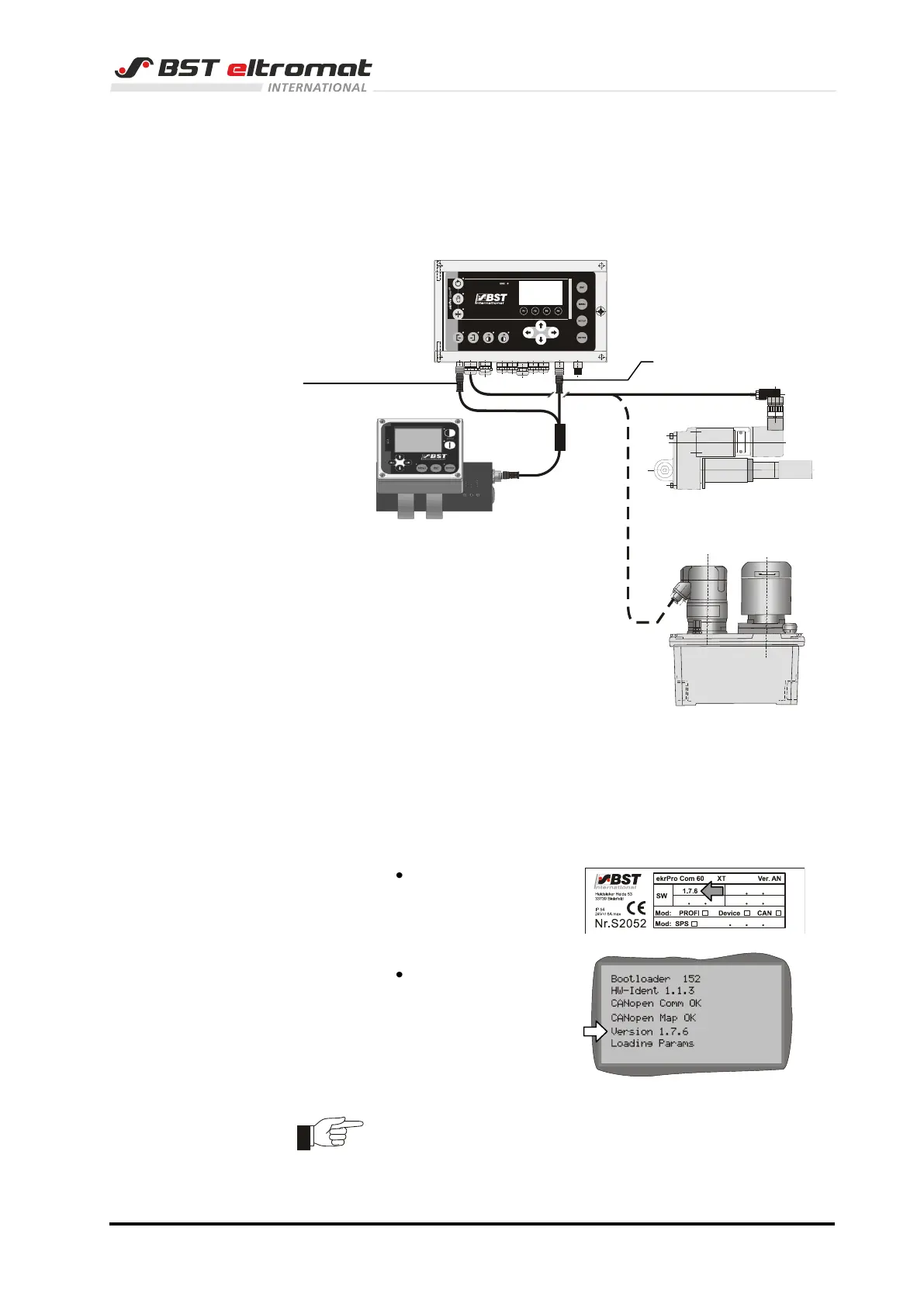
1 System overview
Use this Quick Reference Guide if the system you use has the
following configuration:
2 Commissioning ekrPro Com
60
ekrPro Com60 firmware > 1.7.6 is needed to run the system!
You will find the information:
on the nameplate
in the start screen
of the ekrPro Com60.
Attention: You must connect the sensor up to the controller and
turn the sensor’s S1 rotary switch to Position 1 (default)
and then switch the sensor on before you select the
standard system with CLS Pro 600.
electromotor powered actuator
Line and contrast sensor
CLS Pro 600
hydraulic powered actuator



 To Next Page