Quick Reference Guide QRG
Quick Reference Guide EDV no.: MD.337.01.04
ekrPro Com60 with CLS Pro 600 Issue Date: 30.06.2011 Seite: 17/22
4 Material Setup
The set-up of the CLS Pro 600 sensor is only possible in the
operating mode MAN.
Switching the controller to the operating mode MAN
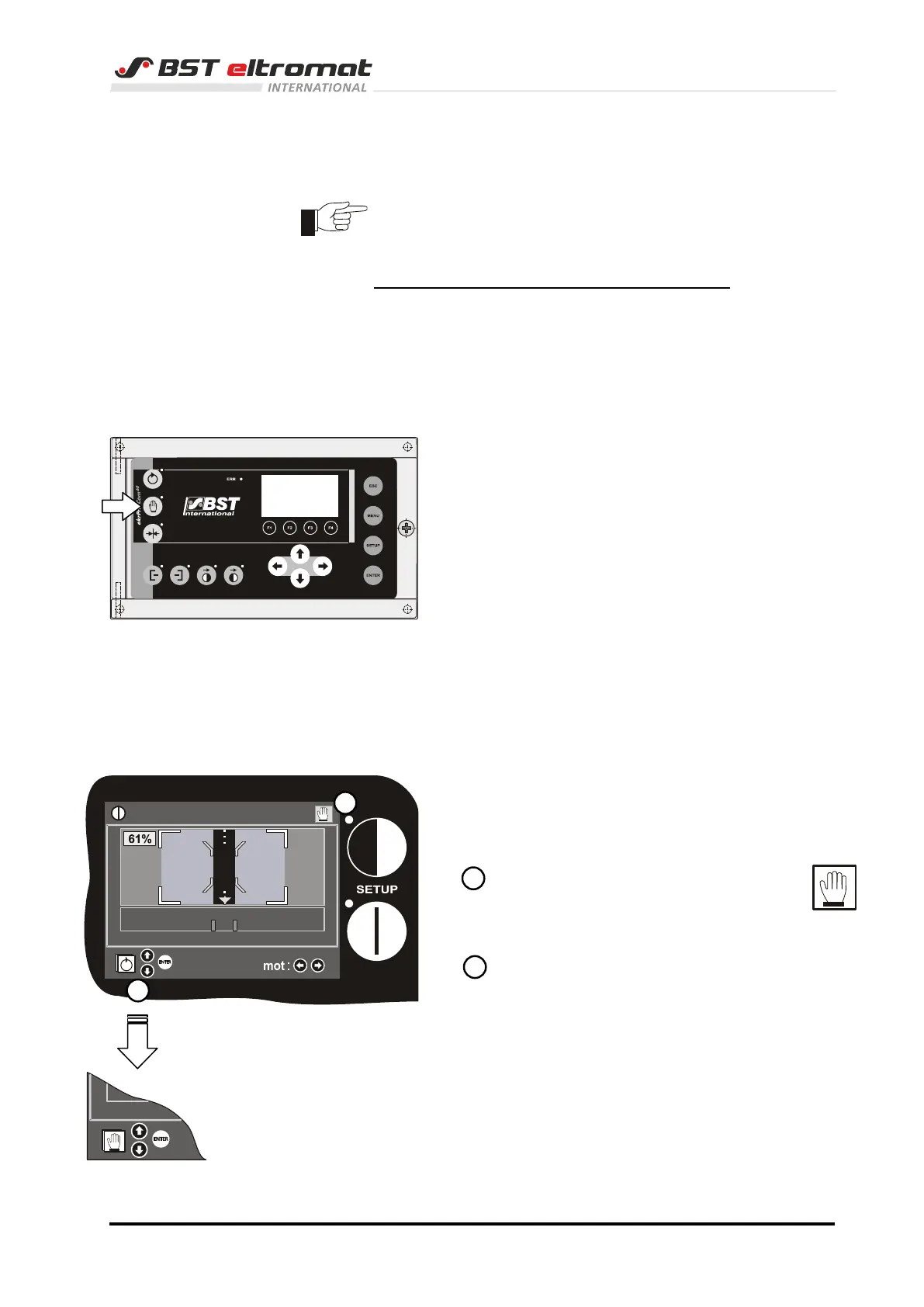
You can switch on the MAN mode at the controller keyboard or via
the sensor keyboard.
4.1 at the controller
Press key MAN. The LED of the key lightens.
4.2 at the sensor
Use the arrow keys up / down to select the operating
mode MAN.
The selected mode with a green border stripe
will be displayed in the bottom left corner.
Confirm the selection by pressing ENTER.
Then the current operating mode will be
displayed in the right upper corner.



 To Next Page