Quick Reference Guide QRG
Quick Reference Guide EDV no.: MD.337.01.04
ekrPro Com60 with CLS Pro 600 Issue Date: 30.06.2011 Seite: 6/22
6. Press the ESC button to exit the window.
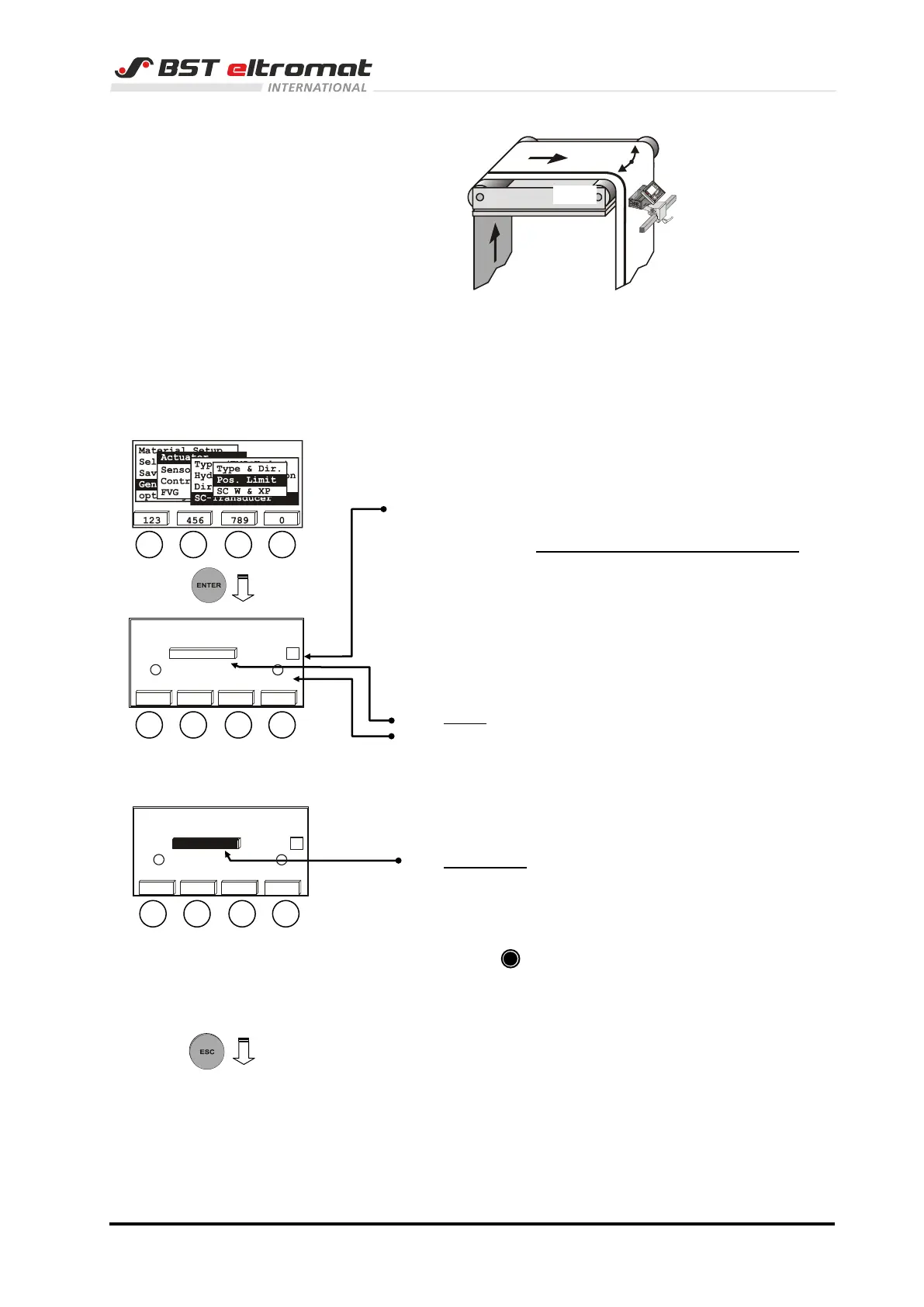
2.1.4 Setting the actuator path limits
1. Switch to the sub-directory SC-Transducer and select the
position Pos. Limit.
Confirm the respective selectuion by pressing ENTER.
2. Use the vertical arrow keys to deactivate the checkbox
active. This deactivates the function of both limit switches.
The settings can only be entered in deactivated state.
3. Use the F2 key to move the actuator until it reaches the
required left limt switch position (lim. l). The actual position
of the actuator supplied by the position feedback is shown in
the middle above the F2 and F3 keys.
4. Confirm this position by pressing the F1 key.
The acceptance of the limit switch position is displayed by
the empty graphic bar in the middle.
The corresponding position value is shown below the
checkbox.
5. Use the F3 key to move the actuator until it reaches the
required right limit switch position (lim. r).
6. Confirm this position by pressing the F4 key.
The acceptance of the limit switch position is displayed by
the filled (black) graphic bar in the middle.
7. Reactivate both limit switches.
Select (x) checkbox active to do this.
Triggering of the respective limit switch is indicated by a
black circle in the read-only checkbox above the F1
and/or F4 key.
Acknowledge a possibly indicated error message by
pressing ENTER.
8. Press the ESC button to exit the inputting menu.
Press the MENU button to exit the set-up menu.
Setting up the ekrPro Com60 is finished with it.
Continue with point 3.
Deactivate to set limits
Activate to test limits
lim.l lim.r
<<<<
<<<<
-264 1258
active
47%
456
Deactivate to set limits
Activate to test limits
lim.l lim.r
<<<<
<<<<
-264 1258
active
47%
456



 To Next Page