Quick Reference Guide QRG
Quick Reference Guide EDV no.: MD.337.01.04
ekrPro Com60 with CLS Pro 600 Issue Date: 30.06.2011 Seite: 9/22
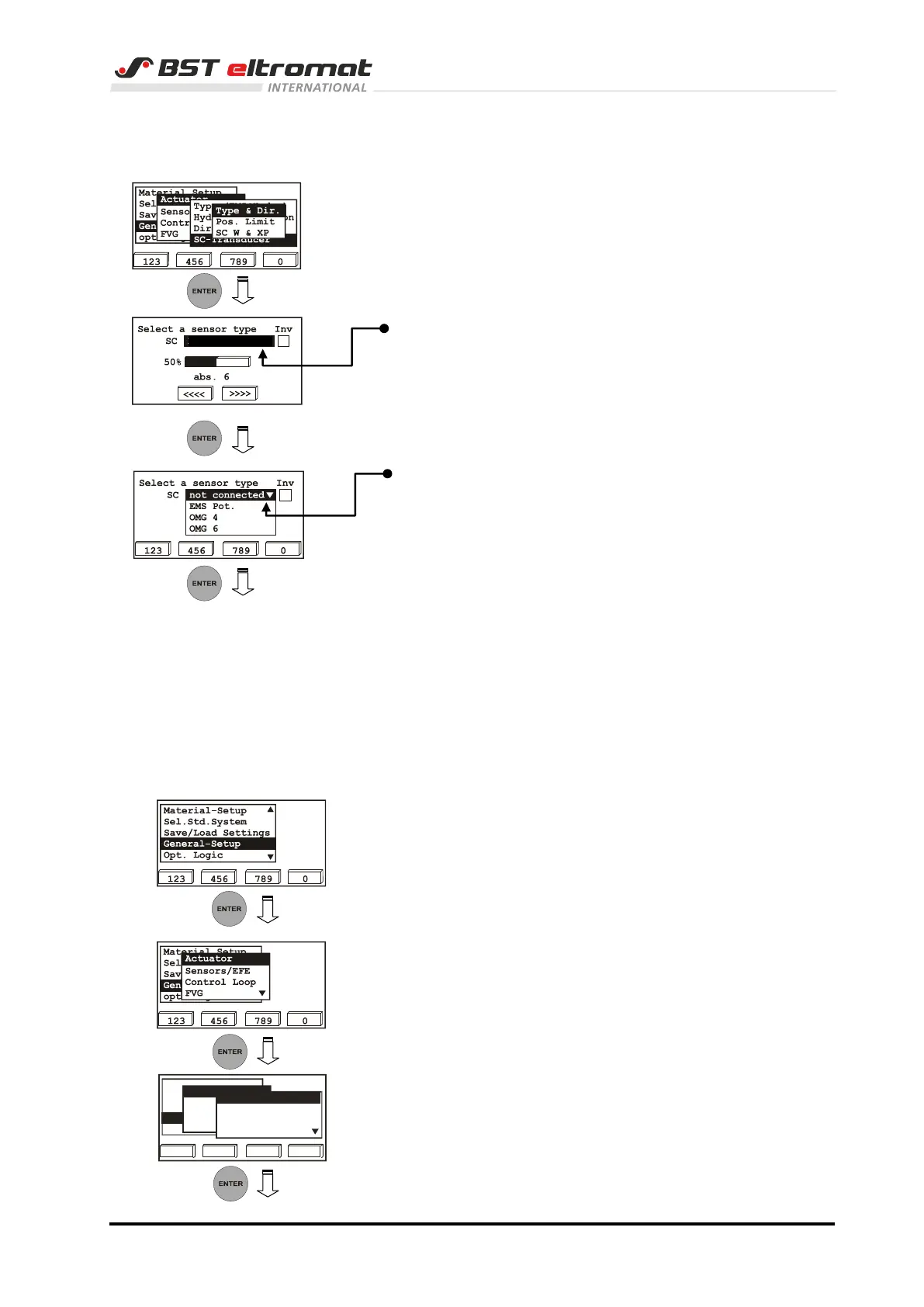
2.2.4 Select the servo-center component
1. Select the sub-directory SC-Transducer from the sub-
menu Actuator and then the position Type & Dir..
Confirm the respective selection by pressing ENTER.
2. Use the horizontal arrow keys left and/or right in the
newly opened window to select the servo-center
component selection window and confirm it by pressing
ENTER.
3. Select not connected from the option list for these
actuators.
4. Confirm the selection by pressing ENTER.
The screen will return to the previous window.
5. Press the ESC button to exit the window.
Press the MENU button to exit the set-up menu.
Setting up the ekrPro Com60 is finished with it.
Continue with point 3.
2.3 Hydraulic actuator
2.3.1 Select hydraulic actuator
1. Call up the General Setup menu.
2. Select the menu sub-directory Type (EMS&Hydr.)
from the sub-menu Actuator.
Confirm the respective selection by pressing ENTER.
123 456 789 0
Material Setup
Sel. Std. System
Save/Load Settings
opt. Logic
General Setup
Actuator
Sensors/EFE
Control Loop
FVG
Type (EMS&Hydr.)
Hydraulics Add-on
Direction
SC-Transducer



 To Next Page