Quick Reference Guide QRG
Quick Reference Guide EDV no.: MD.337.01.04
ekrPro Com60 with CLS Pro 600 Issue Date: 30.06.2011 Seite: 8/22
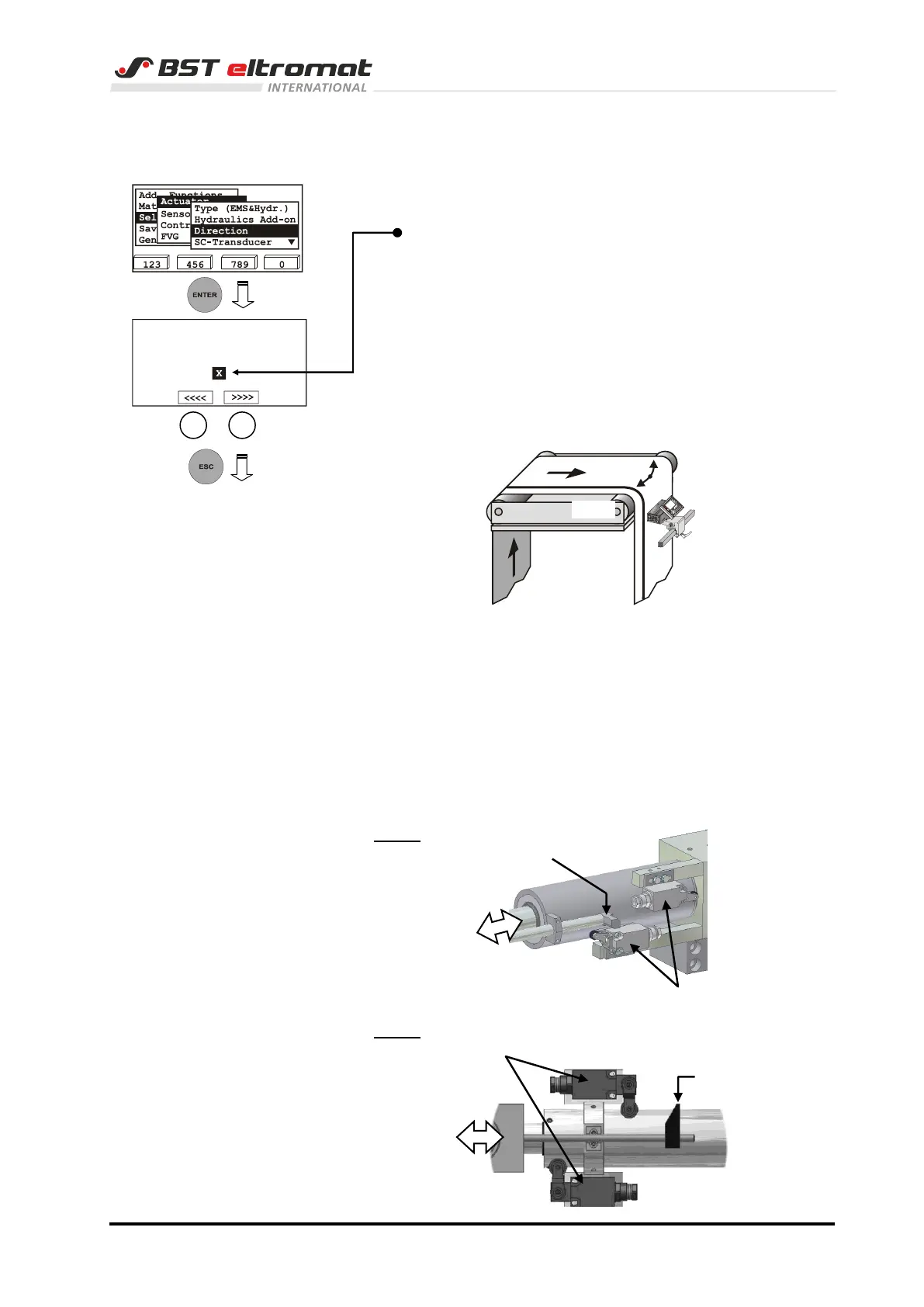
2.2.2 Setting the actuator guiding direction
1. Switch to the sub-directory Direction.
The actuator guiding direction for manual mode can be
reversed by activating the checkbox Mot. Dir. Inverted.
The direction can be checked on the spot.
Move the actuator using the F2 or F3 key.
If key F2 is pressed, the actuator must move the material
web to the left hand side in material running direction, if F3 is
pressed it must move it to the right hand side in material
running direction!
Pressing F2 or F3 automatically changes the controller to
the manual operating mode.
2. Press the ESC to exit the window.
2.2.3 Check the limit switch allocation
Move the actuator in direction to one limit switch in MAN mode until
the limit switch is actuated.
The message „Limit switch set“ appears in the display of the
ekrPro Com60 and the error LED lightens simultaneously.
Check the allocation. The actuator must not move into this
direction.
EMS 3
EMS 4
Toggle Man Dir. until
F2 moves to sensor 1
Mot. Dir. Inverted



 To Next Page