Quick Reference Guide QRG
Quick Reference Guide EDV no.: MD.337.01.04
ekrPro Com60 with CLS Pro 600 Issue Date: 30.06.2011 Seite: 13/22
3 Setting up the CLS Pro 600
3.1 General
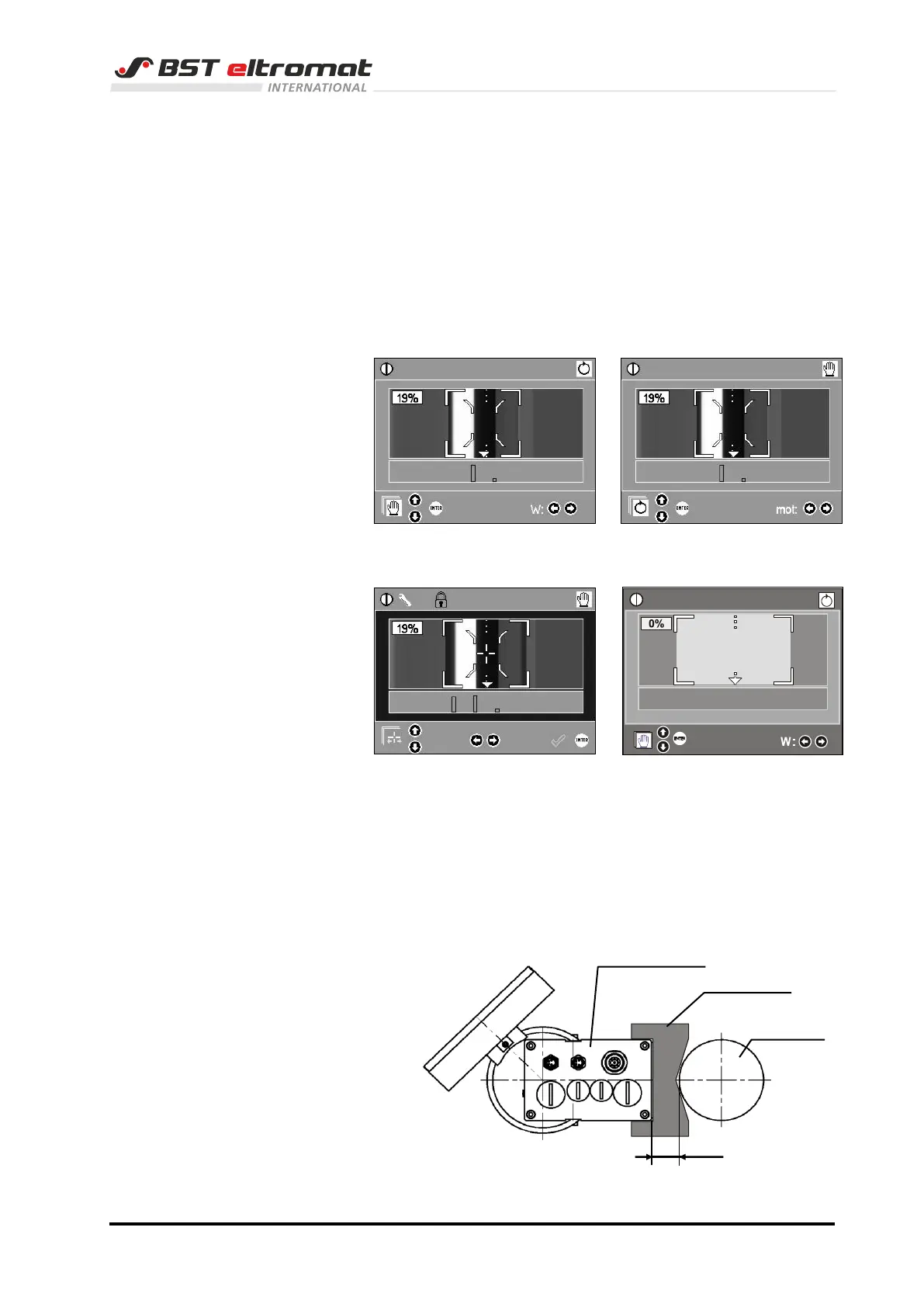
The display area in the graphic display of the keypad has
differently coloured borders. The different colours show which
mode you are in at present.
There are the following possibilities:
Operating mode AUTOMATIC Operating mode MANUAL
(green) (grey)
SETUP mode Error (flashes red)
(blue) (line/edge not recognized)
3.2 Requirements
1. The controller ekrPro Com60 must be in the MAN operating
mode.
2. The distance between sensor and material of web / scanning
roller has to be set correctly.
(See also manual CLS Pro 600, section 2.2.4)



 To Next Page