SMART MATRIX TWIST Operation
SMART MATRIX TWIST - 2-6 -
4 – Parameters Saving
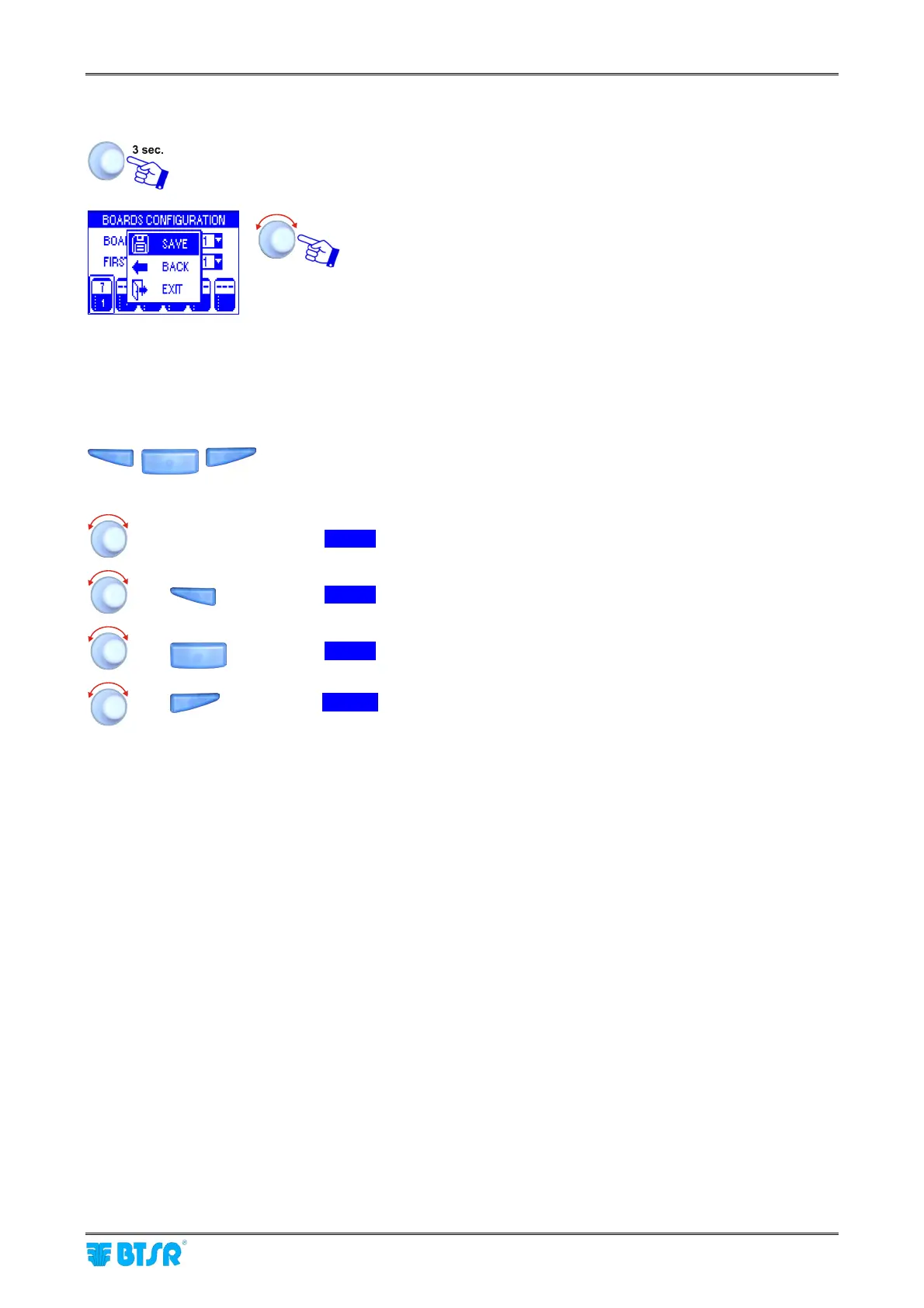
Once you have setup all the desired parameters, press and hold down for 3 seconds the
rotary selector.
SAVE to save the settings
BACK to return to previous screen without saving
EXIT to return to menu without saving
5 – Resolution of Increment/Decrement Values
To speed up the increment/decrement of programmable numeric fields, you may use the
buttons while turning the selector.
The available resolutions (indicated by a small label in reverse) on the left side of the field are the following:
(Only selector)
Î
x1 .
=
Increment/decrement by 1
+
Î
x10 .
=
Increment/decrement by 10
+
Î
x100 .
=
Increment/decrement by 100
+
Î
x1000 .
=
Increment/decrement by 1000











 To Next Page